Top Open Source Google Drive Alternatives for 2024
Top Open Source Google Drive Alternatives for 2026
Discover the best open source Google Drive alternatives. Learn about self-hosted solutions with encryption and collaboration features.
What is open source google drive alternative?
In simple terms, an open source Google Drive alternative is a self-hosted or cloud-based file storage and synchronization platform built on publicly accessible source code. Unlike proprietary services like Google Drive, Dropbox, or Microsoft OneDrive, the underlying code is freely available for anyone to inspect, modify, and distribute. This means you aren’t locked into a corporate ecosystem, and you retain full control over your data—where it lives, who accesses it, and how it’s managed.
Think of it as building your own private cloud storage, but without starting from scratch. These platforms typically include features like file uploads, folder sharing, real-time collaboration, version history, and even document editing—just like Google Drive. The critical difference is that you (or your organization) own the server, the network, and the data. For example, if you choose an open source Google Drive alternative, you can install it on a home server, a VPS, or even a Raspberry Pi, and access your files from anywhere.
💡 Key Insight: The term "open source Google Drive alternative" doesn’t refer to a single product. Instead, it describes a category of software—like Nextcloud, ownCloud, Seafile, or Pydio—each with its own strengths. The common thread is liberation from vendor lock-in, transparent security practices, and the ability to tailor the platform to your exact needs.
Why would someone choose this over the convenience of Google Drive? The main reasons are privacy, security, and sovereignty. With Google Drive, your files are stored on Google’s servers, subject to their terms of service, data mining policies, and potential government requests. An open source Google Drive alternative puts you in the driver’s seat. You can encrypt your data end-to-end, set granular user permissions, and even comply with strict regulations like GDPR or HIPAA without relying on a third party. Plus, because the code is open, security vulnerabilities are often found and patched faster by the community.
However, it’s not a perfect one-to-one replacement. Setup requires some technical know-how—you’ll need to manage a server, handle backups, and maintain updates. Many solutions also offer hosted versions (where a provider runs the software for you), but those still carry a fee. For teams, the trade-off is worth it: you get unlimited storage space (limited only by your hardware), no surprise pricing hikes, and full data ownership.
🔒 Total Privacy Control
Your files never touch third-party servers unless you want them to. Encrypt everything locally before sync.
⚙️ Customizable & Extensible
Add plugins for calendars, contacts, office suites, or even AI-powered search—all without corporate restrictions.
In short, an open source Google Drive alternative is a powerful, privacy-first approach to cloud storage. It’s ideal for businesses, developers, and privacy-conscious individuals who want the convenience of cloud sync without sacrificing control. Whether you’re running a small family server or a multi-terabyte enterprise setup, these tools give you the freedom to store, share, and collaborate on your own terms.
Why Open Source Google Drive Alternative Matters
When you upload a file to a cloud service like Google Drive, you’re trusting that company with your data—your photos, your documents, your business plans, even your personal memories. But what happens when that trust is broken, or when the service changes its terms overnight? This is precisely why an open source google drive alternative matters more than ever. It shifts the power from a single corporation back to you, the user.
💡 Key Insight: Open source software isn’t just about free code—it’s about freedom. Freedom to inspect, modify, and trust the tools you rely on daily.
Here’s why making the switch to an open source alternative is a critical move for both privacy-conscious individuals and forward-thinking organizations:
Total Data Ownership: With proprietary services, your data lives on servers you don’t control. An open source google drive alternative lets you host your own cloud—on your own hardware, or a provider you choose—meaning zero third-party access to your files.
No Lock-In or Surprise Changes: Remember when Google changed its storage policies or when a competitor suddenly shut down? Open source software can be forked, self-hosted, or migrated. You are never at the mercy of a single company’s roadmap.
Transparency and Security: Because the code is public, thousands of independent developers can audit it for vulnerabilities or backdoors. You don’t have to “trust” a corporation’s word—you can verify the security yourself.
Cost Predictability: Most open source solutions are free to use. You only pay for your own storage (e.g., a NAS device or a low-cost VPS), which often costs less than monthly subscription fees in the long run.
🔒 Privacy First
End-to-end encryption and no data mining. Your files, your rules. No ads, no AI training on your content.
🌍 Community Driven
Features are decided by users, not shareholders. Contribute ideas, report bugs, and shape the tool you use every day.
⚡ Self-Hosted Speed
No more throttled uploads or “quota exceeded” errors. Run on your local network for blazing-fast file access.
🔄 Interoperability
Open standards mean you can sync files across Linux, Windows, macOS, and mobile—without proprietary apps.
In a world where digital sovereignty is increasingly rare, choosing an open source google drive alternative is a vote for a healthier internet. It’s not just about replacing a file sync tool—it’s about reclaiming control over your digital life. Whether you’re a freelancer protecting client contracts, a family safeguarding photo albums, or a business ensuring compliance, the open source path offers a future that is transparent, resilient, and yours to own.
Key Features to Look For
When evaluating an open source Google Drive alternative, not all platforms are created equal. Some excel at raw storage, while others prioritize collaboration, privacy, or extensibility. To help you cut through the noise, we've broken down the essential capabilities you should scrutinize before committing your data — and your team — to any solution. Whether you're migrating away from Big Tech for sovereignty reasons, cost savings, or simply the desire for greater control, these features will determine whether your new platform becomes a daily productivity powerhouse or a frustrating drain on your time.
🔒 End-to-End Encryption & Zero-Knowledge Architecture
True privacy means that even the server operator cannot read your files. Look for solutions that offer client-side encryption, where data is encrypted on your device before it ever reaches the server. This ensures your documents, photos, and sensitive business data remain confidential — a critical distinction from many commercial services that hold the decryption keys.
🔄 Smart File Sync & Version History
Seamless synchronization across all your devices is non-negotiable. Evaluate whether the platform supports selective sync (so you don't have to download everything), delta sync (only transferring changed parts of a file), and robust versioning that retains previous iterations. Accidental deletion or ransomware attacks are far less terrifying when you can roll back hours, days, or even weeks.
👥 Real-Time Collaboration & Sharing Controls
An open source Google Drive alternative must handle collaborative workflows gracefully. Look for integrated document editing (such as Collabora Online or ONLYOFFICE integration), granular sharing permissions (view, comment, edit), password-protected share links, and expiration dates. The best platforms allow you to collaborate without ever exposing your files to third-party SaaS providers.
🗂️ Hybrid Hosting: Self-Hosted & Managed Options
Flexibility in deployment matters. Some teams want full control with self-hosting on their own hardware or VPS; others prefer a managed, turnkey service that still keeps data in their jurisdiction. The ideal open source platform supports both paths, letting you start with managed hosting for convenience and later migrate to self-hosted as your needs evolve — all without vendor lock-in.
💡 Key Insight: The best open source Google Drive alternative isn't necessarily the one with the longest feature list — it's the one whose security model, deployment flexibility, and integration ecosystem align most closely with your actual workflow. A platform that excels at privacy but lacks mobile apps may be perfect for a security-conscious solo user, while a team might prioritize real-time co-editing and granular sharing controls above all else.
Beyond the headline features, dig into the ecosystem. Does the platform expose a WebDAV interface for mounting storage directly in your operating system's file manager? Does it offer a REST API for building custom integrations with your CRM, project management tool, or backup pipeline? An open source solution's true value multiplies with every connector it supports — look for active community-maintained integrations for Nextcloud, ownCloud, Seafile, or similar ecosystems.
⚡ Performance & Scalability Considerations
Storage is cheap; performance is precious. A platform that feels sluggish on a 50-user deployment will crumble at 500. Investigate how the system handles concurrent file operations, thumbnail generation for large media libraries, and full-text search across thousands of documents. Some solutions rely heavily on database queries for file metadata — ensure your stack (whether you choose PostgreSQL, MySQL, or SQLite) can handle your anticipated load. Additionally, evaluate how the system handles large files: a 10 GB video file should stream smoothly, not drag your entire instance to a halt.
Cross-Platform Clients — Desktop apps for Windows, macOS, and Linux plus mobile apps for iOS and Android are essential. Web-only access is a dealbreaker for many workflows.
File Preview & Media Streaming — Instant preview of PDFs, Office documents, images, and video without downloading saves time and bandwidth. Look for built-in media players and document viewers.
User & Group Management — LDAP/Active Directory integration, quota management per user or group, and audit logging are critical for organizational deployments.
External Storage Mounting — The ability to connect S3-compatible object storage, FTP servers, or even another cloud service as a remote backend gives you unlimited flexibility in how you scale.
Offline Access & Conflict Resolution — Working offline and syncing changes later must be handled gracefully, with clear conflict resolution when two users modify the same file simultaneously.
🔌 Extensibility & App Ecosystem
A thriving app store or plugin ecosystem can transform a basic file sync tool into a full productivity hub. Calendar, contacts, email, project management, password manager, and even video conferencing apps can all live within the same open source environment — reducing the number of accounts and data silos your team has to juggle daily.
📊 Monitoring & Maintenance Tooling
Self-hosting demands good observability. Look for built-in health dashboards, log aggregation, storage usage analytics, and automated backup/restore workflows. The difference between a platform that "runs" and one you can confidently maintain long-term often comes down to how easy it is to diagnose issues and perform routine maintenance without SSH wizardry.
Finally, consider the community and governance behind the project. A truly open source Google Drive alternative backed by an active development community, regular release cadence, transparent security disclosures, and responsive support channels will serve you far better than a project that appears impressive but has stagnated. Scan the GitHub repository: recent commits, open issue response times, and the quality of documentation tell you volumes about whether this project is a living, breathing ecosystem or a digital ghost town. The right choice today will grow with you for years to come.
How to Get Started with open source google drive alternative
Switching away from big‑tech cloud storage doesn’t have to be intimidating. In fact, getting started with an open source Google Drive alternative is simpler than you might think, and the benefits—total data ownership, no hidden privacy policies, and unlimited customization—are immense. Whether you’re a solo user, a family coordinator, or a small business owner, this guide will walk you through the essential steps to take control of your files today.
Step 1: Choose Your Platform
The open‑source ecosystem offers several mature options, each with its own strengths. The most popular choice is Nextcloud—it’s a full productivity suite with calendar, contacts, collaborative office editing, and even video chat. For lighter weight or large file synchronization, Seafile excels at speed and reliability. And if you want something ultra‑minimal, ownCloud still holds its ground with a straightforward sync experience. Evaluate based on your needs:
🚀 Nextcloud
Best all‑in‑one platform with apps, collaboration tools, and extensive plugin marketplace. Ideal if you also need calendar, contacts, and document editing.
⚡ Seafile
Lightning‑fast sync for large files, encrypted libraries, and a clean web interface. Great for teams that prioritize speed over extra features.
🛡️ ownCloud
Simple, stable sync engine with strong security features. Perfect if you want to move from Google Drive without adding too many new bells and whistles.
🔒 CryptPad
End‑to‑end encrypted real‑time collaborative documents. Less a file sync tool, more a privacy‑first alternative for document creation.
Step 2: Decide: Self‑Host or Use a Provider?
One of the biggest decisions is whether to run the server yourself (self‑hosting) or to sign up with a trusted third party that already runs the software. Self‑hosting gives you complete control—you own the hardware or cloud VM, manage updates, and guarantee your data never touches a corporation’s servers. For many, a Raspberry Pi at home or a cheap VPS from a provider like Hetzner or DigitalOcean is enough to get started. If that sounds daunting, numerous ethical hosting companies offer fully managed open source Google Drive alternative services—they handle backups, updates, and uptime while you only pay a small monthly fee (often less than Google’s storage tiers).
Step 3: Installation (The Fun Part)
If you choose self‑hosting, the quickest way to get a working instance is via Docker. Most platforms provide a simple Docker Compose file that spins up the server, database, and all dependencies with a single command. For example, with Nextcloud, you can run:
docker compose up -d (after placing the official YAML template in a folder).
Manual installation on a Linux server (Ubuntu/Debian) is equally doable and gives you deeper customization. Both official documentation and community forums are excellent guides. Expect the setup to take under 30 minutes for a basic server.
💡 Key Insight: Don’t let the “server” word scare you. Many modern open source Google Drive alternative projects have one‑click installers on platforms like YunoHost or Cloudron. If you already have a domain and a $5‑per‑month VPS, you can be syncing files in under 15 minutes.
Step 4: Install Sync Clients & Migrate Your Data
Now that your server is running, download the desktop sync client (Windows, macOS, Linux) and mobile apps (Android, iOS). Log in using your server’s address and create a sync folder. This will replicate your cloud files to your local machine, just like Google Drive’s desktop app—except you’re the one in control. To migrate, simply copy files from your old Google Drive folder into the new sync folder; the client will upload them automatically. Most tools also let you share links, set expiration dates, and assign passwords—features you already know from the closed‑source world.
Step 5: Fine‑Tune Security & Collaborations
Enable HTTPS (Let’s Encrypt makes it free and easy), set up two‑factor authentication, and consider encrypting sensitive files at rest. Once you’re comfortable, invite friends or coworkers to share folders, create team calendars, or collaboratively edit documents using integrated office suites like Collabora Online or OnlyOffice. The ecosystem is vibrant and actively developed—new features appear almost monthly.
Backup your server – schedule regular snapshots of your database and data directory.
Keep it updated – most projects issue security patches frequently. Use auto‑update notifications.
Start small – even a single folder of 5 GB is a win. You’ll naturally grow into the system.
By now you should have a working open source Google Drive alternative that respects your privacy, runs on your terms, and costs only what you’re willing to invest. The journey that starts with that first “docker compose up” leads to a digital independence you won’t want to give up. Go ahead—take the leap and reclaim your data.
Best Practices for open source google drive alternative
Switching to an open source google drive alternative is more than just installing software—it's about rethinking how you manage, share, and protect your files. While the flexibility of self-hosted solutions like Nextcloud, Seafile, or ownCloud is liberating, it also comes with responsibilities that commercial services handle behind the scenes. Following proven best practices ensures your deployment stays secure, performant, and actually usable for your team or personal workflow.
💡 Key Insight: The biggest mistake new adopters make is treating their open source google drive alternative exactly like a SaaS product. Unlike Google Drive, you own the infrastructure—which means you also own the uptime, security, and backup responsibilities. Plan for that ownership from day one.
Start with your deployment strategy. For most teams, Docker-based deployment using docker-compose offers the cleanest balance of reproducibility and ease of updates. Pin specific versions of the application and its database in your compose file, and always test upgrades on a staging instance first. If you're less technical, consider a turnkey appliance like Nextcloud All-in-One or a managed hosting provider that specializes in open source cloud storage—this gives you control without the full ops burden.
🔐 Encrypt Everything, Twice
Enable at-rest encryption in your open source google drive alternative, plus use HTTPS with a valid certificate (Let's Encrypt works great). For sensitive files, client-side encryption tools like Cryptomator add an extra layer that even the server admin cannot bypass.
📦 The 3-2-1 Backup Rule
Three copies of your data, on two different media, with one offsite. Your open source Drive stores files and a database—back up both. Tools like BorgBackup or restic integrate well with Nextcloud's file structure.
👥 Granular User Controls
Define groups and permission roles early. Use share links with expiration dates, password protection, and download limits. Audit user access quarterly to remove stale accounts and reduce attack surface.
⚙️ Performance Tuning
Enable Redis for file locking and caching, use a dedicated database server (PostgreSQL recommended), and configure a CDN or reverse proxy for static assets. This keeps your Drive snappy even with hundreds of users.
Integration is where your open source google drive alternative really shines. Connect it with collaborative office suites (Collabora Online or OnlyOffice), calendar and contacts sync (CalDAV/CardDAV), and even automated workflows via webhooks or built-in automation apps. But be disciplined: only add plugins and apps that serve a real need. Every extension increases update complexity and potential security risk.
💡 Key Insight: Plan your migration from Google Drive in phases. Start with a small group of power users, validate file syncing and sharing workflows, then expand. Use tools like Nextcloud's Google Drive import or rclone to transfer data without disruption. A phased rollout builds confidence and lets you catch configuration issues before they affect your entire organization.
Finally, monitor your instance proactively. Set up health checks for disk space, database connections, and SSL certificate expiry. Use tools like Uptime Kuma or Prometheus with Grafana dashboards. Subscribe to security advisories for your chosen platform and apply patches within 48 hours for critical vulnerabilities. An open source google drive alternative that is well-maintained becomes a durable asset—neglected, it becomes a liability.
By following these practices—secure deployment, rigorous backups, thoughtful permissions, performance optimization, and ongoing monitoring—you'll get the privacy and flexibility benefits of open source without sacrificing reliability. Your self-hosted Drive won't just replace Google Drive; it will outperform it on the metrics that matter most to you.
Frequently Asked Questions
What is the best open source alternative to Google Drive?
Nextcloud is widely considered the best open source alternative to Google Drive. It offers file sync and sharing, collaborative document editing via integrations like Collabora or OnlyOffice, calendar, contacts, email, and a robust app ecosystem — all while giving you full control over your data.
Can I access my files on an open source cloud from anywhere?
Yes. Solutions like Nextcloud and Seafile provide desktop clients for Windows, macOS, and Linux, plus mobile apps for Android and iOS. You can sync, upload, and preview files from any device, just like with Google Drive — but without relying on a third-party server.
Do I need technical skills to self-host an open source cloud?
Basic Linux and server administration knowledge helps, but many projects offer pre-packaged solutions. Nextcloud provides Docker images, Snap packages, and even turnkey appliances for platforms like Raspberry Pi. For an easier start, you can use a hosting provider that offers one-click Nextcloud installation.
Is an open source Google Drive alternative secure and private?
Yes, that's one of the main advantages. Your data remains on your own server, not on a corporate cloud. You control encryption, access permissions, and backups. Solutions like Nextcloud support end-to-end encryption and comply with GDPR and other privacy regulations by default.
Can I collaborate on documents in real-time with an open source cloud?
Absolutely. Nextcloud integrates with Collabora Online and ONLYOFFICE for real-time collaborative editing of documents, spreadsheets, and presentations. Multiple users can work on the same file simultaneously, leave comments, and track changes — all from within your self-hosted environment.
Conclusion
As we've explored throughout this article, the need for a trustworthy, privacy-focused file storage and collaboration platform has never been greater. While Google Drive offers convenience, its locked ecosystem, data-mining policies, and recurring subscription costs are deal-breakers for many individuals, businesses, and educational institutions. This is precisely where an open source google drive alternative steps in to redefine control, security, and transparency.
Choosing an open source solution means you own your data entirely — no algorithms profiling your documents, no unpredictable price hikes, and no hidden third-party access. Solutions like Nextcloud, ownCloud, Seafile, and others empower you to self-host on your own hardware or via a trusted cloud provider, giving you the freedom to scale storage, tweak permissions, and integrate with existing tools exactly as you see fit.
💡 Key Insight: The shift to an open source google drive alternative is not just about cost savings — it's about reclaiming digital sovereignty. With zero vendor lock-in, you can migrate, customize, and audit your file infrastructure at any time, ensuring long-term flexibility and peace of mind.
But don't just take our word for it. The vibrant communities behind these projects continuously deliver updates, plug-ins, and security patches — often outpacing proprietary competitors. Moreover, modern open source platforms now rival Google Drive in features: real-time collaborative editing, file versioning, end-to-end encryption, mobile synchronization, and even AI-powered search.
🔐 Privacy First
Your files never leave servers you control, and you decide who (if anyone) can access metadata. Perfect for GDPR, HIPAA, or internal compliance.
⚙️ Unmatched Flexibility
Extend functionality with hundreds of apps — from calendar sync to Kanban boards — all while keeping a single, unified storage backend.
If you're ready to break free from the walled garden, start small. Pick a platform that matches your technical comfort level, set up a test instance, and migrate a few folders. Within days, you'll notice the difference in speed, transparency, and sheer ownership of your digital workspace.
Evaluate your storage needs and deployment options (self-hosted vs. a trusted open source provider).
Check community support, plugin ecosystems, and mobile app availability.
Plan a phased migration to minimize disruption — most tools offer one-click imports from Google Drive.
The future of file collaboration is not locked behind a paywall or an algorithm. It's open, adaptable, and built for you. Making the switch to an open source google drive alternative is one of the most empowering decisions you can make for your data privacy and workflow autonomy. Start today — your digital independence is waiting.
Get Started with Top Open Source Google Drive Alternatives for 2024
Ready to take the next step? Discover the best open source Google Drive alternatives. Learn about self-hosted solutions with encryption and collaboration features.
Join thousands of users who trust fii.one for fast, private cloud storage.
Get Started Free →fii.one Team
The fii.one blog brings you guides, tips, and insights on file storage, sharing, and productivity.
← Previous
Self-Hosted Google Drive Alternatives: Best Picks & Setup Guide
Next →
Top Google Drive Alternatives for 2024: Secure & Affordable
Related Articles
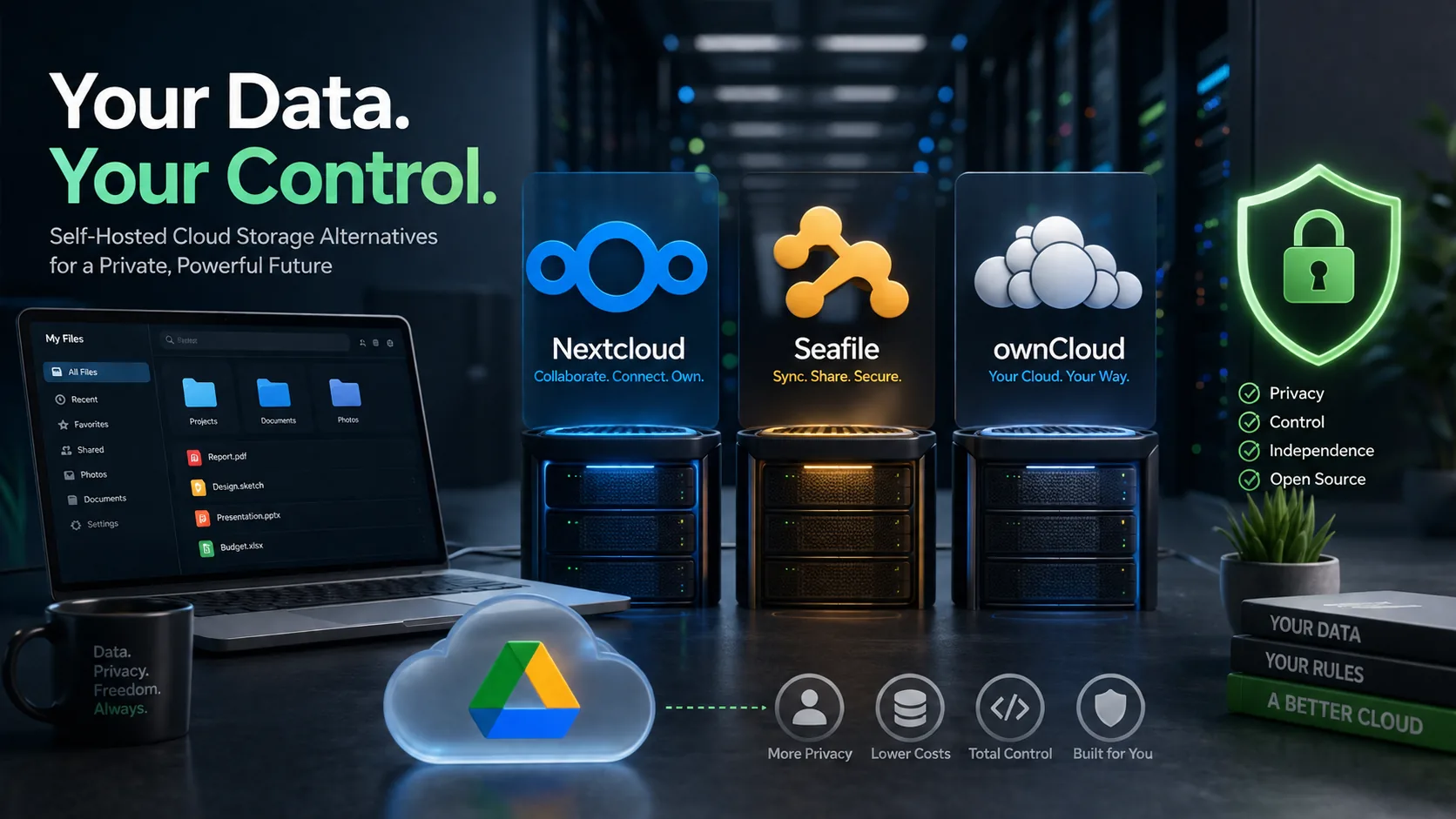
Self-Hosted Google Drive Alternatives: Best Picks & Setup Guide
11 min read
Top Self Hosted Google Drive Alternatives for Private Cloud Storage
20 min read
Top 5 Free Google Drive Alternatives for Secure Cloud Storage
21 min read
Top Google Drive Alternatives for 2024: Secure & Affordable
19 min read