Self-Hosted Google Drive Alternatives: Best Picks & Setup Guide
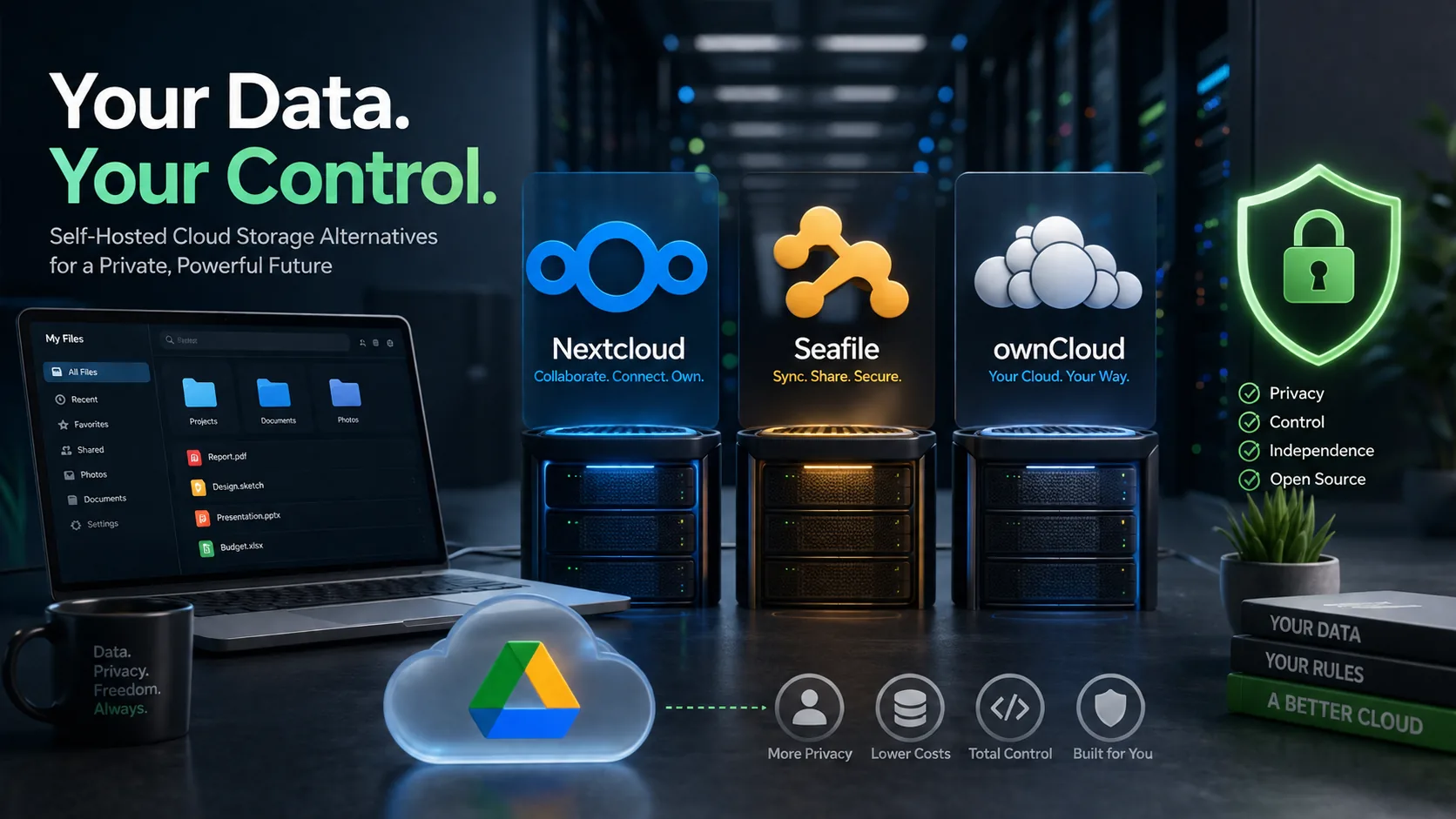
Self-Hosted Google Drive Alternatives: Best Picks & Setup Guide
Best self-hosted Google Drive alternatives in 2026: Nextcloud, Seafile, ownCloud, Syncthing and hybrid fii.one workflows, with setup checklist, risks and FAQs.
Quick answer
The best self-hosted Google Drive alternative for most teams is Nextcloud. Seafile is strong for efficient sync. ownCloud suits organizations already aligned with its ecosystem. Syncthing is excellent for device-to-device sync but is not a full Drive replacement.
Editorial review rating: 4.5/5
Editorial rating based on control, setup difficulty, sync reliability, sharing, mobile support, maintenance burden and fit for teams. No fake aggregate/user review score.
User reviews: Have hands-on experience? Sign in or create an account to share feedback when community reviews open. We do not fabricate user ratings.
When self-hosting is worth it
Self-host if you need data residency, admin control, custom retention, private networking or open-source extensibility. Do not self-host only to save money unless someone will patch servers, backups and monitoring.
Top picks
Nextcloud: broadest app ecosystem. Seafile: fast library sync. ownCloud: enterprise-oriented deployments. Syncthing: simple peer-to-peer sync. fii.one: hosted private file workspace when you want search, sharing and previews without server maintenance.
Setup checklist
Choose VPS or dedicated server, attach durable storage, enable HTTPS, configure object storage/backups, set user quotas, test restore, add monitoring, document update procedure.
Hybrid path
Keep sensitive archives self-hosted, then use fii.one for quick upload, previews, private links and search-heavy collaboration. Compare broader hosted options in top file hosting websites.
FAQ
Is Nextcloud better than Google Drive?
For control and extensibility, yes. For zero-maintenance collaboration, Google Drive is easier.
What is the easiest self-hosted option?
Nextcloud has the most guides and managed hosting options. Syncthing is easiest for device sync only.
Do self-hosted drives need backups?
Yes. Sync is not backup. Keep versioned off-server backups and test restore.
Can fii.one replace self-hosting?
It can replace self-hosting for users who want private upload, search and sharing without maintaining servers, but not for strict self-host/data-residency requirements.
Next step
If your goal is secure private file sharing rather than public link hunting, explore fii.one features or create a free account.
Detailed guide and original analysis
Self-Hosted Google Drive Alternatives: Top Picks & Setup Guide
Looking to ditch Google Drive? Discover the best self-hosted alternatives like Nextcloud, ownCloud, and Seafile. Learn how to set them up and take control of your data.
Quick answer: which self-hosted Google Drive alternative is best?
There is no single best self-hosted Google Drive alternative — the right pick depends on whether you want to run and maintain your own server, or you want the privacy and control of an alternative without the sysadmin work. Match the tool to your intent:
- Full control, run your own server: Nextcloud (most features, apps, and integrations), Seafile (fastest sync, block-level dedup), or ownCloud / OpenCloud (lean file-sync focus). You own the hardware, updates, backups, and security.
- Privacy and control without maintaining a server: a managed zero-knowledge or search-first service such as fii.one (encrypted storage with built-in file search across your files, no server to patch), Proton Drive, or Tresorit. You get data control without running Linux.
- Lightweight personal / home-lab use: Nextcloud on a Raspberry Pi 4, or Syncthing for pure peer-to-peer sync with no central server at all.
Rule of thumb: choose self-hosted (Nextcloud/Seafile/ownCloud) if you have the skills and time to run a server; choose a managed private service like fii.one if you want to leave Google Drive for privacy but do not want to become your own IT department.
What is google drive alternative self hosted?
When you hear "Google Drive alternative self hosted," it refers to a file storage, synchronization, and sharing platform that you install and run on your own server—whether that’s a dedicated machine at home, a virtual private server (VPS), or a cloud instance you control. Instead of storing your files on Google’s servers (where the company has access to your data, scans it for advertising, and can change terms at any time), a self-hosted solution puts you in the driver’s seat. You own the hardware, the software, and—most importantly—your data.
In essence, a self-hosted Google Drive alternative mimics the core features of Google Drive: file uploads, folder organization, real-time collaboration, version history, and sharing via links. But it does so on infrastructure you manage. Popular options include Nextcloud, ownCloud, Seafile, and Syncthing (for simpler sync). These platforms often come with web interfaces, desktop sync clients, and mobile apps, so the user experience feels familiar—but without the privacy trade-offs.
💡 Key Insight: A google drive alternative self hosted isn’t just about storage—it’s about sovereignty. You decide who accesses your files, how long they’re stored, and whether they’re encrypted at rest. For businesses handling sensitive client data or individuals fed up with surveillance capitalism, this control is priceless.
But what does "self hosted" actually involve? At a minimum, you need:
- A server or computer that runs 24/7 (a Raspberry Pi, an old laptop, or a cloud VPS from providers like DigitalOcean or Linode).
- An operating system (usually Linux, though some tools run on Windows or macOS).
- Basic networking knowledge—setting up a domain, configuring a firewall, and enabling HTTPS (often via Let’s Encrypt).
- Time to maintain—updates, backups, and occasional troubleshooting are part of the deal.
That might sound daunting, but modern self-hosted solutions have become remarkably user-friendly. Many offer one-click installers (like Docker images or Snap packages) and active communities that guide you through setup. And if you choose a managed self-hosting provider (like Hetzner Storage Box or a Nextcloud-specific host), the line between "self hosted" and "cloud hosted" blurs—you still control the data, but the server maintenance is handled for you.
🔒 Full Data Control
No third-party access, no scanning for AI training. You encrypt, you decide.
⚡ No Storage Limits
Only constrained by your hardware. Add a 4TB drive? You get 4TB of cloud storage.
🔗 Offline-First Sync
Local network sync is fast and works even without internet access.
🧩 Extensible Ecosystem
Add calendars, contacts, note-taking, or even video conferencing via plugins.
In short, a google drive alternative self hosted is any file-sync platform that runs on your own infrastructure instead of a corporate data center. It’s the middle ground between the convenience of cloud storage and the absolute privacy of a local hard drive. Whether you’re a privacy-conscious individual, a small business avoiding vendor lock-in, or a developer who loves tinkering, self-hosting gives you the flexibility to build a storage system that truly answers to you—and only you.
Why google drive alternative self hosted Matters
Every day, millions of files flow into Google Drive — documents, photos, spreadsheets, and entire business workflows. But beneath that convenience lies a quiet trade-off: you hand over control of your data in exchange for free storage and seamless syncing. For individuals and organizations that value privacy, autonomy, and long-term security, a Google Drive alternative self hosted isn't just a nice-to-have — it's a strategic imperative.
The core issue isn't about Google being "bad" — it's about ownership. When your files live on someone else's infrastructure, you agree to their terms, their scanning policies, and their pricing whims. A single account suspension, a policy change, or a sudden price hike can leave you scrambling. Self-hosting eliminates that vulnerability: your data sits on hardware you control, governed by rules you set. That shift from tenant to owner changes everything.
💡 Key Insight: The average Google Drive user uploads over 200 files per month. Over five years, that's 12,000+ files — photos, contracts, personal notes — all subject to automated analysis and third-party data policies. Self-hosting means every one of those files stays private by default, not by permission.
What You Actually Gain
- Data sovereignty — your files never leave your network unless you explicitly allow it. No silent scanning, no AI training on your content, no third-party access.
- Predictable costs — Google Drive's free tier runs out fast, and business plans scale with headcount. A self-hosted solution has a one-time hardware or VPS cost plus minimal ongoing maintenance. No per-user surprise bills.
- Custom workflows — need file versioning that keeps every draft? Want to integrate with your own backup system? Self-hosted platforms like Nextcloud or Seafile let you build exactly the storage experience you need.
- Offline resilience — when the internet goes down, Google Drive goes down with it. Self-hosted storage on your local network works whether your ISP is cooperative or not.
🔒 Privacy by Architecture
End-to-end encryption isn't a checkbox feature — it's baked into your deployment. No one accesses your files without your keys, period.
📦 Unlimited Scalability
Add a new hard drive, spin up another container, expand your NAS — growth isn't gated by a subscription tier. Your storage scales with your reality.
🛡️ Compliance Control
GDPR, HIPAA, SOC2 — you decide where data resides, who accesses it, and how it's audited. No hand-waving about "shared responsibility" models.
⏱️ No Feature Churn
Google deprecates features regularly. Self-hosted platforms evolve on your schedule — update when you want, keep what works.
Choosing a Google Drive alternative self hosted also sends a signal — to your team, your clients, or yourself — that data isn't a commodity to be traded for convenience. It's an asset worth protecting. The initial setup takes a few hours, but the peace of mind lasts indefinitely. And in an era where data breaches and service outages dominate headlines, that kind of self-reliance matters more than ever.
Ultimately, self-hosting isn't about rejecting cloud services — it's about redefining the relationship. You still get sync, sharing, collaboration, and mobile access. But the foundation shifts from "trust us" to "you control it." That distinction is what makes a self-hosted alternative not just relevant, but essential for anyone serious about their digital independence.
Key Features to Look For
Choosing the right google drive alternative self hosted platform isn't just about installing software on a server — it's about reclaiming control over your data without sacrificing the modern collaboration features you rely on daily. The market is flooded with options, from lightweight file managers to full-featured cloud ecosystems. To help you cut through the noise, we've broken down the essential features that separate a genuinely useful self-hosted solution from one that collects digital dust. Whether you're migrating a small business, a creative team, or your personal archive, these are the capabilities that matter most.
🔒 End-to-End Encryption & Zero-Knowledge Architecture
The whole point of self-hosting is data sovereignty — but that promise rings hollow if your files are stored in plain text. Look for solutions that offer server-side encryption at rest and optional client-side encryption so that even you (the server admin) cannot read user content without explicit keys. This "zero-knowledge" approach ensures that a breach of your server doesn't expose sensitive files. Some platforms, like Nextcloud, support end-to-end encryption via apps, while others bake it directly into the core. Always verify whether encryption keys are stored alongside the data or kept separate — the latter is what you want.
🔄 Reliable File Syncing & Delta Sync
A self-hosted cloud that can't keep files in sync across devices is just a fancy FTP server. Prioritize platforms that support delta sync (only transferring the changed parts of a file), LAN sync (peer-to-peer syncing when devices are on the same network), and conflict resolution for simultaneous edits. Desktop clients for Windows, macOS, and Linux should offer selective folder syncing — letting you choose which folders stay local and which live only in the cloud. Mobile sync should be battery-efficient and support background uploads. If you're using this as a google drive alternative self hosted, your sync experience needs to feel invisible, not like a background chore.
👥 Granular Sharing & Collaboration
Sharing should be powerful yet precise. Look for password-protected share links with expiration dates, download limits, and view-only vs. edit permissions. Team folders with role-based access (owner, editor, viewer, commenter) are non-negotiable for group use. Some platforms add collaborative document editing (like Collabora or OnlyOffice integration), real-time commenting, and version history that lets you restore any previous state. The holy grail is link sharing that respects your server's authentication — so external collaborators can access a file without needing a full account, while internal users authenticate automatically via SSO or LDAP.
🖥️ Cross-Platform Clients & WebDAV Access
Your self-hosted cloud is only as useful as the devices that can reach it. Ensure the platform provides native apps for Windows, macOS, Linux, Android, and iOS — plus a responsive web interface for quick browser access. Equally important is WebDAV support, which lets you mount your cloud storage as a network drive on any operating system. This unlocks direct access from file managers, office suites, and media players without needing a dedicated app. Bonus points for clients that support automatic photo uploads from mobile devices and offline file caching for when you're disconnected.
🗂️ Storage, Scalability & Backup Features
Don't let your future self regret a choice that was fine today but brittle tomorrow. Below are the storage and reliability features that separate hobby-grade setups from production-ready systems.
- Object Storage Integration: The ability to attach S3-compatible storage (Wasabi, Backblaze B2, MinIO) lets you scale beyond a single hard drive without migrating your entire setup. Your files live in cheap, durable object storage while the platform manages metadata, search, and permissions.
- File Versioning & Trash Retention: Accidental deletions happen. A good platform keeps file versions for a configurable period and offers a "trash" folder with its own retention policy. Some even support "deleted file recovery" from the server admin panel — a lifesaver when someone bulk-removes the wrong folder.
- Server-to-Server Sync & Federation: If you run multiple instances (home NAS, office server, VPS), federation lets them talk to each other. You can share folders across servers as if they were one, and users from one instance can access shared content on another without duplicate accounts.
- Built-in Backup Tools: Some platforms include scripts or apps that back up the configuration, database, and file metadata separately from the raw files. This makes disaster recovery snapshots possible without backing up terabytes of user content every time.
💡 Key Insight: The best google drive alternative self hosted platforms treat scalability as a first-class feature — not an afterthought. If a solution can't integrate with external storage or automate backups, you'll outgrow it within a year. Always test with a storage volume that doubles your current needs before committing.
🔐 User Management & Security Controls
Even a small team deserves enterprise-grade access controls. Modern self-hosted platforms have evolved far beyond simple username/password combos. Here's what the security-conscious admin should demand:
- LDAP / Active Directory / OAuth: If you're running a business, you need directory integration. Users should authenticate against your existing identity provider (or an external one like Google Workspace, GitHub, or Keycloak). This centralizes account management and enforces password policies from a single source of truth.
- Two-Factor Authentication (2FA) & Brute-Force Protection: Self-hosted servers are frequently targeted by automated login attacks. Look for built-in 2FA (TOTP, WebAuthn, or hardware keys) and rate-limiting that temporarily blocks IPs after failed attempts. Some platforms also support "fail2ban" integration for extra layers.
- Audit Logging & File Access Tracking: Who accessed which file, when, and from where? Granular audit logs are critical for compliance (HIPAA, GDPR) and for diagnosing internal issues. The log should differentiate between web access, app syncing, and share-link downloads.
How to Get Started with google drive alternative self hosted
Switching to a self-hosted file sync and share platform gives you full control over your data, privacy, and storage costs. But if you’ve never set one up before, the process can feel intimidating. This guide walks you through the essential steps to get your own google drive alternative self hosted environment running—quickly and securely.
💡 Key Insight: Start with a clear goal. Do you need basic file sync like Google Drive, or collaboration features such as document editing, calendar, and contacts? Your choice of software will hinge on these requirements.
Step 1 – Choose your software
The most popular self-hosted options are Nextcloud (all-in-one productivity suite), Seafile (lightning-fast sync and reliable), and ownCloud (pioneer with enterprise features). For most users, Nextcloud hits the sweet spot with apps for notes, calendar, video calls, and a vibrant app ecosystem. Seafile is excellent if you prioritize raw performance for large files. Decide based on your “must-have” features.Step 2 – Prepare your server environment
You can run a self-hosted alternative on a dedicated computer at home, a VPS from providers like DigitalOcean or Linode, or even a Raspberry Pi. At minimum, you’ll need a Linux server (Ubuntu or Debian are beginner-friendly), a static IP or dynamic DNS, and a domain name if you plan to access it from outside your network. Allocate at least 2 GB of RAM and preferably a solid-state drive for fast file operations.🐳 Docker – Quick & Clean
Official Docker images for Nextcloud and Seafile make installation a breeze. One
docker-compose upgives you the service plus its database. Perfect for testing or production.🔧 Manual Install – More Control
If you prefer to manage every component yourself, follow the traditional LAMP/LEMP stack guide. This gives deeper understanding and customisation.
Step 3 – Install and configure
Using Docker is the fastest route to a working google drive alternative self hosted system. For example, with Nextcloud, you create adocker-compose.ymlfile that defines the Nextcloud container, a PostgreSQL or MariaDB database, and a Redis cache. Rundocker-compose up -d, wait a few seconds, then access your server’s IP in a browser. The first-run wizard will ask for an admin account and database credentials. Complete it and your cloud is live.Step 4 – Secure external access
To use your system like Google Drive from anywhere, you need a reverse proxy with HTTPS. Popular choices are Nginx Proxy Manager (graphical) or Traefik (automated). Obtain a free SSL certificate from Let’s Encrypt. Point a subdomain (e.g.,cloud.yourdomain.com) to your server’s public IP. Configure the reverse proxy to forward traffic to your Nextcloud container on port 80/443. This encrypts all data in transit and gives you a proper URL.Step 5 – Install desktop and mobile clients
One of the best parts of self-hosted tools is they offer native apps. Download the Nextcloud desktop client for Windows, macOS, or Linux to sync a folder just like Google Drive. Mobile apps for iOS and Android let you upload photos and access files on the go. Enable two-factor authentication and app passwords for extra security. That’s it—you now have a fully functional self-hosted cloud drive.💡 Key Insight: Don’t skip backups! Your self-hosted data lives on your hardware. Schedule automatic backups of your storage directory and database to another location (e.g., an external drive or another cloud provider) to avoid disaster.
Getting started with a google drive alternative self hosted doesn’t require a degree in system administration. With modern packaging like Docker and community guides, you can be up and running in under an hour. The reward is complete data sovereignty and unlimited storage (limited only by your disks). So pick your software, spin up a container, and take the first step toward owning your digital life.
- Choose between Nextcloud, Seafile, or ownCloud based on features.
- Set up a Linux server (local or VPS) with Docker installed.
- Deploy via docker-compose and complete the web installer.
- Secure access with a reverse proxy and Let’s Encrypt SSL.
- Install official clients on all your devices for seamless sync.
Best Practices for google drive alternative self hosted
Deploying a google drive alternative self hosted solution is a powerful move for reclaiming your data sovereignty, but it requires more than just clicking "install." To ensure reliability, security, and a seamless user experience, you need to follow a set of best practices that transform a simple file server into a robust cloud platform. Here are the essential guidelines to get it right from day one.
💡 Key Insight: The most common failure point for self-hosted storage is not the software itself, but inadequate backup and security planning. Treat your self-hosted server with the same rigor as a production data center.
1. Secure Your Infrastructure First
Before sharing a single link, harden your server. Always run your google drive alternative self hosted behind a reverse proxy (like Nginx or Caddy) with automatic SSL certificates via Let's Encrypt. Enable two-factor authentication (2FA) for all admin and user accounts. Disable direct root login via SSH and use key-based authentication. Additionally, configure a firewall to restrict access to only necessary ports (typically 80, 443, and SSH).
2. Implement a 3-2-1 Backup Strategy
Your self-hosted data is only as safe as your backup plan. Follow the classic 3-2-1 rule: keep three copies of your data, on two different media types, with one copy offsite. For your google drive alternative self hosted, this means:
- Local snapshots: Use tools like BorgBackup or Restic to take daily incremental backups to a separate local disk or NAS.
- Offsite replication: Encrypt your backups and push them to a remote location (e.g., a friend's server, Backblaze B2, or a small VPS).
- Database dumps: Your file metadata (Nextcloud/OwnCloud database) is critical. Automate SQL dumps before each backup run.
3. Optimize for Performance and Scalability
A slow self-hosted drive is a frustrating experience. Use these optimizations to keep your google drive alternative self hosted responsive:
⚡ Caching & Redis
Integrate Redis for session caching and file locking. This dramatically reduces database load and speeds up file previews.
📂 Object Storage
For large libraries, configure S3-compatible storage (like MinIO) as your primary backend. This separates compute from storage, allowing easy scaling.
🖼️ Preview Generation
Disable on-the-fly preview generation for media files. Instead, use a cron job to pre-generate thumbnails during off-peak hours.
🌐 CDN Integration
Serve static assets (CSS, JS, images) via a CDN. For public file shares, use a lightweight CDN to reduce server load.
4. Enforce Access Control and Versioning
Don't let file chaos take over. Set up granular sharing permissions (read-only, write, share) for every folder. Enable file versioning to protect against accidental deletions or ransomware – most self-hosted solutions allow you to keep the last 10-50 versions per file. Finally, monitor access logs weekly. A sudden spike in failed login attempts or unusual download patterns is a red flag that your google drive alternative self hosted needs immediate attention.
By following these best practices, your self-hosted drive will not only match the convenience of commercial services but surpass them in privacy, control, and long-term data resilience.
Self-hosted vs. managed: which route actually fits you?
Self-hosting gives you total ownership, but it also hands you the full job of a server admin: OS updates, security patches, TLS certificates, backups, and uptime. Many people leave Google Drive for privacy, spin up Nextcloud, then quietly drift back because the maintenance load is real. The table below compares the popular self-hosted options against a managed, no-server private alternative so you can pick with eyes open.
Option You run the server? Maintenance load Best for Nextcloud Yes (VPS / home box) High — updates, apps, PHP/DB tuning All-in-one Drive replacement with calendar, contacts, office Seafile Yes Medium-high — leaner but still self-run Fast, reliable file sync with client-side encryption libraries ownCloud / OpenCloud Yes Medium-high Straightforward file-sync focus for teams and homelabs Syncthing No central server (P2P) Low-medium — no web UI, device-to-device Pure peer-to-peer sync between your own devices fii.one (managed) No — nothing to install None — provider handles infra Leaving Google Drive for privacy + fast file search, without running a server If your goal is data ownership and you enjoy running infrastructure, Nextcloud or Seafile are excellent. If your real goal was simply get off Google Drive without Google reading your files, a managed private service removes the ongoing sysadmin burden while still giving you control — and adds capabilities like searching across all your stored files, which self-hosted stacks often make you configure separately. For a broader list of hosted options, see our guide to the best Google Drive alternatives and best secure cloud storage in 2026.
Frequently Asked Questions
Is a self-hosted Google Drive alternative actually more private than a managed one?
Only if you secure it properly. Self-hosting means no third party holds your data, but you become responsible for encryption, patching, and backups — a misconfigured Nextcloud can be less safe than a well-run managed service. A managed zero-knowledge provider like fii.one or another encrypted service keeps your data private without you having to harden a server yourself.
What is the easiest way to leave Google Drive without running my own server?
Pick a managed private cloud that imports your files, then delete them from Google Drive once verified. This gives you Drive-like access from any device with no OS updates or uptime to manage. See our Google Drive alternatives guide for hosted picks that require zero maintenance.
Can I search across all my files like Google Drive on a self-hosted setup?
Self-hosted stacks like Nextcloud can add full-text search, but it usually means installing and tuning an extra service (such as Elasticsearch). If fast search across everything you store matters, a search-first platform with built-in file search handles it out of the box, no configuration required.
What exactly is a self-hosted Google Drive alternative?
It’s software you install on your own server (or a VPS) to store, sync, and share files, just like Google Drive—but with full control over your data. Popular options include Nextcloud, Seafile, and ownCloud.
What hardware or server do I need to run one?
For small personal use, a Raspberry Pi 4 (4GB RAM) or an old laptop works fine. For a family or small team, a low‑cost VPS with 2‑4 GB RAM and at least 50 GB storage is recommended. Storage scales with your needs.
How do I migrate my files from Google Drive to a self-hosted solution?
Most self-hosted platforms offer sync clients for desktop and mobile. You can download your Google Drive files via Google Takeout, then upload them into your new server through the web interface or a desktop sync client. Some tools (like rclone) can automate the transfer.
Is self-hosting less secure than Google Drive?
Security depends on your setup. Google Drive benefits from enterprise‑grade infrastructure, but self-hosted solutions can be equally secure when you use HTTPS (via Let’s Encrypt), enforce strong passwords, enable two‑factor authentication, and keep the software updated. Your data is under your sole control.
Conclusion
After exploring the landscape of self-hosted file storage and collaboration, one truth becomes clear: the quest for a reliable google drive alternative self hosted solution isn’t just about moving files off a third-party server—it’s about reclaiming control, privacy, and long-term flexibility. Whether you are a small business owner tired of unpredictable subscription fees, a privacy-conscious individual, or a team needing custom workflows, self-hosting puts the power back in your hands.
The options we’ve covered—Nextcloud, Seafile, ownCloud, and FileCloud—each bring unique strengths. Nextcloud offers the most extensive ecosystem of apps and integrations, making it a true productivity hub. Seafile excels in raw speed and efficient sync, especially for large datasets. ownCloud provides enterprise-grade compliance and file locking, while FileCloud delivers a polished, business-ready experience with remote wipe and audit logs.
💡 Key Insight: The “best” self-hosted platform depends on your technical comfort, team size, and required features. But every choice above beats relying on a single cloud provider—no more hidden data mining, unexpected storage caps, or sudden service changes.
Before diving in, weigh the trade-offs. Self-hosting demands some server management, regular updates, and backup discipline. But the payoff is unmatched: full ownership of your data, unlimited scalability on your hardware, and the ability to integrate with existing tools like LDAP, Docker, or S3-compatible storage.
🔐 True Privacy
No one scans your files, reads your metadata, or serves ads based on document titles. Your data stays on your server, under your encryption.
💰 Predictable Costs
Pay once for hardware (or use existing hardware) and avoid per-user/month fees. Scale with cheap cloud VPS or repurpose an old PC.
For those still hesitant, start small. Spin up a Nextcloud instance on a Raspberry Pi or a $5 droplet. Use it for personal files for a month. Once you experience the freedom of a truly google drive alternative self hosted environment—complete with calendars, contacts, and collaborative editing—you’ll wonder why you waited so long.
The future of file storage is not a single monolithic service. It’s a decentralized, self-sovereign model where you decide the rules. Take the plunge today, and join thousands who have already closed the door on big tech’s cloud lock-in.
Get Started with Self-Hosted Google Drive Alternatives: Top Picks & Setup Guide
Ready to take the next step? Looking to ditch Google Drive? Discover the best self-hosted alternatives like Nextcloud, ownCloud, and Seafile. Learn how to set them up and take control of your data.
Self-hosted Google Drive alternatives: short answer
Nextcloud is the best all-around self-hosted Google Drive alternative for most teams because it combines web files, sync, sharing and app integrations. Choose Seafile for speed, ownCloud for enterprise support, Syncthing for device-to-device sync, or fii.one if you want secure hosting without server maintenance.
Comparison: self-hosted Google Drive alternatives
Tool Best for Main trade-off Nextcloud Full self-hosted drive replacement Needs tuning and updates Seafile Fast file sync Less broad app ecosystem ownCloud Enterprise deployments Commercial features matter Syncthing Private device-to-device sync No central web drive by default fii.one Managed secure search and sharing Not self-hosted How to set up a self-hosted drive safely
- Define users and storage size: List user count, storage growth, sync needs, external sharing, compliance needs and backup targets before choosing software.
- Choose deployment model: Use managed hosting if you want low maintenance, or self-host on a VPS/NAS if you can patch, monitor and back up the stack.
- Install the platform: Deploy Nextcloud, ownCloud, Seafile or another option with HTTPS, database backups and isolated storage volumes.
- Harden access: Enable 2FA, least-privilege accounts, admin alerts, update automation and private sharing defaults.
- Test restore before production: Upload sample files, sync across devices, share a folder, delete a file, then restore it from backup before migrating real data.
Self-hosted Google Drive alternative FAQ
What is the best self-hosted Google Drive alternative?
Nextcloud is the broadest option for most teams. Seafile is strong for fast file sync. ownCloud fits enterprise buyers. Syncthing is best for peer-to-peer sync rather than a full web drive.
Is Nextcloud better than Google Drive?
Nextcloud is better for data control and self-hosting. Google Drive is easier for collaboration, uptime and zero-maintenance administration.
Is self-hosting cheaper than Google Drive?
It can be cheaper at large storage volumes, but only if you include server, backups, monitoring and admin time. For small teams, managed storage can be cheaper overall.
What are the risks of self-hosting cloud storage?
The main risks are missed security updates, weak backups, misconfigured public sharing, poor monitoring and a single VPS or NAS failure.
When should I choose fii.one instead?
Choose fii.one when you want secure file hosting, search, preview and sharing without maintaining your own cloud infrastructure.
Join thousands of users who trust fii.one for fast, private cloud storage.
Get Started Free →fii.one Team
The fii.one blog brings you guides, tips, and insights on file storage, sharing, and productivity.
← Previous
Top File Hosting Services: Secure Storage & Easy Sharing
Next →
Top Open Source Google Drive Alternatives for 2024
Related Articles

How to Search Files Across MediaFire, Mega & Google Drive in One Place
3 min read

Top Temporary File Hosting Services for Fast, Secure Sharing
4 min read

How to Send a 100 GB File Online: 5 Fast Methods
22 min read
Top File Hosting Websites for Easy File Sharing and Storage
11 min read