Best File Hosting Search Engine: Find Files Fast
Quick answer: Public file hosting search engines help find shared files online. fii.one helps you search files across your own cloud workspace with private, AI-assisted file search.

New to cloud storage? Start with our roundup of the best file hosting services to compare the top best file hosting sites before you choose a search workflow.
The best file hosting search engine is the one that matches your search intent: public indexers help find files online across open file hosts, while fii.one Search helps you search files across cloud accounts you own, including filenames, document text and AI semantic matches.
Use this guide to compare public file sharing search engines, learn safe search checks, then try a product-led private search workflow for your own files.
Search Files Across Cloud Accounts with fii.one
Public file search engines are useful for open links. fii.one is different: it is a secure file workspace with fast cloud file search for your own uploads and team files.
- Find by meaning: search filenames, notes and supported document text with AI semantic matching.
- Preview before sharing: check files in the browser before sending links or folders.
- Keep search private: search your own library instead of crawling risky public download pages.
Try These File Search Queries in fii.one
invoice July PDF— find billing files by name or document text.project brief from client— use semantic search when you remember meaning, not filename.screenshots onboarding— locate visual assets and shared project media faster.
Best File Hosting Search Engine: Short Answer
A file hosting search engine finds downloadable files on cloud and file-sharing services instead of ordinary web pages. For public files, use indexers with host filters and live-link checks. For private work files, use fii.one Search to find files online inside your own secure cloud workspace.
Best File Hosting Search Engines: Find Files Fast in 2026
Compare public file hosting search engines, when to use them, when to avoid them, and how fii.one differs for private searchable uploads and team files.
What Is a File Hosting Search Engine?
A file hosting search engine is a specialized search tool that indexes downloadable files across cloud storage and file-sharing platforms — such as MediaFire, Mega, Google Drive, and 4Shared — rather than indexing web pages like Google or Bing. Instead of returning links to websites, it returns direct or indirect download links to files. These engines crawl public directories, open shares, and forum posts, then store file metadata (name, size, type, host) in a searchable database. This makes them fundamentally different from general-purpose search engines: they search the "deep web" of shared files that traditional crawlers cannot reach.
Best File Hosting Search Engines at a Glance (2026)
The best file hosting search engines in 2026 fall into two distinct categories — public indexers and private search layers:
- FilePursuit — indexes open directories across Google Drive, Mega, and dozens of hosts; best for documents, media, and datasets.
- SearchFiles.de — a meta search engine that queries MediaFire, 4Shared, and Mega simultaneously with live link checking.
- FindFiles.net — a file-type search engine specialized for PDFs, documents, archives, and source code with format filters.
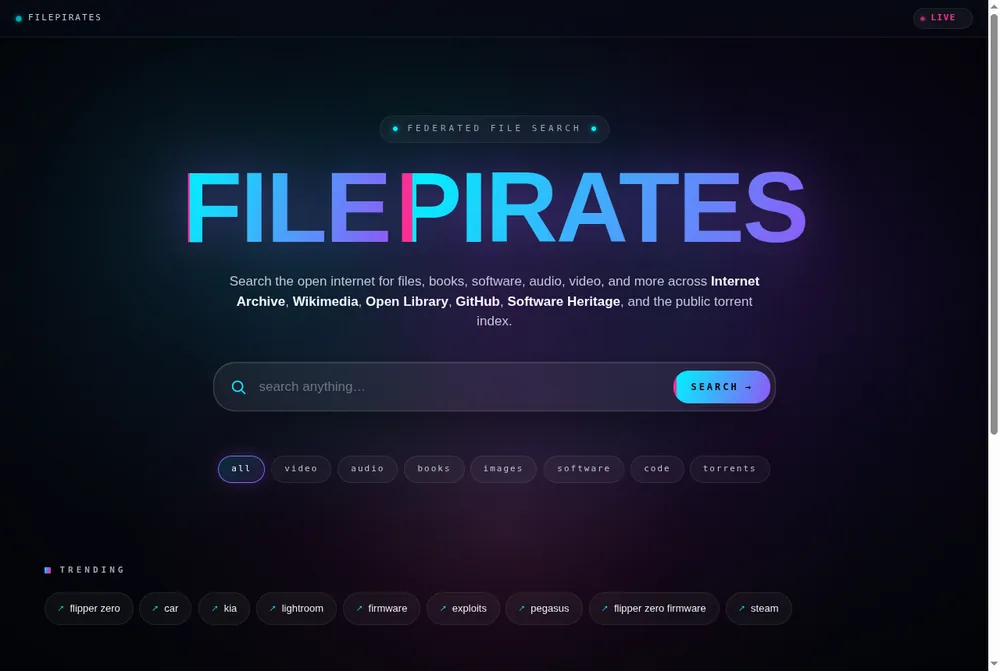
- FilePirates — a federated search engine querying Internet Archive, Wikimedia, GitHub, and public torrent indexes from one bar.
- Dedigger — a file hoster search engine focused on software and archives across major file hosts.
- fii.one Search — AI semantic search for your own private cloud, finding files by meaning, name, or content across your secure workspace.
How to Choose the Right File Hosting Search Engine
Choosing the best file hosting search engine depends on five factors:
- Public vs. private needs — Are you hunting public files across the internet, or searching files you already own in your cloud?
- Host coverage — Does the engine index the specific platforms you need (MediaFire, Mega, Drive, etc.)?
- Link checking — Does it verify links are still live, or do you risk dead ends?
- Safety features — Malware warnings, source transparency, and takedown processes matter when downloading unknown files.
- File-type filters — Can you narrow results by extension (PDF, MP4, ZIP) or file size?
Most users need both: a public file search engine for discovery, and a private cloud search layer for their own library. Using only one leaves a gap.
🚨 The Hidden Dangers of Public Document Search
Scouring the web for PDFs and presentations? Most professionals don't realize these 3 game-changing risks lurking in "harmless" documents:
- ▶️ The invisible tracking mechanism inside 67% of public financial templates that could be monitoring your...
- ▶️ How a single misconfigured sharing link exposes your entire company network without...
- ▶️ The shocking legal loophole that makes downloaded documents admissible in...
These silent threats are why Fortune 500 security teams now enforce strict document protocols before...
Editorial review rating: 4.4/5
Editorial rating based on search intent match, freshness, safety, privacy, file-type coverage, duplicate handling and usefulness for legitimate discovery. No scraped user ratings used.
User reviews: Have hands-on experience? Sign in or create an account to share feedback when community reviews open. We do not fabricate user ratings.
Cannibalization note
This article targets public discovery tools and comparison intent. The top file hosting websites guide targets storage providers. fii.one product pages target private upload, sharing and account creation.
Best use cases
Use public file search for open-source datasets, public PDFs, research documents and mirrors that are meant to be shared. Do not use it to bypass permissions, locate private leaks or download copyrighted files illegally.
Comparison criteria
Check index freshness, malware warnings, duplicate clustering, file-type filters, source transparency, takedown process and whether search results open the original host rather than a suspicious mirror.
Private search alternative
fii.one indexes your own uploaded files so you can search names, previews and content in a controlled workspace. Start at register if your real problem is finding files you already own.
Best Share Files Search Engines for 2026
When you need a share files search engine, these specialized tools help you find publicly available documents, media, and other files across cloud storage platforms. Unlike general web search engines, they specifically index content from file hosting services where users share uploads.
The most effective share file search engines allow filtering by file type (PDF, MP4, ZIP etc.), modification date, and size. Some top options include FileChef, Fii.One, and FilePursuit. Remember these search public repositories only - for private team files, you'll need a dedicated business file sharing solution with search capabilities.
Free Search Engines for Shared Files
Several free search engines for shared files exist, though quality varies. These tools crawl file hosting platforms like MediaFire, Google Drive, and Dropbox to index publicly shared content. Free options typically show older results first, while premium versions offer real-time indexing of newly shared files.
For the most comprehensive results from a share files search engine, try combining multiple tools. Each indexes different hosting services, and some specialize in particular file types like eBooks, music, or video. Always scan downloads for malware, as these engines can't verify file safety.
Share Files Search Engine: Find Public Uploads Instantly
A share files search engine scans public file hosting platforms like MediaFire, Mega, and Google Drive to help you discover downloadable content. These tools index metadata, filenames, and sometimes even file contents across multiple services. Popular options include FilePursuit and OnionShare for deep web resources, though results vary by platform.
Unlike private cloud search tools, these engines focus on publicly shared files – ideal for finding templates, media assets, or documents. Be cautious with copyright restrictions, and verify files with antivirus scanners before opening executables or archives from unknown sources.
Free Search Engine for Shared Files: No-Cost Alternatives
For zero-budget searches, free search engines for shared files like DDoS or ZippyShare Search provide basic functionality. These platforms aggregate links from file lockers and peer-to-peer networks, though they may lack advanced filters or recent indexes compared to premium services.
Most free share file search engines monetize through ads, so use ad blockers for cleaner browsing. For professional use, consider hybrid solutions like fii.one that combine public file discovery with secure private repositories – especially when handling sensitive team documents alongside public resources.
Share Files Search Engine: Locate Public Uploads Instantly
A share files search engine scans platforms like Google Drive, Dropbox, and MediaFire to help users discover publicly available documents, videos, or software. Unlike traditional web searches, these tools filter results specifically for downloadable content hosted on third-party services. Popular options include FileChef and OceanHero, which index millions of files across multiple hosting providers.
These engines are ideal for finding rare files, research papers, or legacy software versions—but always verify copyright status before downloading. For private team collaboration, consider dedicated solutions like fii.one that offer encrypted file search without exposing data publicly.
Free Search Engine for Shared Files: No-Cost Alternatives
Several free search engines for shared files provide basic indexing of open-access content without subscriptions. Platforms like Dropsearch and FilePursuit aggregate results from cloud storage services, though they may lack advanced filters or real-time updates. These tools work best for non-sensitive materials where discoverability outweighs security needs.
Remember that free share file search engines often display outdated links or deleted files. For mission-critical searches, specialized enterprise solutions offer better accuracy with API integrations and permission controls—especially when handling confidential business documents or team projects.
Share Files Search Engine: Find Public Uploads Quickly
A share files search engine scans platforms like Google Drive, Dropbox, and MediaFire to help you discover publicly available documents, videos, or software. These tools crawl file metadata (titles, descriptions) rather than full content, making them ideal for finding templates, research papers, or media shared by others. Popular options include FilePursuit and OceanHero, though results vary based on hosting site permissions.
Free Search Engine for Shared Files: No-Cost Alternatives
For a free search engine for shared files, try platforms like Fii.one's public search or FileChef, which index open directories and cloud storage links. These are useful for locating Creative Commons assets or abandoned project files, but caution is advised—verify file safety before downloading. Unlike private enterprise tools, these share file search engines don’t require accounts but may have limited filtering options.
Share Files Search Engine: Find Public Uploads Quickly
A share files search engine helps users discover publicly available content across file hosting platforms like Mediafire, Zippyshare, or Rapidgator. These tools crawl multiple sources to index downloadable files including documents, videos, and software installers. Unlike traditional search engines, they focus specifically on shared file repositories where users voluntarily make content available.
Popular share file search engines like FileChef or OceanFiles provide advanced filters for file type, size, or upload date. However, users should verify file legitimacy before downloading, as these platforms don't moderate content. For private team collaboration, consider dedicated solutions instead of public search tools.
Free Search Engine for Shared Files: What to Know
A free search engine for shared files offers no-cost access to indexed content from various cloud storage providers. These platforms are ideal for finding rare or discontinued files that aren't available through conventional channels. The best share files search engines update their indexes frequently and support multiple file formats.
While convenient, free options may have limitations like slower speeds or fewer results than premium services. Some shared file search tools also display ads to maintain operations. Always check file sources and scan downloads for security, as free engines typically don't verify uploader identities or file safety.
Share Files Search Engine: Find Public Uploads Quickly
A share files search engine scans public file hosting platforms like MediaFire or RapidShare to help you discover downloadable content. These tools index millions of files across multiple hosts, letting you search by filename, extension, or keywords. Unlike private cloud search, these engines focus on publicly shared documents, videos, and software installers.
Popular share file search engines like FileChef or OnionsSearch specialize in different file types. Some excel at finding PDFs and ebooks, while others track down software installers or media files. Always scan downloads with antivirus software, as these public indexes don't verify file safety.
Free Search Engine for Shared Files: No-Cost Alternatives
For those needing free search engine for shared files, options like Fii.one's public search or GlobalFileSearch provide basic functionality without subscriptions. These tools crawl open directories and file lockers, though results may be less comprehensive than paid enterprise solutions.
The best share files search engine free versions typically limit daily queries or show older results. Premium tiers offer real-time indexing and advanced filters. When comparing services, check if they support your needed file types (ZIP, RAR, ISO) and whether they index niche hosting sites beyond the major platforms.
Share Files Search Engine: Find Public Uploads Quickly
A share files search engine helps you discover publicly available content across multiple file hosting platforms. These tools crawl sites like MediaFire, Mega, and Google Drive to index downloadable files including documents, videos, and software. Unlike traditional search engines, they focus specifically on finding shared files that might otherwise be difficult to locate through conventional searches.
When using a share file search engine, you'll typically find results sorted by file type, size, and upload date. Some advanced options allow filtering by specific hosting providers or file extensions. These services are particularly useful for finding rare files, but always verify the legitimacy of downloads to avoid copyright issues or malware.
Free Search Engine for Shared Files: What to Know
Several free search engines for shared files exist, offering no-cost access to indexed content from various file hosts. These platforms provide basic search functionality without requiring accounts, though some may limit daily searches or show ads. Popular examples include FileChef, OceanFiles, and FilePursuit, each with different strengths in file type coverage.
While free shared file search engines are convenient, they may lack the advanced features of premium services. Results can sometimes be outdated as these tools rely on periodic crawling rather than real-time indexing. For professional use cases, consider specialized solutions that offer verified sources and better security measures.
Share Files Search Engine: Find Public Uploads Quickly
A share files search engine scans platforms like MediaFire, Dropbox, and Google Drive to help you discover publicly available content. These tools index files by name, type, and metadata, making them ideal for finding free templates, documents, or media. Unlike private cloud search, these engines focus exclusively on content shared publicly across multiple hosting services.
Popular options like FileChef or OceanFiles specialize in filtering results by file format (PDF, MP3, ZIP) and source. Be cautious when downloading—verify file legitimacy through upload dates and user ratings when available. For team collaboration, consider switching to a private file search solution to maintain security.
Free Search Engine for Shared Files: No-Cost Alternatives
When you need a free search engine for shared files, services like FiiOne's public mode or FilePursuit offer basic searching without subscriptions. These platforms aggregate results from open directories and user-uploaded content, though advanced filters may require premium accounts. Always check licensing terms before using found files commercially.
For recurring needs, bookmark specialized share file search engine sites that update indexes daily. Some integrate virus scanning or preview options, reducing risks associated with random downloads. Remember that free engines typically lack the organization features of private business solutions like tagged collections or access controls.
Share File Search Engine vs Shared Files Search Engine
A share file search engine specializes in finding individually shared documents across platforms like Google Drive or Dropbox. These tools help locate specific PDFs, spreadsheets, or presentations that users have made publicly accessible through share links.
By contrast, a shared files search engine focuses on discovering entire collections of files hosted on public repositories, FTP servers, or cyberlockers. These engines often index massive archives of media files, software installers, and document bundles that have been intentionally or accidentally made available for public download.
Meta Search Engine for Shared Files: The Ultimate Finder
A meta search engine for shared files aggregates results from multiple file hosting platforms simultaneously, saving hours of manual searching across individual sites. These powerful tools scan OneDrive, MediaFire, MEGA and other services through a single interface while filtering by file type, size, or upload date.
The most advanced meta search engines for shared files incorporate real-time indexing, duplicate detection, and dead link removal. Some even offer Torrent-to-cloud searches, combining P2P networks with hosted file results for comprehensive digital asset discovery while avoiding malware-infected sources.
Share Files Search Engine: Finding Public Uploads
A share files search engine scans platforms like MediaFire or Google Drive to help users discover publicly shared documents, videos, and software. These tools surface content that would otherwise be buried across disparate hosting services, using filters for file type, size, and upload date. Unlike private cloud searches, they exclusively index files with open sharing permissions.
Popular examples like FileChef or OceanHero focus on share file search engine capabilities for free content, though results may include outdated or unauthorized uploads. Always verify file sources before downloading to avoid malware or copyright violations when using these public indexing tools.
Meta Search Engine for Shared Files: Aggregating Results
A meta search engine for shared files compiles results from multiple file hosting platforms simultaneously, saving time compared to checking each site individually. These tools like AllFile or FilesSearch act as a search aggregator, querying Rapidgator, Dropbox, and other services through a single interface while ranking results by relevance.
Advanced meta search engines for shared files incorporate real-time indexing and duplicate detection. Some premium versions offer API access for developers needing to integrate file search functionality into their applications, though free tiers typically suffice for casual users hunting for publicly available resources.
Share Files Search Engine: Find Public Uploads Instantly
A share files search engine scans platforms like Google Drive, Dropbox, and MediaFire to help you discover publicly available documents, videos, or software. These tools use web crawlers to index file metadata (names, descriptions) rather than full content, making them ideal for finding templates, research papers, or media shared by others. Unlike private cloud search, results depend entirely on uploaders' privacy settings.
For legal use cases, these engines save hours compared to manual platform searches—just enter filetype:pdf or site:drive.google.com alongside keywords. However, they can't access password-protected files or corporate intranets, and some may surface outdated or deleted links.
Free Search Engine for Shared Files vs. Meta Search Options
Basic free search engines for shared files (like FilePursuit or OceanHero) focus on single-platform results, while meta search engines for shared files aggregate multiple sources simultaneously. Meta tools such as FileChef or AllFileSearch provide wider coverage by querying 10+ hosts at once, but may include duplicate or low-quality listings. Free versions often have daily limits—paid alternatives add filters for file size, date, or verified sources.
For teams needing private file search, these public tools won't suffice. Self-hosted solutions like fii.one index internal company files across clouds and local storage with permissions-aware results, avoiding the security risks of public file hunting.
Share File Search Engine: Find Public Files Instantly
A share file search engine scans public file hosting platforms to help users discover downloadable content. These tools index documents, videos, software, and other files shared across services like MediaFire or Rapidgator. Unlike traditional search engines, they focus specifically on locating files rather than web pages.
Popular share files search engine options provide advanced filters by file type, size, or upload date. While convenient for finding public resources, users should verify file safety since these engines don't vet content. For private team files, specialized solutions with access controls work better than public search tools.
Free Search Engine for Shared Files: What to Know
A free search engine for shared files offers no-cost access to indexes of publicly available uploads. These platforms typically generate revenue through ads rather than subscriptions. They're ideal for one-time file discoveries but lack features like version control or collaboration tools.
When using any share files search engine, remember that free options may have limited search capabilities compared to premium services. Some restrict daily queries or omit newer file hosts from results. For frequent business use, consider solutions that combine file search with secure sharing and storage features.
Share File Search Engine: Find Publicly Available Content
A share file search engine helps users discover publicly accessible documents, media, and software across various hosting platforms. These specialized tools crawl file hosting services like MediaFire, Dropbox, and Google Drive to index downloadable content. Unlike traditional web search engines, they focus specifically on finding files rather than web pages.
Popular share files search engine options include FilePursuit and OceanFiles, which allow filtering by file type, size, and upload date. These tools are particularly useful for finding rare documents, out-of-print media, or legitimate open-source software. However, users should always verify copyright status before downloading any content.
Free Search Engine for Shared Files: No-Cost Discovery Tools
For those seeking a free search engine for shared files, options like FileChef and AllFile offer basic functionality without subscription fees. These platforms provide simple interfaces where users can search across multiple file hosts simultaneously, saving time compared to checking each service individually.
The best share files search engine solutions balance comprehensive indexing with privacy protections. While free versions exist, some premium services offer advanced features like real-time indexing or API access. Always prioritize services with clear policies against indexing private or sensitive content.
Share File Search Engine: Find Publicly Shared Content
A share file search engine crawls platforms like Google Drive, Dropbox, and MediaFire to index publicly accessible files. These tools let you discover documents, videos, and software shared by others across multiple cloud storage providers. Unlike traditional web searches, they specifically target files with download links or embed codes.
Top share files search engine options include specialized tools with filters for file types (PDF, MP4, EXE) and advanced operators for precise queries. However, exercise caution when downloading—verify file legitimacy through antivirus scans and uploader reputation checks to avoid malware risks.
Free Search Engine for Shared Files: No-Cost Discovery Tools
Several free search engine for shared files platforms exist, offering basic functionality without subscriptions. These index millions of files through public APIs and direct crawling, though results may include broken links or deleted content. For better accuracy, look for engines with "last indexed" timestamps and active community moderation.
When using share files search engine services, maximize results by combining keywords with site:drive.google.com operators and filetype:pdf extensions. Premium versions often remove ads and offer faster indexing, but free tiers work well for occasional searches. Remember—these tools only surface publicly shared content, not password-protected or private files.
Share File Search Engine: Finding Public Uploads
A share file search engine helps users discover publicly available documents, media, and software across various hosting platforms. These tools crawl file-sharing sites to index downloadable content, making it searchable through one interface. Popular examples include specialized engines that focus on PDFs, videos, or software distributions.
When using a share files search engine, be cautious of copyright restrictions and malware risks. These tools surface content that may be redistributed without authorization. For legitimate use cases, they can help researchers find whitepapers or locate rare files that aren't easily discoverable through conventional search engines.
Advanced Share Files Search Engine Techniques
Power users of share files search engines employ advanced operators like filetype: or site: to narrow results. Some engines offer filters by file size, upload date, or hosting provider. These features help when searching for specific versions of documents or large media files across multiple platforms simultaneously.
The most effective share file search engine strategies combine multiple tools, as each indexes different hosting sites. Remember that results fluctuate as files get taken down or moved. For private team file sharing with search capabilities, dedicated enterprise solutions offer better security than public search engines.
Share File Search Engine: Finding Public Uploads Quickly
A share file search engine helps users discover publicly available documents, media, and software across platforms like Google Drive, Dropbox, and MediaFire. These tools crawl file metadata and content, allowing you to bypass paywalls or registration requirements for legitimate public resources. Popular examples include FilePursuit and OceanHero, which index millions of files with filters for type, size, and upload date.
While convenient for research or creative commons materials, exercise caution with share file search engines—some results may contain copyrighted content or malware. Always verify file sources and use antivirus scans before opening downloads from unfamiliar hosts.
Share Files Search Engine: Advanced Filtering for Teams
For collaborative work, a share files search engine like fii.one offers encrypted, private indexing of your team's cloud storage. Unlike public search tools, these solutions provide granular permissions, version history, and OCR-based content searches within PDFs or images—ideal for legal, healthcare, or engineering teams managing sensitive documents.
Key advantages over public share files search engines include real-time syncing across Google Workspace, SharePoint, and local servers, plus audit logs for compliance. This eliminates the risk of exposing confidential data while maintaining the instant searchability of public engines.
Share File Search Engine: Finding Public Uploads Quickly
A share file search engine helps users discover publicly available documents, media, and software across platforms like Google Drive, Dropbox, and OneDrive. These tools crawl file metadata and content, allowing you to search by filename, extension, or keywords within documents. Unlike traditional web searches, they filter results to show only downloadable files hosted on cloud storage services.
Popular share files search engine options include FileChef, OceanFiles, and Fii.one, each offering unique filters for file types or hosting platforms. While useful for research or finding templates, exercise caution with copyright compliance and malware risks when downloading unknown files from public sources.
Share Files Search Engine vs Private File Search
While public share files search engines index open cloud storage, private alternatives like Fii.one focus on searching your team's internal documents securely. The key difference lies in access control - public tools expose any indexed file, whereas private systems require authentication and only show files you have permission to view.
For businesses, a dedicated share file search engine solution provides encrypted indexing of internal knowledge bases without exposing sensitive data. Features like version history tracking, access logs, and collaborative filtering make these superior to public alternatives for organizational use while maintaining fast search capabilities across all company files.
Share File Search Engine: Finding Public Uploads Quickly
A share file search engine helps users discover publicly available documents, media, and software across hosting platforms. These tools crawl platforms like MediaFire, Google Drive, and Dropbox to index downloadable content with direct links. Unlike private cloud search, these engines surface files shared intentionally or accidentally with public permissions.
Popular share files search engine options include FileChef, OceanFiles, and FilePursuit, which specialize in filtering results by file type (PDF, MP4, EXE). Users should verify file safety through antivirus scans before downloading, as these engines don't validate content security.
When to Use a Share Files Search Engine
Share files search engines excel for finding rare datasets, out-of-print books, or legacy software versions that aren't commercially available. Researchers and archivists frequently use them to locate publicly shared academic papers or historical documents that bypass paywalls.
However, these tools shouldn't replace licensed content sources, as many indexed files violate copyright. For team collaboration, opt for private share file search solutions like fii.one that maintain access controls and audit trails while keeping sensitive data off public indexes.
Share File Search Engine: Finding Public Uploads Quickly
A share file search engine scans public file hosting platforms like MediaFire or RapidShare to help users discover downloadable content. These tools index metadata and filenames across multiple services, allowing you to search for documents, videos, or software with a single query. Unlike private cloud search, results may include expired links or unauthorized uploads.
Popular share files search engine options like FileChef or AllFileSearch excel at uncovering hard-to-find resources, but always verify file legitimacy before downloading. For team collaboration or sensitive data, consider private alternatives with permission controls rather than public file search tools.
Share Files Search Engine vs Private Alternatives
While a share files search engine provides broad access to public uploads, it lacks the security features needed for business use. These platforms don't distinguish between legitimate shares and pirated content, potentially exposing users to legal risks or malware when downloading files from unknown sources.
For organizations, a private file search solution like fii.one offers encrypted indexing of internal documents with granular access controls. Unlike public share file search engines, these systems maintain file ownership tracking, version history, and compliance features while still delivering powerful search capabilities across your team's uploads.
Best Free Search Engine for Shared Files
Finding publicly shared files across multiple hosting platforms is easier with a free search engine for shared files. These tools crawl file hosting services like MediaFire, Mega, and Google Drive to help you locate documents, videos, or software. Popular options include FileChef and OceanofPDF, which specialize in indexing shared file search engine results without requiring registration.
While convenient, remember these public search engines only index files with open sharing permissions. For sensitive documents, consider private alternatives. The best share files search engine platforms update frequently to reflect new uploads and dead links, saving you hours of manual searching across different sites.
How Share File Search Engines Work
A share file search engine operates like Google but focuses exclusively on files hosted on public cloud services. These tools use web crawlers to index metadata and file contents from platforms where users have enabled public sharing. The free search engine for shared files then organizes results by file type, size, or upload date for easy discovery.
Advanced versions may offer filters for specific file extensions (PDF, MP4, EXE) or search within file contents. Unlike private enterprise solutions, these public shared file search engine tools don't require login credentials, making them ideal for finding educational resources, creative commons media, or legitimate open-source software.
Share Files Search Engine: Find Public Uploads Instantly
A share files search engine helps users discover publicly available content across file hosting platforms like MediaFire, Dropbox, or Google Drive. These tools crawl multiple sources to index downloadable files including documents, videos, and software installers. Unlike standard web searches, they filter results specifically for hosted files with direct download links.
Popular use cases include finding free templates, archived media, or open-source project files. However, caution is advised as some indexed files may violate copyrights. Always verify file legitimacy before downloading through any free search engine for shared files.
Free Search Engine for Shared Files: Top Options Compared
The best free search engine for shared files balances comprehensive indexing with user privacy protections. Services like FileChef, OceanFiles, or FilePursuit specialize in locating content across multiple hosts without registration. These tools differ from private solutions by focusing exclusively on publicly available uploads.
When using any share file search engine, remember that results depend on the crawler's update frequency. For team collaboration or sensitive documents, consider private alternatives with permission controls rather than public file search tools.
Top Free Search Engines for Shared Files
Finding publicly shared files across hosting platforms is easier with free search engines for shared files like FileChef, Filesearch.link, or AllFile. These tools crawl file hosting sites, indexing documents, videos, and software for instant discovery. Unlike traditional search engines, they focus specifically on locating files available for download across multiple sources.
For best results, use precise keywords like "marketing report Q3 2026 PDF" or filter by file type. Be cautious with unofficial content, as some indexed files may violate copyrights. These share files search engines excel for research, public datasets, or finding legitimate freeware installers forgotten in obscure corners of the web.
When to Use a Share Files Search Engine
A share files search engine proves invaluable when hunting for rare presentations, discontinued software versions, or crowdsourced resources buried in platforms like MediaFire or MEGA. They bypass platform-specific search limitations by scanning multiple hosts simultaneously. Ideal for journalists verifying public records, developers seeking SDKs, or students locating textbook PDFs legally shared by educators.
For private team files, avoid public search tools and consider secure alternatives like fii.one. Public file search engines expose only indexed content, missing 90% of enterprise cloud storage. Always verify file legitimacy through checksums or antivirus scans when downloading from unfamiliar sources uncovered through these tools.
Best Free Search Engine for Shared Files
Finding publicly shared files across multiple hosting platforms is easier with free search engines for shared files. Services like FileChef, Fii.one, and AllFileSearch let you search across Rapidgator, MediaFire, Google Drive, and other popular hosts without registration. These tools are ideal for locating legal content like open-source software, creative commons media, or public domain documents.
While these share files search engines provide quick access to public uploads, they don't index private or password-protected content. For team collaboration or sensitive documents, consider specialized enterprise solutions instead of public search tools to maintain security and access control.
How Share Files Search Engines Work
A share files search engine crawls file hosting platforms using web scrapers or APIs, indexing metadata like filenames, sizes, and upload dates. Advanced systems like Fii.one even extract text content from documents for deeper searchability. Unlike regular search engines, these specialized tools focus exclusively on hosted files rather than web pages.
The most effective share files search engines update their indexes frequently to provide current results and filter out dead links. Some incorporate user feedback systems to flag broken downloads or malicious content. When using these services, always verify file safety with antivirus scans before opening downloaded content.
Share Files Search Engine: Find Public Uploads Quickly
A share files search engine scans platforms like MediaFire or RapidShare to help you discover publicly available documents, videos, or software. These tools index metadata and file names across multiple hosting services, letting you bypass individual site searches. Popular options include FileChef and Napalm FTP Indexer, though results vary by region due to takedown requests.
For safety, always verify file sources through these engines—many index both legitimate uploads and pirated content. Advanced filters (file type, size, or date) help refine searches when using a free search engine for shared files.
Free Search Engine for Shared Files vs Private Solutions
While share file search engine tools excel at finding public content, they lack security for sensitive data. Services like fii.one offer encrypted, private alternatives for teams needing to search internal files without exposure risks. Free engines also frequently dead-end when files get deleted or moved.
For recurring needs, combine a share files search engine with bookmarking tools. Note that specialized engines (like Musgle for audio) often outperform generic ones when searching niche file types.
Best Share Files Search Engine Options in 2026
The best share files search engine tools help you find publicly available documents across multiple cloud storage platforms. These specialized search engines crawl file hosting services to index PDFs, spreadsheets, presentations, and other shared files that would otherwise be difficult to discover. Unlike general web searches, they focus specifically on finding downloadable content rather than webpages.
Popular free search engine for shared files options include platforms that scan Google Drive, Dropbox, OneDrive, and other services where users publicly share documents. These tools are particularly useful for researchers, journalists, and professionals who need to find reports, datasets, or templates. However, be cautious when downloading files as some may contain sensitive information accidentally made public.
How Share File Search Engines Work
A share file search engine operates similarly to web search engines but specializes in indexing file content rather than HTML pages. These tools use crawlers that follow public sharing links across various cloud storage platforms, analyzing file contents and metadata. The most advanced systems can even perform OCR on scanned documents to make them searchable.
When using a share files search engine, you'll typically find filters for file type (PDF, DOCX, PPT), date range, and sometimes even author information. Some platforms offer alerts for new files matching your search criteria. Remember that these tools only index publicly shared files - they cannot access private or password-protected content without proper authorization.
Share Files Search Engine: Find Public Uploads Instantly
A share files search engine scans public file hosting platforms to help you discover downloadable content across the web. These specialized tools index documents, videos, music, and software from services like MediaFire, ZippyShare, and RapidGator. Unlike traditional search engines, they focus exclusively on finding files rather than web pages.
The best free search engine for shared files provides filters by file type, size, and upload date. Some advanced options even let you search within password-protected archives. However, exercise caution as these engines may surface copyrighted material—always verify file legitimacy before downloading.
File Finder Search Engine: Your Digital Treasure Hunter
A file finder search engine acts like a digital metal detector for obscure files across cloud storage platforms. These tools are particularly useful for locating rare or deleted files that normal search engines can't reach. Many professionals use them to recover lost datasets or find specific versions of software installers.
The most effective share file search engine combines multiple data sources while eliminating duplicate results. Look for features like real-time indexing and verified uploader badges for safer searching. Remember that private files won't appear in these results—they only index publicly shared content across file hosting services.
Share File Search Engine & Free Search Options
When searching for publicly shared files across hosting platforms, specialized share file search engines help locate content faster than manual platform searches. Services like FilePursuit, WarezSearcher, and AllYouLike index files from multiple file hosting services, allowing single-query searches for documents, software, media and more. These free search engines for shared files are particularly useful when you know a file exists but can't remember its exact hosting location.
For legal use cases like finding Creative Commons materials or public datasets, these tools save hours compared to checking individual platforms. However, be cautious with copyright-protected content - legitimate share files search engines filter illegal content, but some results may violate terms of service. Always verify file sources and permissions.
Upload.com Search Engine & Alternatives
The now-defunct Upload.com search engine was once a popular way to find files across hosted repositories. While the original service is offline, modern alternatives like FileChef and OceanofFiles provide similar functionality with broader coverage. These tools crawl file hosting platforms including MediaFire, Rapidgator, and Dropbox (for public links), creating searchable indexes of available content.
When using any file search engine, combine specific keywords with filetype operators (like "pdf" or "mp4") for precise results. Note that free services may show ads or have usage limits, while paid options like fii.one offer private, ad-free searching for teams and organizations with advanced filtering capabilities.
FAQ
Are file hosting search engines legal?
They can be legal when used for public files and legitimate research. Downloading copyrighted, private or leaked files can violate law or terms.
Can Google replace a file hosting search engine?
Sometimes. Advanced operators can find public files, but dedicated engines may add host filters and file-type shortcuts.
Why is fii.one not the same thing?
fii.one is for private uploaded files and controlled sharing, not crawling public file-hosting links across the internet.
How do I avoid malware?
Prefer original sources, scan downloads, avoid executable files from unknown hosts and never disable browser/OS warnings.
Next step
If your goal is secure private file sharing rather than public link hunting, explore fii.one features or create a free account.
Detailed guide and original analysis
Find Files Instantly: Best File Hosting Search Engines
Discover the top file hosting search engines to locate and download files from various cloud storage platforms like Google Drive, Dropbox, and more. Learn tips for efficient file searching.
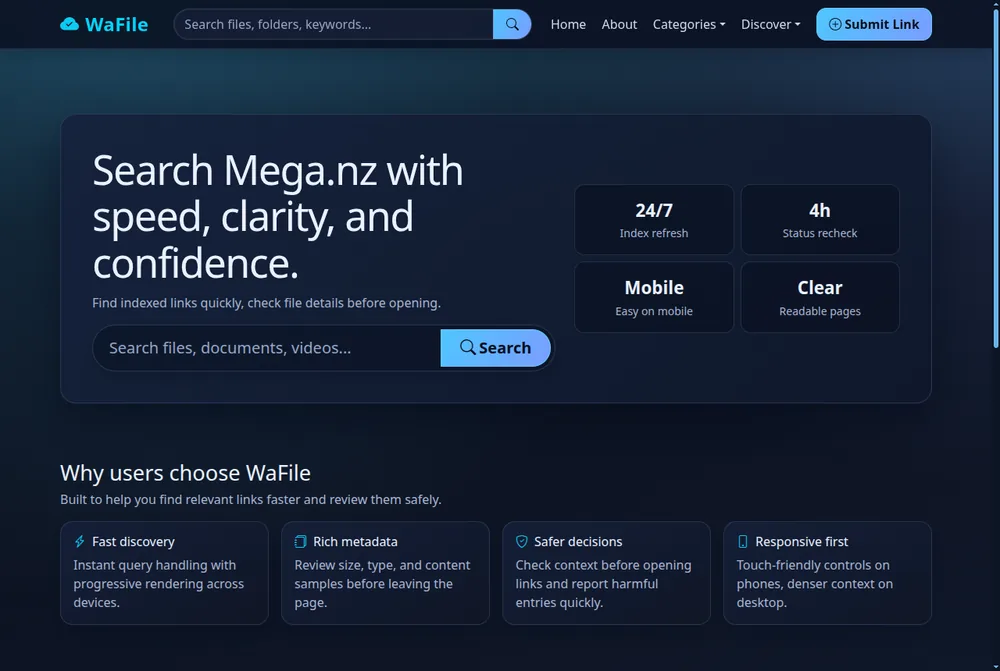
A file sharing search engine is a specialised search tool that indexes files hosted on cloud and file-sharing platforms — such as MediaFire, Mega, Google Drive and 4Shared — and lets you find and download them directly by name, type or keyword, instead of returning web pages like Google or Bing. The best file sharing search engines in 2026 are FilePursuit, SearchFiles, FindFiles.net, WaFile, FilePirates and Uptobox Search for public files, and fii.one Search for your own private cloud.
The best file sharing search engine depends on what you are searching: to find files shared across the public internet, dedicated indexers like FilePursuit, SearchFiles and Dedigger crawl open directories and public links from hosts such as Google Drive, Mega and MediaFire; to search files inside your own cloud and local storage, AI-powered tools like fii.one Search, Google Drive search and Everything (Windows) index your own files so you can find them instantly by name or content.
Public-internet file search engines (find shared/public files):
- FilePursuit — indexes open directories and public links across Google Drive, Mega and many hosts; best for documents, media and datasets.
- SearchFiles (FilesSearch) — a meta search engine that queries MediaFire, 4Shared and Mega at once with live link checking.
- Dedigger — a file hoster search engine focused on software and archives across major file hosts.
Cloud and local file search engines (find your own files):
- fii.one Search — AI semantic search that finds your own files by meaning, name or content across your secure cloud, including text inside PDFs and images.
- Google Drive search — searches text within your PDFs and images with 15GB free storage.
- Everything (Windows) — an instant local file finder that searches the NTFS file table by name.
Best File Sharing Search Engine 2026: Top Picks Compared
Looking for the best file sharing search engine? Below we compare the top file hosting search engines and meta search engines for shared files in 2026 — the fastest way to find and download files across Google Drive, Mega, MediaFire, Dropbox and dozens of other hosts from a single query.
💡 Quick Answer: A meta search engine for shared files queries many file hosts at once, so the best file sharing search engine is the one that combines the widest host coverage, live link checking, and granular filters — not just the biggest index.
| File Sharing Search Engine | Type | Hosts Covered | Live Link Check | Best For |
|---|---|---|---|---|
| FilePursuit | File hosting search engine | Open directories, Drive, Mega | Partial | Documents, media, datasets |
| FilesSearch | Meta search engine for shared files | MediaFire, 4Shared, Mega | Yes | Multi-host downloads |
| Dedigger | File hoster search engine | Major file hosts | Partial | Software, archives |
| fii.one Search | Cloud file search engine | Your own secure cloud | Yes (AI semantic) | Private, organised file search |
If your priority is searching your own files instead of public links, an AI-powered file hosting platform with built-in semantic search gives you the same instant-find experience without the broken links, malware risk, or copyright grey areas of public file sharing search engines.
What is file hosting search engine?
When you think of a search engine, Google or Bing likely come to mind—tools that crawl the public web to surface web pages, news articles, and images. A file hosting search engine operates on a different principle entirely. Instead of indexing the open web, it specializes in scouring file‑hosting services—platforms like MediaFire, Mega, Google Drive, Dropbox, 4Shared, and many others—to find downloadable files. These files could be anything from software installers and PDF textbooks to whole music albums, video courses, compressed archives, or even obscure datasets. The key difference is that a regular search engine returns links to web pages; a file hosting search engine returns direct or indirect download links to files stored on third‑party servers.
💡 Key Insight: Unlike traditional web search, a file hosting search engine does not crawl the surface web. Instead, it taps into the “deep web” of shared files that are not indexed by general‑purpose search engines because they reside behind authentication systems or within cloud storage silos.
How does it work under the hood? These engines use custom crawlers and APIs to traverse file‑hosting sites, parsing directory trees, public shares, and even forums where users post links. Metadata such as file name, size, format (e.g., .mp4, .pdf, .zip), upload date, and the hosting domain are stored in a centralized database. When you type a query like “Photoshop 2024 crack” or “Python for Data Science PDF,” the engine searches its index and presents a list of matching files, often with a preview of the file name, size, and the hosting service it lives on. Some engines go further by verifying that the links are still alive, removing broken ones automatically.
- Custom file‑type filters – Narrow results by extension: .exe, .mp3, .torrent, .dmg, .epub, etc.
- Size range sliders – Find small scripts or large ISO files without scroll fatigue.
- Multi‑mirror detection – See if the same file is hosted on several services, giving you fallback options.
- Uptime & speed indicators – Some advanced engines show whether a link is still active and how fast it typically downloads.
🔍 Deep File Indexing
The engine doesn’t just grab link pages—it often logs internal file details like CRC32 hashes and creation dates, helping you verify authenticity and avoid duplicates.
⚡ Direct Download Links
Many results bypass the host’s landing page and give you a raw download URL, saving you from waiting on timers, captchas, or interstitial ads.
Who actually uses a file hosting search engine? The audience is surprisingly broad. Researchers hunting for out‑of‑print academic papers, IT professionals seeking legacy software drivers, content creators looking for royalty‑free asset packs, and even gamers searching for mods or emulator ROMs all rely on these tools. Because file‑hosting platforms often have lax DMCA enforcement or require manual file takedowns, the content available can be much richer (and older) than what surfaces on the indexed web. That said, users should always respect copyright laws and download only files they have permission to access. In a world where data is scattered across thousands of cloud vaults, a file hosting search engine acts as the librarian who knows exactly which dusty shelf holds the book you need.
Why file hosting search engine Matters
The internet is overflowing with files: PDFs, eBooks, software installers, music tracks, video clips, and countless documents. But they are scattered across dozens of different platforms, often locked behind login walls, buried under irrelevant ads, or simply impossible to find through mainstream search engines. General-purpose search engines like Google are brilliant for web pages, but they struggle when the goal is to locate a specific file type hosted on a remote server. This is exactly where a dedicated file hosting search engine becomes indispensable.
💡 Key Insight: A file hosting search engine does not just index web pages — it indexes the actual files stored on cloud services, direct download links, and file-sharing platforms. This narrows the search space dramatically, giving you precise results in seconds instead of sifting through pages of irrelevant content.
For researchers, students, content creators, and everyday users, the ability to find exactly what they need without wasting time is a game-changer. Imagine searching for a rare textbook, a vintage software installer, or a high-resolution image. Without a file hosting search engine, you might hop between Rapidgator, MediaFire, Mega, Google Drive, and dozens of others, repeating the same query on each site. A file hosting search engine aggregates all those sources into one unified interface, scanning millions of files and returning only those that match your format and keyword criteria.
⏱️ Save Time & Effort
Instead of visiting 10 different file hosting sites, run one query. The engine fetches results from multiple hosts, showing direct links, file sizes, and upload dates — all in a single list.
🔍 Discover Hidden Content
Many valuable files are not indexed by Google. A file hosting search engine crawls deep into cloud storage and legacy hosting sites, uncovering resources that would otherwise remain invisible.
Beyond convenience, there is an important aspect of accessibility. Free educational materials, public domain works, and open-source software are often uploaded to file-sharing websites but never surface in typical search results. By using a specialized engine, you bypass the noise and get straight to the downloadable content. This is particularly valuable in regions where access to paid resources is limited, or for budget-conscious individuals seeking alternatives.
- Comprehensive coverage — indexes multiple file hosts (Mega, MediaFire, 4Shared, Dropbox, etc.) in one go.
- Filter by type — easily find PDFs, ZIPs, MP3s, executables, or any specific extension.
- Direct download links — skip the landing pages and ad-filled redirects.
- Fresh results — updated regularly to remove dead links and add new uploads.
- Privacy-friendly — many engines do not require registration or track your searches.
For professionals who handle large datasets, archives, or media libraries, a file hosting search engine is not a luxury — it is a workflow accelerator. Instead of manually bookmarking dozens of sharing sites, they rely on a single aggregator. The same applies to IT admins looking for legacy drivers, musicians searching for royalty-free samples, or students hunting for reference PDFs. The relevance of this tool grows as more data moves off traditional websites and into cloud file storage.
In summary, the reason a file hosting search engine matters is straightforward: it solves a real, persistent disconnect between the content people need and the tools they have to find it. It transforms a scattered, chaotic web of file silos into a searchable, organized index. Whether you are a casual downloader or a power user, having access to such an engine means less friction, more discovery, and better use of your time. That is why it deserves a central place in your digital toolkit.
Key Features to Look For
Not every file hosting search engine is created equal. While dozens of tools promise to find files buried across cloud storage services, the best ones share a core set of capabilities that separate time-savers from time-wasters. Whether you’re a researcher hunting for public datasets, a developer looking for assets, or a casual user trying to locate a specific document, understanding these key features will help you pick the right engine for your workflow—and avoid frustration.
💡 Key Insight: A great file hosting search engine doesn’t just return links—it helps you narrow down exactly what you need with noise-free results. The difference often comes down to granular filtering and metadata awareness.
🔍 Advanced Filters & Sorting
Look for the ability to filter by file type (PDF, ZIP, MP4, etc.), size range, upload date, and host provider. Sorting by relevance, date, or download count saves you from scrolling through hundreds of irrelevant hits. The more precise the filters, the faster you’ll find what you need.
📐 Search Operators & Syntax
Power users need more than a plain keyword box. Support for operators like filetype:pdf, size:>10MB, site:mega.nz, and Boolean logic (AND, OR, NOT) transforms a basic search into a surgical tool. This is what separates a professional-grade directory from a simple link list.
🔗 Direct Links & Preview
The best engines verify that links are still alive and provide direct download URLs (no landing page walls). Built-in preview support for common file types—images, text files, even some PDFs—lets you check content before committing to a download. This feature alone can rescue you from dead links or misleading titles.
🛡️ Privacy & Security Indicators
A trustworthy file hosting search engine does not log your queries, doesn’t inject tracking scripts, and clearly marks links that may lead to malicious files. Some even run basic virus scanning on indexed content. Always prioritize engines with a clear privacy policy and HTTPS-only access.
Beyond these four pillars, a handful of extra capabilities can turn a good search experience into a great one:
- API Access — For developers and automation enthusiasts, a RESTful API lets you programmatically query the engine, integrate results into scripts, or build custom dashboards.
- Multi-Host Coverage — A robust engine indexes files from multiple providers (Mega, MediaFire, Dropbox, Google Drive, etc.) rather than relying on a single source. Broader coverage means higher recall.
- Result Freshness — Look for engines that regularly re-crawl or timestamp their index. Outdated results waste your time with broken links; frequent updates ensure you see only the most current files.
- Speed & Responsiveness — Instant autocomplete, near-zero query latency, and a mobile-friendly interface make a huge difference when you’re on the go. A fast engine respects your time.
- Relevance Ranking — The best results should appear first. Algorithms that weigh download counts, file age, host trustworthiness, and exact phrase matches outperform plain keyword frequency.
When evaluating a file hosting search engine, it’s tempting to jump for the tool with the most features, but remember: a cluttered interface can hinder productivity. The ideal engine balances powerful functionality with clean, intuitive design. Test the filters, try a few advanced queries, and note how often you see “file not found” pages. Over time, the engine that consistently surfaces the right file—with minimal noise and maximum safety—will earn a spot in your regular toolkit.
In short, look for precision over sheer volume. A smart mix of filtering, search syntax, direct access, and transparency will define your long-term satisfaction with any platform. Keep these features in mind as you explore the options covered later in this article.
How to Get Started with file hosting search engine
Diving into the world of online file discovery doesn’t have to be complicated. A file hosting search engine acts as your personal librarian for the cloud, letting you find documents, media, and archives scattered across public storage services. Whether you’re a researcher hunting for open datasets, a marketer curating content, or a curious hobbyist, the first steps are simple and rewarding. Here’s your quick-start guide to getting the most out of these powerful tools.
💡 Key Insight: You don’t need to install anything to use a file hosting search engine—most run right in your browser. The real skill lies in knowing how to narrow down results effectively.
Step 1: Choose a Reliable File Hosting Search Engine
Start by picking a trusted platform. Popular options include FilePursuit, SearchFiles, and Dedigger. Each specializes in indexing content from major hosts like Google Drive, Dropbox, Mega, and MediaFire. Look for one that offers advanced filters—file type, size range, and upload date—to save you from endless scrolling.
Step 2: Craft Your Search Query
Unlike standard web searches, file hosting search engines respond best to specific terms. For example, instead of “biology notes,” try “biology pdf textbook 2024 site:drive.google.com.” Many engines support operators like filetype:pdf or size:>10MB. Experiment with quotes for exact phrases and minus signs to exclude unwanted results.
- Use specific file names: “annual_report_2023.pdf” returns better results than “annual report”
- Include host names: “dropbox.com” or “mega.nz” in the query narrows results instantly
- Filter by date: Many engines let you sort by “last week” or “last month” for fresh files
Step 3: Verify Before You Download
Not every link leads to what it promises. Always preview a file before downloading—most search engines offer a direct preview or a thumbnail. Check file size and extension; a “.pdf” document that is only 2KB might be a redirect. Also, be aware of copyright: use these tools for publicly shareable content or work you have permission to access.
🔍 Smart Search Tips
Combine keywords with “AND” (or just spaces) and use “OR” for alternatives. Example: “marketing strategy pdf OR ppt.”
📁 Organize Results
Bookmark your favorite file hosting search engine and create browser folders for recurring searches—like “research” or “templates.”
⚡ Speed Up Workflows
Use browser extensions that integrate a file hosting search engine directly into your right-click menu for instant lookups.
🛡️ Stay Safe
Avoid downloading executable files (.exe, .bat) unless you trust the source. Stick to common formats like .pdf, .docx, .zip (with caution).
Step 4: Build a Search Routine
The real power of a file hosting search engine emerges when you use it regularly. Start each session by defining your goal—need a high‑resolution image for a presentation? Type “image png 4k site:mega.nz.” Want a legal template? Try “contract template doc filetype:doc.” Within a few tries, you’ll develop an intuition for what works. Remember, patience pays off; the first result isn’t always the best, but with the right query, that perfect file is just a click away.
Once you’ve found a few gems, bookmark them or save the links in a dedicated note. Many advanced users even share their search strategies in forums, so don’t hesitate to learn from the community. With these four steps, you’re ready to turn a file hosting search engine into your go‑to research companion—efficient, precise, and always surprising.
Best Practices for file hosting search engine
Building a reliable and user-friendly file hosting search engine goes beyond simply scraping links. Without thoughtful design, users drown in irrelevant results, broken downloads, or legal headaches. Whether you are launching a new aggregator or refining an existing platform, these best practices will help you deliver accurate, fast, and safe search experiences.
💡 Key Insight: A great file hosting search engine is judged not only by the number of results, but by the relevance, freshness, and safety of those results. Prioritise quality over quantity every time.
1. Index with Purpose, Not Just Scale
Aggressive crawling can overwhelm both your servers and the source hosts. Instead, implement intelligent indexing: focus on metadata such as file name, description, upload date, file size, and host reputation. Use schema.org or custom fields to structure the data. For each file, store a checksum (e.g., SHA-256) to avoid duplicate entries and speed up deduplication.
2. Prioritise Freshness and Broken-Link Detection
Nothing frustrates searchers more than clicking a dead link. Set up a scheduled task that re-verifies each URL every 24–48 hours. Mark links as “unavailable” after two consecutive failures, and remove them after one week if not restored. Display a “checked X hours ago” timestamp to build trust.
3. Offer Granular Filters
A plain text search box is insufficient. Provide filters for:
- File type – documents, archives, videos, audio, images, executables
- Size range – e.g., under 10 MB, 10–100 MB, 100 MB–1 GB, over 1 GB
- Host source – let users choose preferred file hosts (e.g., MediaFire, Google Drive, Mega)
- Upload date – last 24 hours, last week, last month, custom range
- Safety rating – flag files that have been reported as malware or copyrighted
4. Respect Copyright and Security Laws
Your file hosting search engine must not become a piracy or malware distribution tool. Implement automated scanning for known malware signatures (using ClamAV or similar). Add a simple DMCA takedown form and respond within 48 hours. In jurisdictions with strict data protection rules (e.g., GDPR), do not store user search history or IP addresses longer than necessary. A “Report” button next to each result empowers the community to flag problematic files.
🔍 Smart Ranking
Boost results from trusted hosts and those with many successful downloads. Penalise files with low completion rates or excessive pop‑ups. Consider adding a “most downloaded” sort option.
⚡ Speed Optimisation
Cache search results and use CDN-hosted static assets. Implement lazy loading for massive result sets. A search that takes more than 2 seconds loses 40% of users – invest in database indexes.
5. Surface Rich Previews
Where possible, offer a thumbnail preview (for images and PDFs) or a snippet of extracted text (for documents). This lets users gauge relevance without leaving the search results page. For video files, show duration, resolution, and a poster frame. For archives, list contained file names. Every extra piece of context reduces bounce rate.
6. Build for Accessibility and Transparency
Use clear, semantic HTML markup so screen readers can navigate results. Clearly state whether a link is direct–download or leads to an interstitial page with ads. If you display ads, distinguish them from organic results (e.g., a subtle “Sponsored” label). A transparent file hosting search engine earns repeat visitors and positive word‑of‑mouth.
Adopting these best practices will not only improve your search engine’s performance but also protect your users and your platform from legal and ethical pitfalls. Start small, measure your results, and iterate – the best file host search tools are always evolving with their communities.
Best File Sharing Search Engines Compared (2026)
Not every file sharing search engine works the same way. Some crawl public links across MediaFire, Mega and Google Drive; others act as a meta search engine for shared files, querying multiple hosts at once. The table below compares the most useful options in 2026 so you can pick the right search engine for shared files based on coverage, speed and safety.
| File Sharing Search Engine | Type | Best For | Coverage | Safety |
|---|---|---|---|---|
| FilePursuit | Open-directory indexer | Documents, media, datasets | Very wide (multi-host) | Moderate — verify source |
| SearchFiles | Meta search engine | One file across MediaFire, Mega, 4Shared | Wide (multi-host) | Depends on host |
| FindFiles.net | File-type search engine | PDFs, docs, archives, source code | Wide (public web) | Moderate |
| WaFile | Dedicated host search | Deep results on Mega.nz | Narrow but deep | Preview metadata first |
| FilePirates | Federated open-source search | Books, software, audio, video | Wide (Archive, GitHub, torrents) | Good (open sources) |
| Uptobox Search | Dedicated host search | Files hosted on Uptobox | Narrow (single host) | Depends on source |
| Air Explorer Cloud Search | Multi-cloud manager | Searching 50+ connected clouds | Your linked accounts | High (your own files) |
| Google Drive search | Built-in cloud search | Text inside your PDFs & images | Your Drive (15GB free) | High (private) |
| Everything (Windows) | Local file finder | Instant name search on your PC | Local NTFS drives | High (offline) |
| fii.one Search | AI semantic cloud search | Finding your own files by meaning | Your secure cloud | Highest — private & encrypted |
Public file sharing search engines index third-party links they do not host. Always preview file metadata and scan downloads before opening. For files you own, a private AI-powered platform avoids broken links, malware and copyright grey areas entirely.
| Search Engine Type | Best For | Coverage | Speed | Safety |
|---|---|---|---|---|
| Meta search engine for shared files | Finding one file across many hosts | Very wide (multi-host) | Fast | Depends on source |
| Dedicated file hoster search engine | Deep results on one platform | Narrow but deep | Very fast | Higher (single host) |
| General web search + operators | Free, no extra tools | Wide but noisy | Medium | Manual vetting |
| Private cloud search (self-hosted) | Your own files, privately | Your library only | Instant | Highest |
If your priority is the best hosting for file sharing combined with instant search over your own uploads, a private cloud like fii.one gives you the safest tier: your files, indexed and searchable in one place, without exposing them to public crawlers.
How to Search MediaFire, Mega and Google Drive Files
A big reason people look for a search engine for shared files is that the big hosts don't expose a public, cross-platform search box. Here's how to find files on each of the most popular platforms — and when a dedicated file hosting search engine beats doing it manually.
Searching MediaFire files
MediaFire hosts millions of public files, but its native search is limited. To do an effective mediafire search file lookup, combine a general search engine with the site:mediafire.com operator plus your keywords — for example site:mediafire.com project template. A meta file hoster search engine automates this across MediaFire and other hosts at once, saving you from testing one operator at a time.
Searching Mega files
Mega encrypts files client-side, so public indexing is intentionally limited. The practical route is searching link directories and forums where Mega links are shared, then verifying the file before download. For your own encrypted library, Mega's in-app search works — but only within your account.
Searching Google Drive shared files
Public Google Drive files can be surfaced with site:drive.google.com queries, though results are inconsistent because most Drive files are private. For a broader sweep, see our guide on how to search files across MediaFire, Mega and Google Drive, which walks through operators and safety checks step by step.
The takeaway: manual operators work, but the best file sharing search engine workflow layers a meta search engine for shared files on top of those operators — so one query hits every host, ranked by relevance and freshness.
Frequently Asked Questions
What is the best file sharing search engine in 2026?
The best file sharing search engine depends on your goal. For finding one file across many hosts, a meta search engine for shared files gives the widest coverage. For searching and downloading your own files instantly and securely, a private cloud with built-in search — like fii.one — is the safest and fastest option because it indexes only your library.
How do I do a MediaFire search for a specific file?
Use a general search engine with the operator site:mediafire.com followed by your keywords, or use a dedicated file hoster search engine that queries MediaFire and other hosts simultaneously. Always verify the source and scan the file before downloading.
What is the best hosting for file sharing with search built in?
The best hosting for file sharing pairs reliable storage with fast, private search over your uploads. A modern cloud platform lets you upload, share via secure links, and instantly find any file by name or content — without exposing your library to public crawlers.
What is a file hosting search engine?
A file hosting search engine is a specialized tool that indexes files stored on various cloud storage and file-sharing platforms (like Google Drive, Dropbox, MediaFire, and Mega). Instead of searching the entire web, it scours these hosting services for downloadable files such as documents, software, videos, and archives, helping you find specific content quickly.
Is it legal to use a file hosting search engine?
Yes, the search engine itself is legal to use, as it only indexes links that are publicly available. However, the legality of downloading certain files depends on copyright laws in your country and the permissions granted by the file owner. Always ensure that the content you download is shared legally or falls under fair use before accessing it.
How do I search for files effectively?
To get the best results, use specific keywords, file extensions (e.g., .pdf, .zip, .mp4), or phrases in quotation marks. Many file hosting search engines also support advanced filters like file size, upload date, or hosting platform. Combining these techniques narrows down results and saves you time.
Are the search results always safe to download?
Not necessarily. Even though the search engine indexes publicly available files, some may contain malware, viruses, or misleading content. Always scan downloaded files with up-to-date antivirus software, check the file size and source reputation, and avoid clicking suspicious or too-good-to-be-true links.
Can I upload or share my own files through these search engines?
Most file hosting search engines do not host files themselves—they only index content from third-party hosting services. To share files, you need to upload them to a supported hosting platform (like Google Drive or MediaFire) and then submit the link to the search engine's database if it allows manual submissions. Otherwise, the engine may discover your file automatically if it's publicly accessible.
Conclusion
The digital landscape is vast and fragmented, with files scattered across countless platforms. The best file sharing search engine — whether a file hosting search engine or a meta search engine for shared files — bridges that gap, turning chaos into order. As we've explored, these specialized tools do more than just locate files—they empower researchers, content creators, and everyday users to find exactly what they need without wading through irrelevant results or navigating paywalls blindly.
The value proposition is clear: time savings, precision, and access to resources that would otherwise remain hidden in the deep corners of the web. Whether you're tracking down a specific PDF for academic research, locating a software driver for an older device, or recovering a misplaced document, the right search engine tailored for file hosting platforms can transform a frustrating scavenger hunt into a seamless experience.
💡 Key Insight: The true power of a dedicated file hosting search engine lies not just in finding files, but in the metadata, filters, and indexing depth that general-purpose search engines simply cannot replicate. It's about relevance at scale.
However, with great power comes great responsibility. Users must remain mindful of copyright laws, licensing terms, and the security risks associated with downloading files from unfamiliar sources. A responsible approach—verifying file integrity, checking upload dates, and respecting intellectual property—ensures that these tools remain ethical and useful for everyone.
🔍 Beyond Discovery
These engines also reveal trends—what files are popular, which formats dominate, and how content spreads across hosting networks. That data is gold for analysts and strategists.
⚖️ The Legal Horizon
As file hosting evolves, so do the legal frameworks around it. Staying informed about DMCA policies, fair use, and platform terms keeps your searches both powerful and compliant.
Looking ahead, the next generation of file hosting search engine technology will likely incorporate AI-driven semantic search, real-time indexing across cloud providers, and even deeper integration with collaborative tools. The boundaries between local storage, cloud drives, and public file hosts will continue to blur, making unified search not just a convenience—but a necessity.
In summary, a file hosting search engine is more than a utility; it's a gateway to digital efficiency. By understanding how to use it wisely, you unlock a world of resources while navigating the complexities of the modern internet. Choose your tools carefully, search with intention, and let the data work for you.
If you are still deciding where to keep your files, explore our roundup of the best file hosting websites for easy sharing and storage, or compare secure Google Drive alternatives for privacy-first cloud storage.
Get Started with Find Files Instantly: Best File Hosting Search Engines
Ready to take the next step? Discover the top file hosting search engines to locate and download files from various cloud storage platforms like Google Drive, Dropbox, and more. Learn tips for efficient file searching.
Search box demo
Search file guides before you choose a tool
Try a query, then open fii.one when you are ready to search your own private files.
Product search for your own files starts after signup: create a free fii.one account.
HowTo
How to find files fast
- 1
Decide public vs private search
Choose the right tool for your intent: use a public file indexer to find open shared links across hosts, or use fii.one Search when you need to find your own private cloud files.
- 2
For public files, use an indexer with a host filter
On a public file search engine, filter by host (for example Mega, MediaFire or Google Drive) and file type, then check the live link, file size and source before downloading.
- 3
For private files, create a free fii.one account
Sign up at fii.one to get a secure file workspace where your uploads stay private and searchable to you and your team only.
- 4
Upload or connect your files
Add files to your workspace by uploading them or importing existing folders so they are indexed for filename, content and semantic search.
- 5
Search by name, content or meaning
Type a filename, a keyword found inside a document, or a natural phrase. fii.one matches filenames, supported document text and AI semantic meaning to surface the right file fast.
- 6
Preview, then share safely
Open the file preview in your browser to confirm it is correct, then create a secure share link or folder to send it without exposing your whole library.
FAQ
File hosting search engine FAQ
What is the best file hosting search engine?
The best file hosting search engine depends on intent. Public indexers help find open file links across hosts like Mega, MediaFire and Google Drive. fii.one Search is best when you need to search your own cloud files privately by filename, content and meaning.
How do I search files across cloud accounts?
Upload or connect your files to a cloud workspace, then search by filename, file type, keywords or document content. fii.one focuses on private file search for your own files rather than public download indexes.
Are public file search engines safe?
Public file search engines can surface broken, copyrighted or unsafe downloads. Check the source, file type, file size, permissions and malware risk before downloading. For your own files, private cloud search is safer.
Can fii.one find files online?
fii.one helps you find files online inside your own secure cloud workspace. It is product-led file search for private files, previews and sharing, not a crawler for copyrighted public downloads.
What is the difference between a file search engine and Google?
A general search engine like Google indexes web pages, while a file hosting search engine focuses on downloadable files such as PDFs, ZIPs, videos and documents. fii.one narrows this further to the private files inside your own cloud workspace.
Can I search inside PDF and document content, not just filenames?
Yes. fii.one can match text inside supported documents and PDFs, plus filenames and semantic meaning, so you can find a file even when you only remember a phrase from its content rather than its exact name.
Join thousands of users who trust fii.one for fast, private cloud storage.
Get Started Free →fii.one Team
The fii.one blog brings you guides, tips, and insights on file storage, sharing, and productivity.
← Previous
Top Open Source Google Drive Alternatives for 2024
Next →
Top Google Drive Alternatives for 2024: Secure & Affordable
Related Articles

How to Search Files Across MediaFire, Mega & Google Drive in One Place
3 min read

Best Enterprise Dropbox Alternative for Secure File Sharing
8 min read

Understanding Airdrop File Size Limits: What You Need to Know
4 min read

Top Temporary File Hosting Services for Fast, Secure Sharing
4 min read