Is MEGA Safe in 2026? Encryption, Privacy & Security Verdict
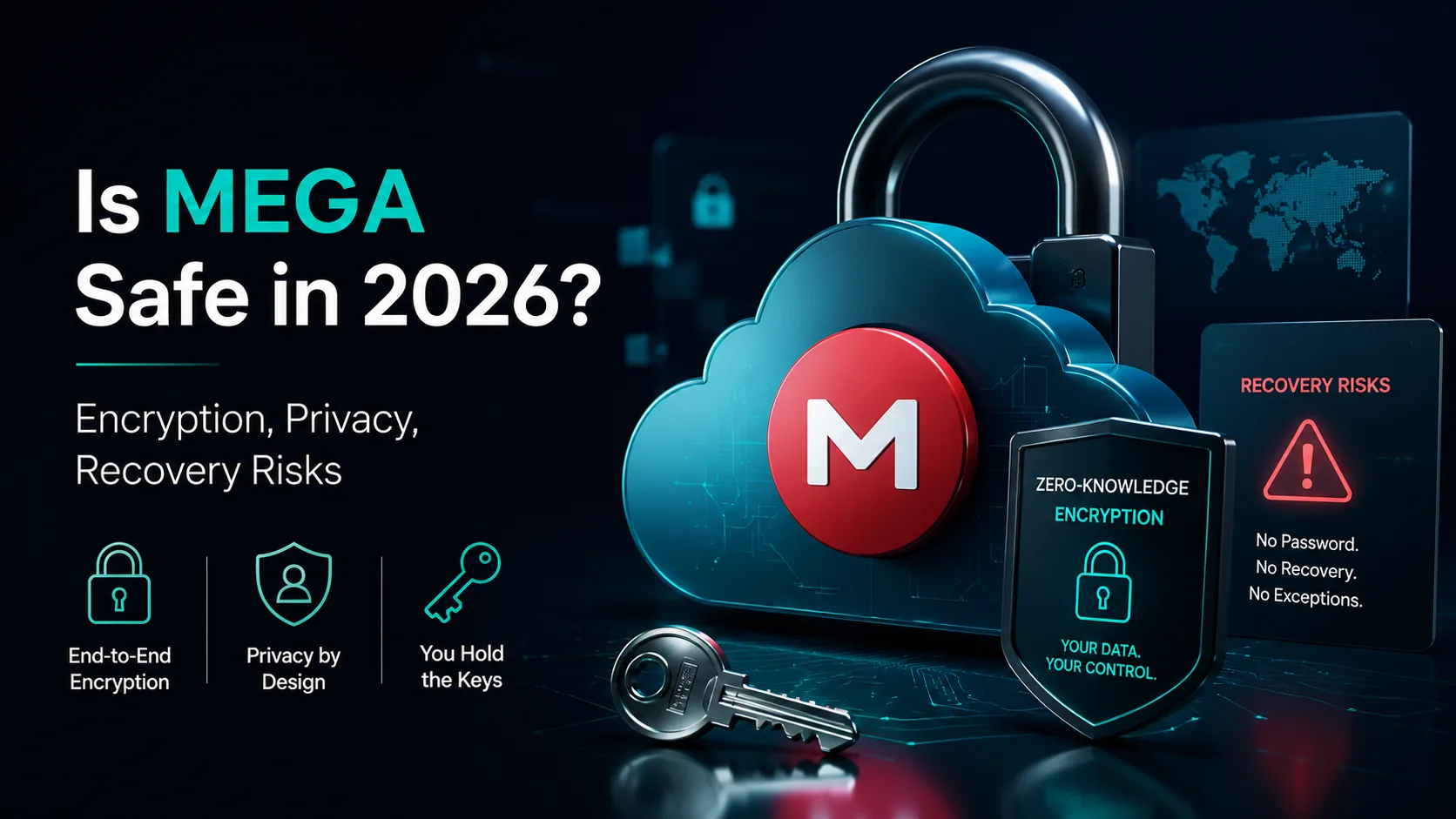
Is MEGA Safe in 2026? Encryption, Privacy & Security Verdict
MEGA is generally safe for encrypted cloud storage, but it is not risk-free. Here is the 2026 verdict on zero-knowledge encryption, account recovery, metadata, sharing and safer alternatives.
Quick answer
Yes, MEGA is safe enough for many personal and team file-storage use cases because files are encrypted before upload and MEGA cannot normally read file contents. The main caveats are password/key recovery, device compromise, shared-link mistakes, metadata exposure and trust in client code updates.
Editorial review rating: 4.2/5
Editorial rating based on encryption design, account recovery risk, jurisdiction/privacy posture, sharing controls, usability and fit for sensitive file workflows. No user reviews or paid placement included.
User reviews: Have hands-on experience? Sign in or create an account to share feedback when community reviews open. We do not fabricate user ratings.
Best fit
Use MEGA for encrypted backups, personal archives and privacy-conscious sharing. For a private searchable workspace with controlled sharing, previews and team workflows, compare it with fii.one features or create a free account.
Safety checklist
Use a unique password, enable 2FA, save recovery keys offline, avoid public links for sensitive files, set link passwords/expiry where available, keep devices clean, audit shared folders monthly.
MEGA vs private file workspace
MEGA focuses on encrypted storage and transfer. fii.one focuses on private upload, fast search across your own files, sharing workflows and previews. Read top file hosting websites for broader options and file hosting search engines for public-search differences.
Risks people miss
Zero-knowledge encryption protects contents, not every workflow decision. If you lose the password and recovery key, recovery can be impossible. If you share a decryption link publicly, encryption no longer protects that audience. If an endpoint is infected, cloud encryption cannot save already-opened files.
FAQ
Is MEGA safer than Google Drive?
MEGA offers client-side encryption by default, which is stronger for content privacy. Google Drive is stronger for collaboration and admin ecosystem. Safer depends on threat model.
Can MEGA see my files?
MEGA is designed so file contents are encrypted before upload. However, metadata, account details, shared-link behavior and client trust still matter.
What is the biggest MEGA security risk?
Account recovery and endpoint security. Losing your password/recovery key can lock you out; malware or careless public links can expose data.
Should businesses use MEGA for confidential files?
Only after checking compliance, admin controls, retention, audit needs and sharing policy. For workflow search and controlled sharing, evaluate alternatives too.
Next step
If your goal is secure private file sharing rather than public link hunting, explore fii.one features or create a free account.
Detailed guide and original analysis
Is MEGA Safe to Use in 2026? The Full Privacy Architecture Review
MEGA is one of the more polarizing names in cloud storage. It was founded by Kim Dotcom after the FBI raid on Megaupload. It offers genuine zero-knowledge encryption on a free tier. It is also based in New Zealand, a Five Eyes jurisdiction. Here is the complete safety assessment.
Free zero-knowledge storage — most generous free tier in this category
MEGA holds no access to file content — only you hold the keys
New Zealand jurisdiction — real but often overstated risk
Is MEGA safe in 2026? Short answer: MEGA is technically safe for everyday file storage because it uses zero-knowledge (end-to-end) encryption by default, but "safe" depends on your threat model — legal jurisdiction, password recovery risk, and how much you trust a single provider.
Break the question into two intents:
- Encryption & data safety — MEGA encrypts files client-side; MEGA cannot read your data, but if you lose your password (and recovery key) your files are gone. This is the same trade-off as other zero-knowledge providers.
- Privacy & jurisdiction — MEGA is based in New Zealand (a Five Eyes member). Encryption protects content, but metadata and account data can still be subject to legal requests.
Zero-knowledge alternatives worth comparing:
- MEGA — 20 GB free, zero-knowledge, New Zealand jurisdiction.
- Tresorit / Proton Drive — Swiss-based, zero-knowledge, stronger privacy jurisdiction.
- Internxt — open-source, zero-knowledge, EU jurisdiction.
- fii.one — encrypted file hosting with search across your files, flat-rate pricing.
The Kim Dotcom story that shaped MEGA's reputation
MEGA was founded in 2013 by Kim Dotcom, six months after the FBI raid on Megaupload that saw armed agents storm his New Zealand mansion. The timing was deliberate. Dotcom had been humiliated by government action against his previous company, and MEGA was built partly as a political statement: storage that government could not easily access.
That origin story is real and matters. MEGA was not built to maximize shareholder value or to be acquired by a larger company. It was built around a specific privacy thesis. That thesis has shaped the product's architecture more genuinely than most competitors whose privacy claims are marketing-first.
💡 Key Insight: MEGA's zero-knowledge encryption is real — not marketing. The provider cannot read your files. That is architecturally different from Dropbox, Google Drive, and OneDrive, even if those providers also use encryption.
What MEGA's encryption actually means
MEGA uses end-to-end encryption where the encryption keys are generated on your device and never transmitted to MEGA's servers. When you upload a file, it is encrypted locally before transmission. MEGA stores only encrypted blobs that it cannot read.
This is the same architectural model as fii.one. It means MEGA cannot scan your files for AI features, cannot be compelled to provide file content to authorities without your key, and cannot use your files to improve their own products.
The implementation has been independently audited and the cryptography is sound. This is not a theoretical claim — it is a documented architectural feature.
The Five Eyes question: does jurisdiction matter?
MEGA is based in New Zealand, which is part of the Five Eyes intelligence sharing alliance (alongside the US, UK, Canada, and Australia). This is frequently cited as a reason to avoid MEGA. The actual risk is more nuanced.
Here is what jurisdiction actually affects: metadata. New Zealand authorities can compel MEGA to provide account information, access logs, storage volumes, and file names — even if they cannot compel access to file content. The content is protected by zero-knowledge encryption. The metadata is not.
For most users — people storing personal files, client work, or general business documents — metadata access is not a practical concern. For users with specific threat models involving government surveillance, the Five Eyes jurisdiction is a relevant factor worth considering. But it is not a disqualifying one.
Where MEGA falls short
- Speed limitations: MEGA's free and lower-tier plans have documented bandwidth and speed restrictions. Large file uploads and downloads can be noticeably slower than competitors at the same price tier.
- Business model inconsistency: MEGA has changed ownership and business direction multiple times since 2013. This is not a disqualifying factor, but it is worth noting for users who want long-term stability.
- Storage ceiling: MEGA's maximum storage tier is 16TB on Pro plans. For users with needs above that level, fii.one's unlimited model is the more practical option.
- App ecosystem: MEGA's desktop and mobile apps are functional but less polished than Dropbox or Google Drive. Sync performance is adequate, not best-in-class.
Is MEGA safe in 2026?
Yes — for most users, MEGA is safe to use in 2026. The zero-knowledge encryption is real, the implementation is sound, and the free tier is genuinely useful. The concerns about New Zealand jurisdiction are real but often overstated for average users.
MEGA is the right choice for users who want zero-knowledge privacy without enterprise pricing, and who can accept the speed and storage ceiling trade-offs. For users with growing storage needs above16TB, or who want unlimited storage without tiered pricing, fii.one is the more practical long-term option.
Compare: fii.one vs MEGA.
MEGA's security track record: breaches and disclosures
A fair answer to "is MEGA safe?" has to look at what has actually gone wrong. In 2022, researchers published a set of cryptographic vulnerabilities in MEGA's architecture that, under specific conditions, could let a malicious server recover user keys and tamper with files. MEGA patched the reported issues, but the disclosure was an important reminder: zero-knowledge design reduces trust in the provider, it does not eliminate the need to trust their implementation.
Unlike some rivals, MEGA has not suffered a mass credential breach that exposed decrypted user files — because the files are encrypted client-side, a server breach alone does not hand attackers your data. The bigger real-world risk for most users is weak account security: a reused password plus no two-factor authentication defeats even the best encryption. Enabling MEGA's 2FA and using a unique, strong password does more for your safety than the underlying cryptography debate.
Is MEGA safe for business and sensitive files?
For individuals storing personal documents, MEGA's zero-knowledge encryption is genuinely strong. For businesses handling regulated or highly sensitive data, the calculus changes. Points to weigh before trusting MEGA with critical files:
- Key recovery risk: if you lose your password and recovery key, MEGA cannot restore your files — zero-knowledge means zero backdoors, including for you.
- Jurisdiction: MEGA operates from New Zealand, a Five Eyes member. Encryption protects contents, but metadata and compliance obligations still apply.
- Compliance gaps: MEGA is not the obvious choice for HIPAA, SOC 2 or enterprise audit requirements that many business clouds document explicitly.
- Shared-link exposure: anyone with a MEGA link and its key can access the file, so link hygiene matters as much as encryption.
If you need encrypted storage plus proper sharing controls and reliable file management, it is worth comparing MEGA against other privacy-focused options. See our roundup of the best Google Drive alternatives for secure cloud storage to weigh MEGA against platforms built for teams.
MEGA vs other secure cloud storage in 2026
| Factor | MEGA | Typical mainstream cloud |
|---|---|---|
| Encryption model | Zero-knowledge (client-side) | Encrypted at rest (provider holds keys) |
| Free tier | Generous (up to 20GB) | Smaller (2-15GB) |
| Provider can read files | No | Often yes |
| Password reset restores data | No (need recovery key) | Usually yes |
| Jurisdiction | New Zealand (Five Eyes) | Varies (often US) |
The honest verdict: MEGA is safe for privacy-conscious individuals who value zero-knowledge encryption and a large free tier, and who are comfortable managing their own recovery key. If you want the same privacy stance with modern file sharing and search, a purpose-built secure cloud is worth a look.
MEGA vs other zero-knowledge providers: how safe is safe enough?
MEGA's encryption is genuinely strong, but "safe" is relative. The table below compares MEGA against the privacy-focused alternatives people evaluate alongside it, so you can decide whether MEGA fits your threat model or whether a different jurisdiction or feature set matters more.
| Provider | Zero-knowledge | Jurisdiction | Free tier | Best for |
|---|---|---|---|---|
| MEGA | Yes (default) | New Zealand (Five Eyes) | 20 GB | Large free storage + encryption |
| Tresorit | Yes | Switzerland | Trial only | Business compliance |
| Proton Drive | Yes | Switzerland | 2–5 GB | Privacy-first ecosystem |
| Internxt | Yes | EU (Spain) | 10 GB | Open-source transparency |
| fii.one | Encrypted hosting | Flat-rate | Free plan | Encrypted hosting + search across files |
The practical takeaway: MEGA is safe for most personal use. If your concern is jurisdiction (Five Eyes) or you need audited business compliance, a Swiss provider like Tresorit or Proton may be a better fit. If you value open-source verifiability, Internxt is worth a look. For encrypted hosting with the ability to actually search across your files, fii.one is designed for that workflow.
The password recovery trap
The single biggest "safety" risk with MEGA is not hackers — it is you. Because MEGA is zero-knowledge, MEGA cannot reset your password or recover your files if you lose both your password and your recovery key. Every year, users permanently lose data this way. Before you commit to MEGA, download and safely store your recovery key, and treat it like the master key it is. This is the flip side of true zero-knowledge encryption: nobody can help you, including the provider.
Frequently asked questions
Is MEGA safe from hackers?
MEGA encrypts your files client-side before they leave your device, so even if MEGA's servers were breached, attackers would only get encrypted blobs they cannot read. The realistic risk is a weak account password or reused credentials — enable two-factor authentication and use a strong, unique password.
Can MEGA see my files?
No. MEGA uses zero-knowledge encryption, meaning encryption keys are derived on your device and never sent to MEGA in usable form. MEGA cannot decrypt or view your file contents. The trade-off is that MEGA also cannot recover your files if you lose your password and recovery key.
Is MEGA safer than Google Drive or Dropbox?
For content privacy, yes — MEGA encrypts by default so the provider cannot read your files, while Google Drive and Dropbox can access your data to power features and comply with legal requests. However, MEGA's New Zealand jurisdiction (Five Eyes) means metadata and account data can still be subject to legal process. For maximum privacy, Swiss providers like Tresorit or Proton Drive are stronger on jurisdiction.
Has MEGA ever been hacked?
Researchers disclosed cryptographic vulnerabilities in MEGA's architecture in 2022, which MEGA patched. There has been no mass breach that exposed decrypted user files, because files are encrypted client-side — a server compromise alone does not reveal your data. The biggest practical risk remains weak account security, so enable two-factor authentication.
Is MEGA safe for storing sensitive business data?
MEGA's zero-knowledge encryption is strong, but businesses with regulatory needs (HIPAA, SOC 2, audit trails) should note MEGA does not document these the way enterprise clouds do. For critical data, weigh MEGA against clouds built for teams and compliance.
Can MEGA read my files?
No. MEGA uses client-side (zero-knowledge) encryption, meaning files are encrypted on your device before upload and MEGA never holds the decryption keys. The trade-off is that if you lose your password and recovery key, not even MEGA can restore your files.
Is MEGA safe to use in 2026?
Yes. MEGA's zero-knowledge encryption is real and the implementation is sound. The main safety concerns are the Five Eyes jurisdiction (which affects metadata access, not file content) and the speed limitations on free and lower-tier plans.
Can MEGA access my files?
No. MEGA uses end-to-end encryption where only you hold the keys. MEGA stores only encrypted blobs that it cannot read. This is architecturally different from provider-controlled encryption at Dropbox, Google Drive, and OneDrive.
Is MEGA's New Zealand location a privacy risk?
The Five Eyes jurisdiction affects metadata access — account information, logs, file names. File content is protected by zero-knowledge encryption regardless of jurisdiction. For most users, this distinction means the Five Eyes concern is real but not disqualifying.
Is MEGA or fii.one better for privacy?
Both MEGA and fii.one implement genuine zero-knowledge encryption. MEGA has a more generous free tier. fii.one has unlimited storage and no storage ceiling, making it more practical for users with growing storage needs.
Zero-knowledge privacy with a generous free tier
If you want zero-knowledge encryption on a generous free tier, MEGA is worth considering. If you want unlimited storage with zero-knowledge included, see fii.one pricing. For a direct comparison, see fii.one vs MEGA.
MEGA safety FAQ: quick answers
Is MEGA safe in 2026?
Yes for most personal users. MEGA uses client-side zero-knowledge encryption, so file contents are encrypted before upload. The main caveats are metadata exposure, New Zealand/Five Eyes jurisdiction, password recovery risk, and account-security hygiene.
Can MEGA read my files?
No. MEGA cannot read encrypted file contents because keys are generated client-side. It can still hold account metadata, file names, access logs, storage usage and link metadata.
Is MEGA safe from hackers?
A server breach alone should not reveal decrypted files, but weak passwords, reused credentials, missing two-factor authentication or malicious shared links can still expose an account.
What is the biggest MEGA security risk?
For everyday users the biggest risk is losing the password and recovery key, or using a weak/reused password. Zero-knowledge storage protects privacy but makes recovery impossible without the key.
Is MEGA better than Google Drive for privacy?
For file-content privacy, MEGA is stronger because it uses zero-knowledge encryption by default. Google Drive is usually stronger for collaboration and recovery, but Google controls more account and content-processing features.
When should I choose fii.one instead of MEGA?
Choose fii.one when you need secure file hosting with fast private search, preview, team sharing and product-led file workflows rather than a privacy-only cloud drive.
Join thousands of users who trust fii.one for fast, private cloud storage.
Get Started Free →fii.one Team
The fii.one blog brings you guides, tips, and insights on file storage, sharing, and productivity.
← Previous
pCloud Crypto vs Zero-Knowledge Storage: What You Are Actually Paying For
Next →
MEGA Bandwidth Limits Explained: Transfer Quota, Caps & Fixes
Related Articles
Does Microsoft Scan Your OneDrive Files? The Answer Is More Nuanced Than You Think
4 min read
Is iCloud Really Private? The Honest Answer About Apple's Data Practices
5 min read
Secure File Sharing in 2026: 6 Ways Files Leak and How to Stop Each
5 min read
Best Encrypted Cloud Storage in 2026: Real Zero-Knowledge Options Ranked
8 min read