Is iCloud Really Private? The Honest Answer About Apple's Data Practices
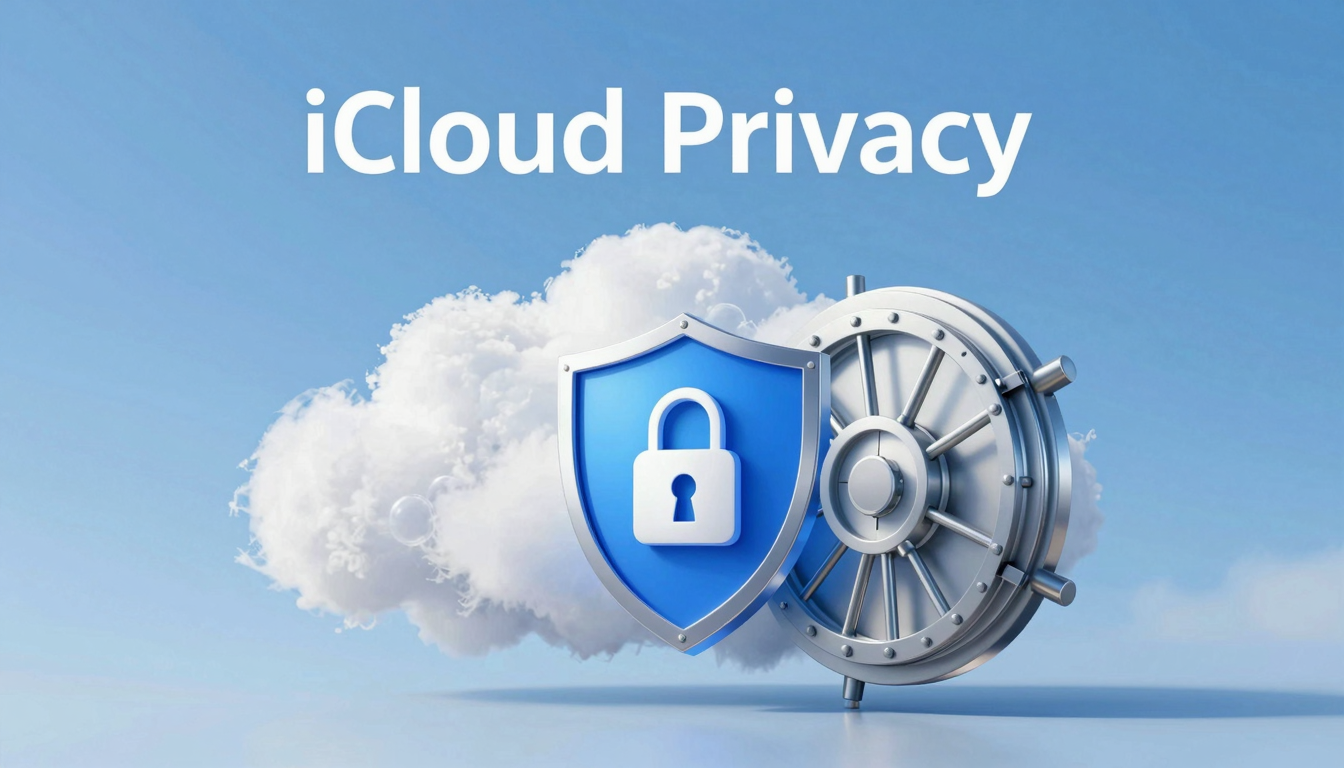
Is iCloud Really Private? The Honest Answer About Apple's Data Practices
Apple markets iCloud as a private storage solution. The reality is more complicated. Here is exactly what Apple can access, what they cannot, and what iCloud privacy actually means in practice.
iCloud uses Apple-managed encryption — Apple can access your data
iCloud+ Advanced Data Protection adds zero-knowledge end-to-end encryption
Most iCloud users have Apple-managed encryption, not zero-knowledge
Quick answer: is iCloud really private?
By default, iCloud is secure but not truly private: Apple encrypts most iCloud data in transit and at rest, but for many categories Apple holds the encryption keys, so it can technically access your files and must hand them to law enforcement on a valid request. iCloud only becomes end-to-end (zero-knowledge) private when you manually turn on Advanced Data Protection (ADP), after which not even Apple can read the covered data. Whether iCloud is "private enough" depends on who you are trying to keep your files away from.
The honest answer splits by intent:
- Privacy from hackers & account thieves — iCloud is fine as-is: data is encrypted in transit and at rest, and two-factor authentication protects the account.
- Privacy from Apple, subpoenas & data requests — default iCloud does not protect you; you must enable Advanced Data Protection to make iCloud Drive, Photos and backups end-to-end encrypted.
- Metadata & ecosystem lock-in — even with ADP, some metadata (like your iCloud Mail, Contacts and Calendar) stays accessible to Apple, and everything is tied to the Apple ID.
- Zero-knowledge by default — if you want privacy without flipping a hidden setting, use a provider that is end-to-end encrypted out of the box, such as fii.one, Proton Drive or Tresorit, where the provider never holds your keys.
The privacy marketing vs. the privacy reality
Apple's privacy marketing is some of the most effective in tech. "What happens on your iPhone stays on your iPhone." "Apple does not sell your data." These claims are technically true and carefully worded — but they obscure a more complex reality about iCloud specifically.
iCloud data is encrypted on Apple's servers. That is real encryption. But Apple's standard iCloud encryption is not zero-knowledge encryption. Apple holds the encryption keys, which means Apple has the technical capability to access your iCloud data. Their policies, legal obligations, and stated commitments prevent them from doing so casually — but the architectural access exists.
💡 Key Distinction: Encryption and zero-knowledge encryption are different things. Encryption means your data is protected from external attackers. Zero-knowledge encryption means only you can read your data — not even the provider can access it. iCloud's standard encryption is the former. iCloud+ Advanced Data Protection adds the latter.
What Apple can access by default
With standard iCloud settings, Apple can technically access the following data categories:
- iCloud Photos: Encrypted on Apple's servers but Apple holds the keys
- iCloud Backup: Full device backup including app data, settings, and photos
- iCloud Drive: File storage and sharing with Apple-managed keys
- iCloud Mail: Email content stored with Apple-managed encryption
- Notes, Contacts, Calendars: Sync services with Apple-managed encryption
- Safari browsing data: Synced across devices with Apple-managed keys
This is the standard provider-controlled encryption model used by most major cloud providers. It protects your data from external breaches but not from the provider itself.
iCloud+ Advanced Data Protection: the real privacy option
Apple introduced Advanced Data Protection for iCloud in late 2022. When enabled, it adds end-to-end encryption to 25 iCloud data categories — meaning only you hold the decryption keys. Apple cannot access this data under any circumstances.
Protected categories with Advanced Data Protection:
- iCloud Photos, iCloud Backup, iCloud Drive
- Notes, Contacts, Calendars, Reminders
- Safari bookmarks and reading list
- Voice memos, health data (with some exceptions)
- Wallet passes
Categories still NOT protected by Advanced Data Protection (Apple holds keys):
- iCloud Mail, Contacts, Calendar (requires interoperability)
- Shared calendars, shared photo libraries
- Some enterprise and education accounts
⚠️ Trade-off: Enabling Advanced Data Protection means if you lose access to all your trusted devices and recovery key, Apple cannot help you recover your data. Your data becomes unrecoverable. This is the fundamental trade-off of zero-knowledge encryption — privacy means only you control access.
How iCloud privacy compares to fii.one
fii.one uses zero-knowledge encryption by default for all stored data — not as an optional add-on. There is no Advanced Data Protection tier to enable. There is no choice between convenience and privacy. Privacy is the architecture.
- iCloud default: Apple holds encryption keys. Apple can access your data.
- iCloud+ Advanced: You hold keys for most categories. Apple cannot access most data. Some categories remain Apple-accessible.
- fii.one default: Zero-knowledge encryption for all data. No exceptions. No add-on required.
When iCloud privacy is sufficient
- You trust Apple not to access your data and are comfortable with their legal commitments
- You do not have specific threat models that require zero-knowledge from your storage provider
- You are comfortable enabling Advanced Data Protection and managing your own recovery key
- Your primary concern is protection from external breaches, not provider access
When to look for stronger privacy
- You have specific privacy requirements that require zero-knowledge from all providers
- You are in a jurisdiction where government access to Apple data is a realistic concern
- You want privacy without the complexity of managing Advanced Data Protection settings
- You want zero-knowledge encryption as the default, not as an optional tier
Compare: fii.one vs iCloud.
iCloud vs zero-knowledge cloud storage: side by side
The clearest way to judge iCloud privacy is to compare it against services built on zero-knowledge encryption from day one. Here is how iCloud (standard), iCloud with Advanced Data Protection, and a zero-knowledge provider like fii.one stack up.
| Capability | iCloud (default) | iCloud + ADP | Zero-knowledge (fii.one) |
|---|---|---|---|
| Apple/provider can read your files | Yes | No (most categories) | No |
| Enabled by default | Yes | No (manual opt-in) | Yes |
| Data handed to law enforcement on request | Possible | Encrypted / unreadable | Encrypted / unreadable |
| Cross-platform (Windows/Android) | Limited | Limited | Full web access |
| Recovery key responsibility | Apple-managed | You manage it | You control access |
The takeaway: iCloud can be private, but only after you deliberately turn on Advanced Data Protection. Out of the box, it is convenient rather than confidential. If you would rather not depend on an opt-in toggle, a service that is zero-knowledge by design removes that decision entirely.
How to turn on iCloud Advanced Data Protection
If you stay on iCloud, enabling Advanced Data Protection (ADP) is the single most important privacy step. Here is the exact path:
- Update every signed-in Apple device to the latest OS (older devices must be removed or updated first).
- Open Settings → [your name] → iCloud → Advanced Data Protection.
- Tap Turn On Advanced Data Protection and follow the prompts.
- Set up at least one recovery method: a recovery contact or a printed recovery key. Apple can no longer reset this for you.
Once enabled, most iCloud categories (backups, Photos, Notes, and more) become end-to-end encrypted. Note that iCloud Mail, Contacts, and Calendar remain non-E2E for interoperability reasons, so treat those as still visible to Apple.
So, Is iCloud Really Private? The Short Answer
iCloud is reasonably private but not fully private by default. With standard settings, Apple encrypts your data in transit and at rest, but Apple holds the keys to most categories — meaning it can technically access them and hand them to law enforcement under a valid legal request. Only after you enable Advanced Data Protection does the bulk of your iCloud data become end-to-end encrypted, so not even Apple can read it.
| iCloud data | Default privacy | With Advanced Data Protection |
|---|---|---|
| Photos, Notes, Backups, Reminders | Encrypted, but Apple holds keys | End-to-end encrypted |
| iCloud Keychain, Health, Payment info | Already end-to-end encrypted | End-to-end encrypted |
| Mail, Contacts, Calendar | Not E2E (Apple can access) | Still not E2E |
Who can see your iCloud data?
Under default settings, three parties potentially can: Apple (holds encryption keys for most categories), law enforcement (via subpoena or warrant served to Apple), and anyone who compromises your Apple ID if you have not enabled two-factor authentication. Turning on Advanced Data Protection removes Apple's access to most categories, cutting that list down to essentially just you.
How to make iCloud more private
Enable Advanced Data Protection (Settings → your name → iCloud → Advanced Data Protection), turn on two-factor authentication, and set up a recovery contact or key first — because once ADP is on, Apple can no longer reset your data if you lose access. For maximum control, keep your most sensitive files in a zero-knowledge encrypted cloud where the provider never holds your keys at all.
Is iCloud private enough for sensitive files?
For everyday photos and documents, default iCloud is reasonable. But if you store legal papers, medical records, financial statements or client data, the default model — where Apple can decrypt your files — is a real gap. You have two ways to close it: turn on Advanced Data Protection so Apple can no longer read the covered data, or keep your most sensitive files in a zero-knowledge service that is end-to-end encrypted by default.
| Scenario | Default iCloud | iCloud + ADP | Zero-knowledge cloud (fii.one, Proton, Tresorit) |
|---|---|---|---|
| Apple can read your files | Yes (holds keys) | No | No (provider never holds keys) |
| Files handed over on legal request | Possible (readable) | Encrypted — unreadable | Encrypted — unreadable |
| Setup needed for privacy | — | Manually enable ADP | Private by default |
| Works outside Apple ecosystem | Limited | Limited | Yes (cross-platform) |
A practical setup: keep convenience files (photos, notes) in iCloud with Advanced Data Protection on, and move truly confidential files to a zero-knowledge cloud so their privacy never depends on a single toggle. For more on how end-to-end encryption differs from “encrypted at rest,” see our guide to zero-knowledge encryption in cloud storage.
Frequently asked questions
Can Apple read my iCloud data?
By default, yes for many categories — Apple holds the encryption keys for iCloud Drive, Photos and backups, so it can access them and comply with valid legal requests. Turning on Advanced Data Protection makes that data end-to-end encrypted so not even Apple can read it. For files you never want anyone but yourself to open, a zero-knowledge service like fii.one, Proton Drive or Tresorit keeps them encrypted by default.
Does turning on Advanced Data Protection make iCloud fully private?
It makes most of your iCloud data (Drive, Photos, backups, Notes) end-to-end encrypted, which is a major upgrade. However, a few categories such as iCloud Mail, Contacts and Calendar remain accessible to Apple for interoperability, and everything is still tied to your Apple ID. ADP is the single most important privacy step for iCloud users, but it is not the same as a purpose-built zero-knowledge cloud.
What is the most private way to store files if I do not fully trust iCloud?
Use a provider that is zero-knowledge by default, meaning the service never holds the keys to decrypt your files. That way privacy does not depend on remembering to flip a setting. Keep convenience data in iCloud (ideally with ADP on) and move confidential documents to an end-to-end encrypted cloud such as fii.one, Proton Drive or Tresorit.
Is iCloud really private for photos?
By default iCloud Photos are encrypted but Apple holds the keys, so Apple can technically access them and disclose them under a legal request. Enable Advanced Data Protection to make iCloud Photos end-to-end encrypted, so only your trusted devices can decrypt them.
Can Apple read my iCloud data?
With standard settings, yes — Apple can access most iCloud categories because it controls the encryption keys. Mail, Contacts, and Calendar always remain accessible to Apple. Advanced Data Protection removes Apple's access to Photos, Notes, Backups, and more, but not to Mail, Contacts, or Calendar.
Is iCloud private enough for sensitive files?
For most people, iCloud with Advanced Data Protection enabled is private enough. For highly sensitive documents, use a dedicated zero-knowledge cloud where the provider never holds your keys, so nobody but you can ever decrypt the data.
Does Advanced Data Protection make iCloud fully zero-knowledge?
For most data categories, yes. Once ADP is enabled, iCloud Backup, Photos, Notes, Reminders, and Safari bookmarks become end-to-end encrypted, so Apple cannot read them. However, iCloud Mail, Contacts, and Calendar are excluded and remain accessible to Apple, so it is not 100% zero-knowledge across every service.
Can Apple hand my iCloud data to law enforcement?
Without Advanced Data Protection, yes: Apple holds the keys for standard iCloud encryption and can produce readable data in response to a valid legal request. With ADP enabled, most categories are encrypted with keys only you hold, so Apple can only hand over unreadable ciphertext for those categories.
Is iCloud private enough, or should I use a zero-knowledge service?
For everyday photos and backups, iCloud with ADP is a strong choice. If you handle sensitive documents, need cross-platform access from Windows or Android, or prefer privacy that is on by default rather than opt-in, a dedicated zero-knowledge storage service is the safer baseline.
Is iCloud truly private?
iCloud's standard encryption is not the same as zero-knowledge privacy. Apple holds the encryption keys by default, meaning Apple has technical access to your iCloud data. iCloud+ Advanced Data Protection adds genuine zero-knowledge encryption for most data categories, but it is not enabled by default.
Can Apple see my iCloud photos?
With standard iCloud settings, Apple technically can access your iCloud Photos. With iCloud+ Advanced Data Protection enabled, your photos are zero-knowledge encrypted and Apple cannot access them.
Is Advanced Data Protection worth enabling?
For users with specific privacy requirements, yes. Advanced Data Protection provides genuine zero-knowledge encryption for most iCloud data. The trade-off is that you must manage your own recovery key — if you lose access to all devices and the recovery key, your data is unrecoverable.
Is fii.one more private than iCloud?
Architecturally, yes. fii.one uses zero-knowledge encryption by default for all data — no Advanced Data Protection tier required, no categories left unprotected, no configuration needed. iCloud with Advanced Data Protection approaches similar privacy, but with some categories still accessible to Apple.
Zero-knowledge by default, not by upgrade
If you want zero-knowledge encryption without enabling Advanced Data Protection or managing recovery keys, see fii.one pricing. For a direct comparison, see fii.one vs iCloud.
Join thousands of users who trust fii.one for fast, private cloud storage.
Get Started Free →fii.one Team
The fii.one blog brings you guides, tips, and insights on file storage, sharing, and productivity.
← Previous
Box Pricing Explained for Teams in 2026: Everything You Need to Budget Correctly
Next →
How to Leave iCloud Without Losing Your Photos: The Complete Migration Guide
Related Articles
Is MEGA Safe in 2026? Encryption, Privacy & Security Verdict
7 min read
Does Microsoft Scan Your OneDrive Files? The Answer Is More Nuanced Than You Think
4 min read
Secure File Sharing in 2026: 6 Ways Files Leak and How to Stop Each
5 min read
Best Encrypted Cloud Storage in 2026: Real Zero-Knowledge Options Ranked
8 min read