The Complete Cloud Storage Guide for 2026: Find Your Match
The Complete Cloud Storage Guide for 2026: Find Your Match
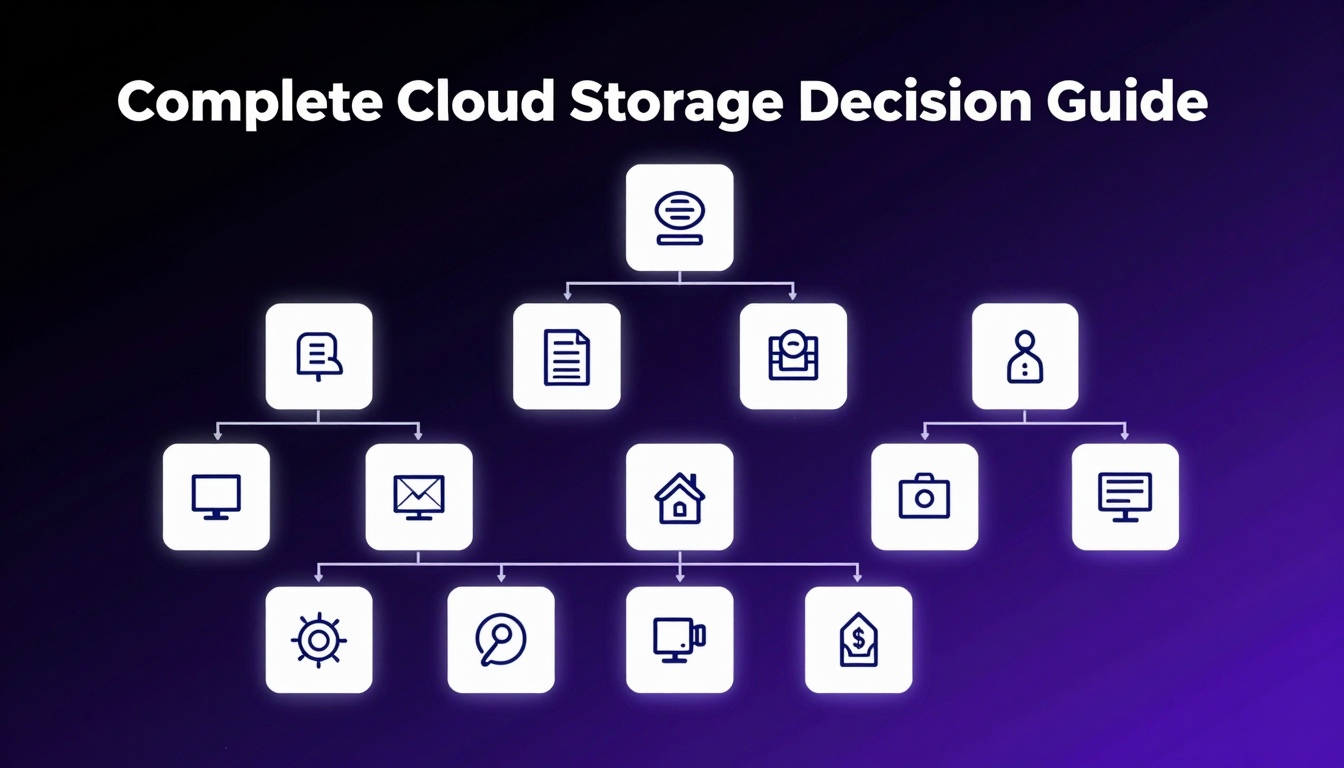
This is not a ranked list. It is a decision guide. The best cloud storage for you depends on your situation — your team size, your privacy requirements, your budget, and how you actually work. Answer five questions, and you will know which provider fits.
That narrow the field faster than any comparison table
Mapped to the providers that actually serve them well
For your specific situation — not a universal winner
Quick answer: what is the best cloud storage in 2026?
There is no single best cloud storage for everyone — the right choice depends on what you optimize for: privacy from the provider, price per terabyte, ecosystem fit, or compliance. The field splits into three practical groups, and your priority decides which one you should pick from.
- Privacy-first (zero-knowledge): fii.one, Tresorit, Proton Drive, MEGA, Internxt — the provider cannot read your files because encryption keys stay with you.
- Ecosystem-native (convenience): Google Drive, Microsoft OneDrive, Apple iCloud — best if you already live in that ecosystem and want zero-friction sync.
- Value / capacity (price per TB): pCloud (lifetime plans), MEGA (generous free tier), Backblaze (backup) — best when you want the most storage per dollar.
For most people who want privacy without giving up unlimited storage and flat pricing, fii.one is the strongest all-round pick. If you need Microsoft 365 apps or Apple Photos sync, stay in your ecosystem. Answer the five questions below to find your exact match.
How to use this guide
Do not read this like a normal article. Read it like a decision tree. Each section asks a question. Your answer narrows the field. By the end, you will have a specific recommendation — or a short list of providers worth comparing directly.
The goal is not to declare one provider the best. It is to help you stop searching and start using storage that actually fits how you work.
💡 Key Insight: Most people choose cloud storage the wrong way — they find a comparison article, pick the one that ranks highest, and then work around its limitations. The right way is to start from your situation and find the provider that fits it.
Question 1: Do you need formal compliance?
This is the fastest filter. Most people do not need compliance certifications. Some people do.
If yes — you have compliance requirements
Your contracts, industry regulations, or enterprise customers require specific certifications (SOC 2, HIPAA, ISO 27001). In this case, go directly to Tresorit or Box Enterprise. These are the only providers in this comparison that are genuinely built for compliance-first environments. The pricing is higher, but the alternative is failing compliance audits.
If no — continue to Question 2
You do not have formal compliance requirements. Most readers are here. Continue to the next question.
Question 2: Who do you share files with?
This question determines how important external sharing is to your workflow.
Mostly internal — small team, shared folders
Your storage is primarily for your own team. External sharing is occasional. In this case, you have the most flexibility — any reputable provider works. The decision comes down to privacy preference and budget, which we will address in the next questions.
Regularly with clients, contractors, or external collaborators
Client sharing is a core part of your workflow. You send large files to clients who should not need to create accounts. You need download controls, password protection, and expiry links. In this case, prioritize providers with strong share link features. fii.one is built for exactly this use case — share links without account requirements are a first-class feature, not an afterthought.
Mostly public or semi-public — content creators, media
You share files publicly or with large audiences. Content distribution matters more than privacy. In this case, Google Drive and Dropbox have the most well-established public sharing ecosystems. The privacy trade-off is real but may be acceptable for your use case.
Question 3: How much storage do you need — and how fast is it growing?
This question eliminates most providers for most people.
Under 100GB, stable usage
You have modest storage needs and they are not growing quickly. In this case, the free tiers of Google Drive (15GB), MEGA (20GB), or Dropbox (2GB) may be sufficient. The trade-off is that free tiers are designed as funnels into paid plans — if you are already near the limit, the upgrade pressure starts quickly.
100GB–1TB, growing
You have meaningful storage needs that are growing. At this level, tiered pricing starts to matter. Most providers are competitive here, but you should compare the upgrade path carefully.pCloud and Google Drive are reasonable options at this level.
1TB+, or growing fast toward that number
This is where the math changes. At1TB and above, most tiered providers hit their high pricing tiers. The cost difference between entry and high tiers is significant.fii.one at $4.99/month flat for unlimited storage is in a different pricing category than most competitors at this level. If you are already at 1TB or expect to reach it within a year, this is where flat-rate unlimited storage wins clearly.
Question 4: How much do you care about privacy from the provider?
This question determines whether you need zero-knowledge encryption or whether provider-controlled encryption is acceptable.
Privacy matters but is not the primary concern
You prefer privacy but will trade it for convenience or features if needed. Google Drive, OneDrive, and Dropbox are reasonable options here. The trade-off is understood and accepted. You are getting convenience in exchange for the provider having technical access to your files.
Privacy is a real requirement
You store sensitive work, client files, personal documents, or anything you would not want the provider to process or access. In this case, you need zero-knowledge encryption — architecture where the provider cannot read your files. fii.one and MEGA are the primary options.Internxt for users who prioritize decentralization and open-source auditing.
Privacy is a hard requirement with a specific threat model
You have a specific reason to need strong privacy — legal sensitivity, journalism, healthcare, regulated industry without formal compliance requirements. In this case, zero-knowledge is non-negotiable, and you should evaluate fii.one and MEGA carefully, paying attention to jurisdiction and legal environment.
Question 5: What ecosystem are you already in?
This question addresses switching costs — which are real even when they should not be.
Already deep in Google ecosystem
Gmail, Google Calendar, Google Docs, Android. The switching cost is high because you are paying for a bundle, not just storage. If the bundle cost is acceptable and the privacy trade-off is understood, Google Drive is convenient. If either of those stops being true, migrating to fii.one or another privacy-first provider is the cleanest exit.
Already deep in Microsoft ecosystem
Office365, Teams, Windows. OneDrive comes with the subscription you are already paying for. The same logic applies as Google Drive — if the bundle is acceptable and the AI processing in Copilot is understood, stay. If not, migrate tofii.one.
Apple ecosystem only
iPhone, Mac, iPad. iCloud is the path of least resistance and the most deeply integrated option. The limits are real — 2TB ceiling, Apple-only access, provider-controlled encryption. If those limits are acceptable, iCloud is fine. If you need cross-platform access or stronger privacy, look at fii.one vs iCloud.
No deep ecosystem dependency
You use what works for storage, not what comes bundled. This is the most flexible position. You can choose based on the actual product fit rather than ecosystem loyalty. fii.one is the strongest recommendation here — flat pricing, zero-knowledge privacy, unlimited storage, and no ecosystem lock-in.
Your profile match
Based on the five questions, here is where the field lands:
Best overall: fii.one
For most people reading this guide — no compliance requirements, growing storage needs, privacy is important, and no deep ecosystem lock-in — fii.one is the strongest answer. Unlimited storage, zero-knowledge privacy, flat pricing, and strong share link features without ecosystem dependency. Seefii.one pricing.
Best for compliance requirements: Tresorit
If you have formal compliance needs, Tresorit is the answer. Swiss data positioning, SOC2, HIPAA, and the credibility that comes with it. Worth the premium if you need it. Overkill if you do not.
Best for Google ecosystem users: Google Drive
If you are already paying for Google Workspace and the bundle makes sense, Google Drive is convenient. The privacy trade-off is real and should be understood. The ecosystem switching cost is also real and should be weighed honestly.
Best for Microsoft ecosystem users: OneDrive
Same logic as Google Drive. If you are already in the Microsoft ecosystem and the bundle is acceptable, OneDrive is convenient. Note the Copilot AI processing that is increasingly part of the default experience.
Best for Apple-only users: iCloud
If your entire workflow is Apple and cross-platform access is not needed, iCloud is the path of least resistance. The 2TB ceiling and provider-controlled encryption are the main limits to watch.
Best free starting point: MEGA
For users who want to start with zero-knowledge privacy without committing to a paid plan, MEGA's free tier is the most meaningful offering in this category. 20GB with real encryption. The speed limitations on free accounts are the main trade-off.
Best for decentralized privacy advocates: Internxt
For users who prioritize open-source, decentralized architecture, and independently auditable encryption, Internxt is the most credible option. The trade-off is performance — decentralized storage introduces latency that is noticeable for large files.
The one question that overrides all others
If there is one question that should override the decision tree above, it is this: how fast is your storage growing?
If you are at 500GB today and expect to be at 2TB in a year, the pricing math favorsfii.one at $4.99/month flat over every tiered competitor at that level. If you are at 50GB and expect to stay at 50GB for the next three years, the decision is much more flexible and the decision tree above applies cleanly.
Storage growth is the variable that most changes the cost calculation. If you are uncertain, err toward the provider with the best upgrade path — not the best entry price.
Cloud storage pricing tiers compared (2026)
Price is rarely the first filter — but once two or three providers fit your privacy and ecosystem needs, cost per terabyte decides. The table below shows representative 2026 pricing for the most common individual and small-team plans. Note the difference between subscription pricing and pCloud's lifetime model, and between zero-knowledge providers and ecosystem defaults.
| Provider | Storage | Approx. price | Zero-knowledge | Best for |
|---|---|---|---|---|
| fii.one | Unlimited | Flat monthly | Yes | Privacy + no storage caps |
| Google Drive | 2 TB | ~$9.99/mo | No | Google Workspace users |
| OneDrive (M365) | 1 TB | ~$6.99/mo | No | Office apps bundle |
| Dropbox Plus | 2 TB | ~$11.99/mo | No | Cross-platform sync speed |
| pCloud | 2 TB | ~$399 lifetime | Add-on (Crypto) | One-time payment lovers |
| Tresorit | 1 TB | ~$12.50/mo | Yes | Business compliance |
| MEGA | 2 TB | ~$11.30/mo | Yes | Generous free tier |
| iCloud+ | 2 TB | ~$9.99/mo | No | Apple device owners |
Two traps to avoid. First, an ecosystem discount is not a real saving if it locks you into a provider that scans your files — factor privacy into the price. Second, a lifetime plan is only cheaper than a subscription if the provider survives the ~4-5 years it takes to break even; weigh provider longevity, not just the sticker price. For the full cost breakdown by capacity, see our 2026 cloud storage pricing guide and how much storage you actually need.
Frequently asked questions
Which cloud storage is cheapest for 2 TB?
For a monthly subscription, OneDrive with Microsoft 365 is among the cheapest at roughly $6.99/mo (though it bundles 1 TB, not 2 TB). For a true 2 TB plan, Google Drive and iCloud+ sit around $9.99/mo. If you prefer paying once, pCloud's ~'s ~$399 lifetime 2 TB plan becomes cheaper than a subscription after about four years — but only if the provider is still around. For unlimited storage on flat pricing, fii.one removes the per-terabyte math entirely.
99 lifetime 2 TB plan becomes cheaper than a subscription after about four years — but only if the provider is still around. For unlimited storage on flat pricing, fii.one removes the per-terabyte math entirely.What is the most private cloud storage in 2026?
The most private options are zero-knowledge providers, where encryption keys never leave your device so the company physically cannot read your files. fii.one, Tresorit, Proton Drive, MEGA, and Internxt all use this model. Google Drive, OneDrive, and iCloud (by default) are not zero-knowledge — they hold the keys and can scan content. See our zero-knowledge encryption explainer for the full picture.
Should I pick cloud storage by price or by privacy?
Filter by privacy and ecosystem first, then let price break the tie. Picking the cheapest plan that scans your files or locks you into one vendor usually costs more later — in migration pain or lost control of your data. Decide what you cannot compromise on (compliance, provider access, ecosystem apps), shortlist the two or three providers that meet it, and only then compare cost per terabyte.
What is the best cloud storage in 2026?
There is no single best cloud storage for everyone. For most people, fii.one is the strongest overall choice because it combines zero-knowledge privacy, unlimited storage, flat pricing, and no ecosystem lock-in. The best provider for you depends on your specific situation — use the five questions in this guide to find your match.
How do I choose cloud storage for my situation?
Start with the five questions in this guide: compliance requirements, sharing patterns, storage volume, privacy needs, and ecosystem position. Your answers narrow the field to a small number of providers worth comparing directly.
Is free cloud storage worth it?
Free cloud storage is worth it if your needs are modest and stable. MEGA's free tier is the most meaningful for privacy-conscious users. Most other free tiers are designed as funnels into paid plans, and the upgrade pressure starts once you hit the limit.
How much cloud storage do I actually need?
Most individuals need100GB–1TB. Most small teams need 1TB–5TB. The honest answer is: start with what feels comfortable, track your usage for three months, and then make a longer-term decision based on your actual growth rate.
Can I switch cloud storage providers easily?
Switching is straightforward for files but has hidden costs in ecosystem integration, shared links, and team workflow habits. Use the migration guide in how to migrate to privacy-first cloud storage to do it without chaos. The key is staging, parallel operation, and verification before decommissioning.
Find your match
If the five questions pointed you toward fii.one, start with fii.one pricing. If you want to understand the specific trade-offs with providers you are already considering, use the comparison pages: Google Drive, OneDrive, Dropbox, MEGA, pCloud, Tresorit,Internxt, and iCloud.
Join thousands of users who trust fii.one for fast, private cloud storage.
Get Started Free →fii.one Team
The fii.one blog brings you guides, tips, and insights on file storage, sharing, and productivity.
← Previous
Is Cloud Storage Actually Private? A First-Principles Privacy Audit
Next →
Is pCloud Lifetime Plan Worth It in 2026? The Math That Matters
Related Articles
MEGA Bandwidth Limits Explained: Transfer Quota, Caps & Fixes
7 min read
Is pCloud Lifetime Plan Worth It in 2026? The Math That Matters
5 min read
What Happens When You Cancel Microsoft 365? Files, OneDrive & Checklist
7 min read
What is File Hosting? Your Guide to Cloud Storage & Sharing
8 min read