How to Share Large Files Securely: A Step-by-Step Guide
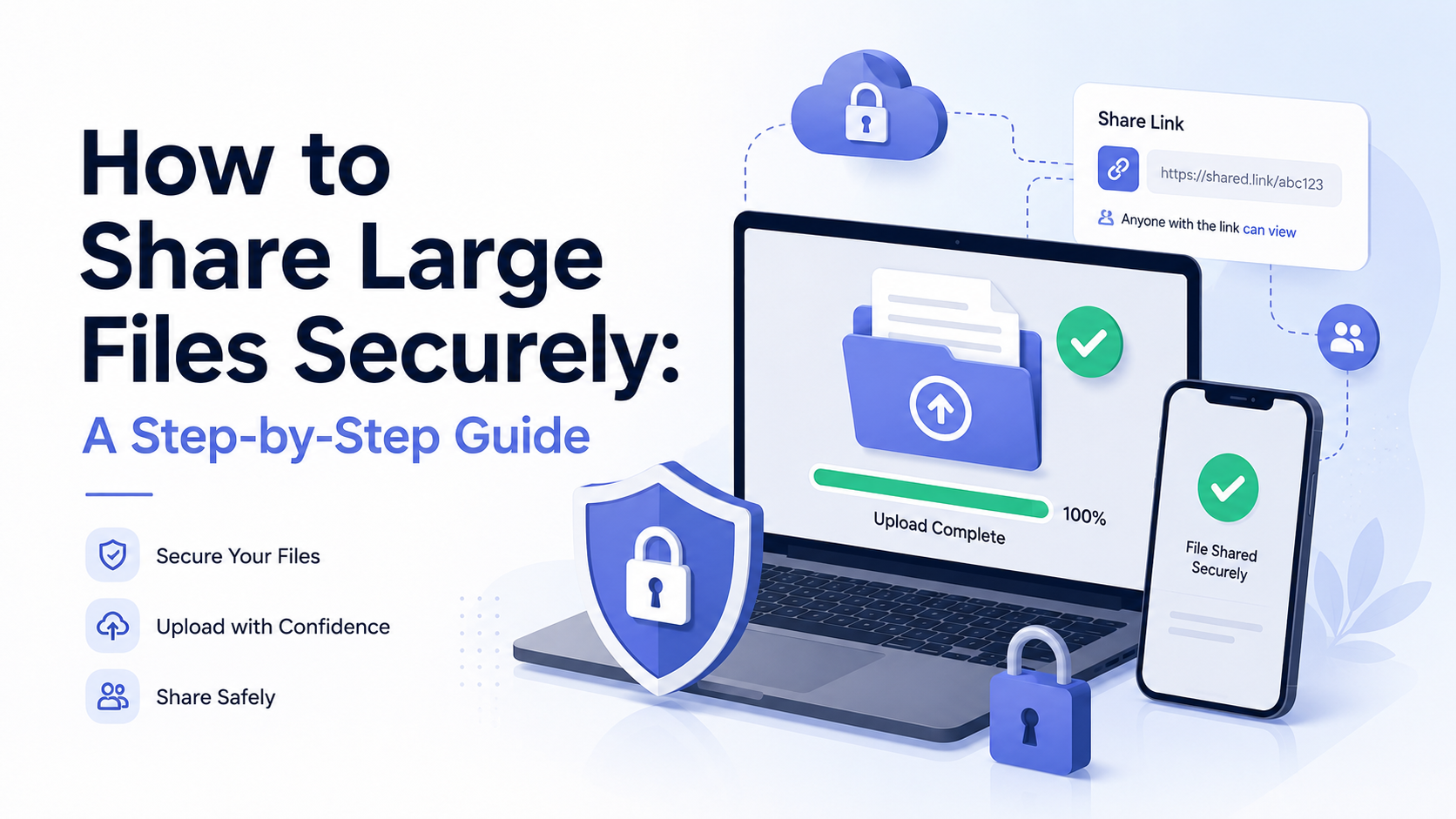
How to share large files securely online is a process of transferring data using encrypted platforms designed for volume. Key services include Dropbox Transfer for simple sends, WeTransfer Pro for creative assets, Google Drive with client-side encryption, Box for enterprise compliance, and fii.
The Problem with Email and Free Services
You’ve been there. The client needs the high-resolution video assets by noon. Your team has compiled a 4.7 GB project folder. You open your email, hit ‘compose’, attach the folder… and hit a wall. That familiar error message appears: “The file is too large to attach.” In a moment of frustration, you might turn to a free online service you’ve used before. It seems to work—the file gets sent. But this common workaround creates a dangerous illusion of success, masking significant risks to your data’s security, privacy, and professional delivery.
The Technical Limits of Email Attachments
Email was never designed for the volumetric data we handle today. Most major email providers enforce strict attachment limits, typically between 20 MB and 25 MB. To put that in perspective, a single 10-minute video recorded on a modern smartphone can easily exceed 200 MB. A standard architectural CAD file or a compiled design portfolio can be multiple gigabytes. When you compress (“zip”) these files, you might only reduce the size by 10-20%, which is rarely enough to fit within the restrictive email envelope. This forces users into a cycle of splitting files into confusing, numbered parts or using consumer-grade compression tools that sacrifice quality—a process that is inefficient and prone to errors, leaving recipients to piece together a digital jigsaw puzzle.
The Hidden Costs of "Free" File Sharing
Free ad-hoc services often appear as a lifeline. However, their business model reveals the core problem: if you’re not paying for the product, you are the product. These platforms frequently monetize through aggressive advertising, data collection, or by selling bandwidth upgrades. More critically, security is often an afterthought. Files can be uploaded to servers with weak encryption, and download links may remain active indefinitely, searchable by search engines in some cases. A 2023 study by a cybersecurity firm found that over 30% of files shared via popular free services were still accessible via their original link one year after upload, creating a massive, uncontrolled data leakage risk.
| Consideration | Professional Email / Free Service | Secure File Sharing Requirement |
|---|---|---|
| File Size Limit | 25 MB (avg. email) / 2-5 GB (free service) | No practical limit, supports 100GB+ |
| Data Encryption | At-rest only, or none (free services) | End-to-end (in transit & at rest) |
| Link Expiry | Rarely automatic, manual deletion required | Automated, configurable expiration dates |
| Audit Trail | None. You don't know if it was downloaded. | Detailed logs of downloads, times, and users |
| Professional Branding | Cluttered with third-party ads | Clean, white-label experience |
Security and Compliance Gaps
The risks go beyond inconvenience. Sending a file via email or an unsecured link is like sending a postcard—anyone handling it can read the contents. For sensitive documents—client contracts, financial records, proprietary designs—this is a severe compliance failure. Regulations like GDPR, HIPAA, and various data protection acts mandate strict controls over how personal and confidential data is transferred. Free services almost never provide the necessary compliance certifications or binding data processing agreements. You, as the sender, retain full legal liability for a data breach that occurs because you used an insecure channel.
Choosing a transfer method based solely on convenience is a strategic risk. The true cost of a data leak far outweighs the minor investment in a proper tool.
Ultimately, relying on email attachments or ephemeral free services undermines professionalism, exposes you to legal and reputational damage, and creates unnecessary friction in collaboration. It’s a fragile process that breaks down precisely when you need it most: when the files are large, important, and sensitive.
Choosing the Right Secure File Sharing Tool
Not all file sharing services are created equal, especially when security is non-negotiable. The right tool acts as a digital vault, not just a digital courier. Your choice hinges on a balance of robust security features, practical usability, and transparent business practices. Moving beyond consumer-grade apps is the first step toward truly secure, professional-grade file exchange.
Essential Security Features to Demand
When evaluating a service, look for these foundational security pillars. End-to-end encryption (E2EE) is paramount. This means your files are encrypted on your device before upload and only decrypted by the intended recipient. Not even the service provider can access the content. For the highest sensitivity, ensure the service offers zero-knowledge architecture, where you alone hold the encryption keys.
Next, examine data residency and compliance. If you're handling European citizen data, the service must comply with GDPR. For healthcare (in the US), HIPAA compliance is critical. A trustworthy provider will clearly state their compliance certifications and where their servers are physically located—some organizations require data to never leave a specific country.
Finally, scrutinize access controls and audit trails. The ability to set passwords, expiration dates, and download limits is basic. Look for features like detailed activity logs showing who accessed a file, when, and from where. This transforms sharing from a blind send into a managed process.
fii.one vs. Common Alternatives: A Feature Breakdown
To make an informed decision, compare how leading services stack up on key criteria. The table below highlights critical differences between a modern SaaS like fii.one, a popular consumer cloud service, and a traditional FTP server.
| Feature | Modern SaaS (e.g., fii.one) | Consumer Cloud Service | Traditional FTP |
|---|---|---|---|
| Core Encryption | End-to-end & zero-knowledge | Encryption at rest & in transit (provider holds keys) | Often none or basic SSL; credentials sent in plain text on standard FTP. |
| Ease of Use | Web interface & branded portals; no IT skills needed. | Extremely user-friendly for simple shares. | Requires technical knowledge to set up and manage clients. |
| Access Controls | Granular: passwords, expiry, download limits, user-specific permissions. | Limited: often just a link with optional password. | Very basic: user accounts with directory-level access. |
| Audit Trail | Detailed logs of all file activity, including views and downloads. | Minimal; may only show basic link activity. | Limited to server connection logs; no file-level tracking. |
| File Size Limits | Designed for large files (e.g., 100GB+ per file). | Often capped (e.g., 20GB via paid plans). | Limited only by server storage. |
| Professional Branding | Custom portals, email branding, and download pages. | Generic branding with service provider's logos. | No branding; purely technical interface. |
Why Modern SaaS is the Strategic Choice
For businesses and professionals, a dedicated secure file sharing SaaS like fii.one isn't just a tool; it's a strategic asset. Consider the practical impact: sending a 50GB video production file to a client. With a consumer service, you might hit a size cap or lack tracking. With FTP, you'd spend hours configuring access and have no visibility after the upload. A modern platform handles the transfer seamlessly, provides a branded, professional experience for your client, and gives you a dashboard showing when they downloaded it.
The goal is to remove friction without sacrificing control. A secure link should feel simple to your recipient but be governed by a complex set of rules and insights that you define.
Furthermore, these services are built for scalability and collaboration. You can create client-specific portals, manage team permissions, and integrate with existing workflows via APIs. The investment moves beyond solving a single "how to send this" moment to creating a reliable, secure, and impressive channel for all your digital asset exchanges.
Step 1: Preparing Your Files for Transfer
Before you click "share," a little preparation transforms a simple file dump into a secure, professional transfer. This step is about organization, efficiency, and setting the stage for robust security. Think of it as packing a secure diplomatic pouch instead of tossing items into a cardboard box.
Organize and Consolidate
Security starts with clarity. Sending a jumble of 15 loose files—`Final_Version_3_new_REALLYFINAL.pptx`, `data(1).csv`, `IMG_2345.JPG`—creates confusion and increases the risk of sensitive data being overlooked in the clutter. Consolidate related items. For instance, combine all project photos into a single ZIP archive named `ProjectAlpha_SiteSurvey_Photos.zip`. This single action reduces the number of items to manage, track, and secure. For creative projects, consider a clear folder hierarchy: `ClientName_Project/01_Final_Assets/02_Contracts/03_Reference`. A well-structured transfer is inherently more secure because you maintain control over the package's contents.
Compress to Optimize
Compression is your ally for both speed and organization. Modern tools like ZIP or 7z can significantly reduce file size, especially for documents, spreadsheets, and text-based data. A folder containing 500 high-resolution images might be 4.7 GB; compressed, it could shrink to 4.1 GB, shaving critical time off the upload. More importantly, compression bundles everything into one encrypted unit. You can then set a password on the archive itself, adding a layer of security before the file even touches your sharing service. Remember: Compression has minimal effect on already compressed media like MP4 videos or JPEGs. Its primary value here is consolidation.
Audit for Sensitive Data
This is the most critical preparatory step. Open files and scan for hidden or embedded information. A PDF contract might contain metadata with your personal address. A Word document's "Track Changes" or comments could reveal confidential negotiation notes. An Excel sheet might have hidden columns or cells with sensitive figures. Take five minutes to:
- Use the "Document Inspector" in Microsoft Office suites.
- Flatten PDFs to remove edit history and metadata.
- Confirm that any images shared do not contain embedded location data (geotags).
Removing this data at the source ensures it never enters the sharing pipeline, adhering to the principle of data minimization.
Choose the Right Format for the Job
Not all formats are equal for secure sharing. Consider converting files to more universal or "locked" formats to prevent accidental alteration and ensure consistent viewing.
| File Type | Consideration for Secure Sharing | Recommended Action |
|---|---|---|
| Editable Docs (.docx, .pages) | Risk of recipients enabling edit tracking or accidentally modifying terms. | Convert to PDF/A for a finalized, universally viewable format. |
| Raw Data Files (.csv, .xlsx) | Hidden rows/columns, formulas, or pivot tables may contain confidential logic. | Share a cleaned version. For view-only sharing, consider a PDF or a protected sheet. |
| High-Resolution Media (.psd, .ai) | Massive file size and proprietary software required. | For review, share a PDF export or a optimized JPEG. Send the raw file only to collaborators who need it. |
By methodically organizing, compressing, auditing, and formatting your files, you create a clean, intentional payload. This preparation minimizes errors, protects hidden data, and allows you to focus on applying the powerful security features—like encryption and access controls—in the next step, with confidence that what you're sending is exactly what you intend.
Step 2: Setting Access Permissions and Passwords
You've prepared your files. Now, the true art of secure sharing begins: defining exactly who can see your data and what they can do with it. This step transforms a simple file dump into a controlled, professional transfer. Think of it as building a digital vault—you're not just leaving the door open; you're handing out specific keys with explicit instructions.
The Permission Matrix: Viewer, Editor, or Owner?
Modern platforms like fii.one move beyond the binary "share or don't share" model. They offer a granular permission matrix. Setting the wrong level is a common security misstep. For instance, sharing a confidential contract with "Editor" rights could allow a recipient to alter terms and re-upload, creating legal confusion. Always match the permission to the purpose.
| Permission Level | Typical Abilities | Ideal Use Case |
|---|---|---|
| Viewer / Downloader | Download, view, preview. Cannot edit, delete, or share the link further. | Sending final deliverables to a client, distributing reports, sharing portfolio pieces. |
| Commenter | All viewer abilities, plus the option to add comments or annotations to files. | Sharing design mockups or document drafts for feedback and review cycles. |
| Editor / Uploader | All viewer abilities, plus upload new files, edit, and delete existing ones within the shared folder. | Collaborating on a project where multiple team members need to contribute assets, like a marketing campaign folder. |
| Owner / Admin | Full control: all editor abilities plus managing permissions, changing passwords, and deleting the share entirely. | Reserved for the original sender or project lead. Rarely shared externally. |
Locking the Link with Advanced Security
Permissions define the "what." Passwords and expirations define the "when" and "how." These are your critical secondary defenses.
First, mandatory password protection. Always enable this for sensitive transfers. A strong password (12+ characters, mixed case, numbers, symbols) should be communicated through a separate channel like a quick phone call or a secure messaging app—never in the same email as the link itself. For a board presentation, you might set the password as Q3-Review-Board-2024 and text it to the CEO.
Second, set an expiration date. Files shouldn't live forever on a share link. Set links to expire after the project's natural conclusion—for example, 7 days for a press embargo document, or 90 days for a client project archive. This limits your exposure if a link is accidentally leaked later.
Third, consider download limits. For extremely sensitive files, you can restrict the number of allowed downloads, often to as few as 1 or 5. Once the limit is reached, the link dies. This is perfect for sending a single-use document like a signed contract or a proprietary encryption key.
A Practical Example: Sharing a Product Launch Kit
Let's apply this. You're a product manager sharing the launch kit (containing press releases, high-res images, and an NDA) with 20 journalists.
- Folder Structure: You create one master folder "Project_Atlas_Launch" with subfolders for "Press_Assets," "Legal," and "Embargoed_Info."
- Permissions: You set the main folder permission for journalists to Viewer. They can download but not alter your carefully prepared assets.
- Security Layers: You enable a password and set the link to expire in 14 days, well after the launch date. For the "Embargoed_Info" subfolder, you set a stricter 5-download limit per file and an earlier expiration of 24 hours before launch.
By taking these five minutes to configure permissions and passwords, you've created a secure, self-destructing distribution channel tailored to the needs of each file. Your data remains on a tight leash, even after it leaves your direct control.
Step 3: Sending the Secure Link
You've prepared your files and configured a fortress of permissions. Now comes the moment of dispatch: sending the secure link. This is not a casual copy-paste of a URL into an email. In a secure workflow, how you transmit the link is as critical as the link's security itself. A poorly delivered link can undermine even the most robust encryption. Think of it as handing over a digitally sealed briefcase; you must ensure it reaches the right hands through a trusted courier.
The Delivery Channels: Choosing Your Courier
Separating the secure link from the access credentials (like a password) is a cornerstone of safe file sharing. This "two-channel" method ensures that even if one communication line is compromised, your data remains protected. Here’s how to choose your delivery methods effectively:
| Channel for the Link | Channel for the Password/Instructions | Best Use Case |
|---|---|---|
| Work Email | Instant Messaging App (e.g., Slack, Teams) | Sending a quarterly financial report to your internal accounting team. The link goes to their corporate inbox; the password is sent via your company's secured chat. |
| Personal Email | A Quick Phone Call or SMS | Sharing family vacation videos with relatives. Email the link, then text or call your sister with the simple passphrase. |
| Project Management Tool (e.g., Asana, Basecamp) | Encrypted Note within the same tool | Collaborating with a freelance designer. Post the fii.one link in the task comment, but put the password in a private note attached to that task, visible only to them. |
Notice that the password is never sent in the same message as the link. For maximum security with highly sensitive data, consider reading a one-time password aloud over a verified voice or video call.
Crafting the Perfect Notification
The message accompanying your link sets the tone and ensures clarity. A vague "Here's the file" email can cause confusion or be mistaken for phishing. Your notification should be a clear, actionable directive.
Instead, write something like this:
Hi [Recipient Name],
The Q3 strategy deck you requested is ready for secure download. I've sent you the access link via this email. You will receive a separate message from me on [Slack/Text/etc.] containing the unique password required to open it. The file will be available for download for the next 7 days.
Please confirm receipt once you have accessed the files.
Best,
[Your Name]
This message is specific, outlines the process, and sets an expectation for confirmation. It transforms the transfer from a simple file send into a verifiable transaction.
The Final Click: A Checklist Before You Send
In the seconds before you hit "send" on your link notification, run through this final checklist. These five points are your last line of defense:
- Recipient Verification: Have you double-checked the recipient's email address or username? A single typo could send your data to a stranger.
- Link Expiry: Is the expiry date set? For most business files, 7-14 days is a secure standard. For extremely sensitive data, consider 24 or 48 hours.
- Download Limits: Have you restricted the number of downloads? For a contract meant for one-time signing, set the limit to 2 or 3 to allow for retries without leaving it open indefinitely.
- Access Logs: Are you ready to monitor? Ensure you know where to check the access logs in your fii.one dashboard to see when the link is opened.
- Communication Plan: Is your second channel (for the password) ready? Open the chat app or note your phone before sending the link to ensure seamless, simultaneous delivery.
Once you confirm these items, send the link. You have now securely launched your data into the digital transfer lane, tracked, time-limited, and protected by layers of your own design. The process shifts from active sending to vigilant management, which we will cover next.
Managing and Tracking Your Shared Files
Uploading a file and sending a link is just the beginning. True security and professionalism lie in active stewardship of your shared content. Once a file is in the digital wild, you need a command center to monitor its journey, control its lifespan, and revoke access instantly if needed. Modern platforms like fii.one transform you from a simple sender into an administrator of your digital assets.
The Dashboard: Your Mission Control
Your secure file sharing dashboard is the single pane of glass for every transfer. Instead of digging through old emails, you see a live log of all shared items. For each file or folder, you should see at-a-glance metrics: the recipient's email (if provided), the exact date and time of access, the number of downloads, and the IP address or approximate location of the download. Imagine sending a confidential design mockup to a client; seeing "Accessed: 3 times, Last: Today, 14:30 from New York" confirms they have it and are actively reviewing it, eliminating follow-up emails.
Proactive Control vs. Reactive Panic
Without management tools, you are reactive. With them, you are proactively in command. The core controls you must master are:
- Link Expiration: Set links to die. A financial report link can expire after 7 days, and a one-time software key can expire after 1 download. This minimizes the "window of vulnerability."
- Access Revocation: This is your digital kill switch. If a link is sent to the wrong person or a project member leaves, you can invalidate the link instantly, regardless of the original expiration date. The file becomes inaccessible mid-download.
- Permission Modification: Change a viewer into an editor, or disable downloads so a file can only be previewed online. Permissions are dynamic, not set in stone.
Tracking and Audit Trails: Your Digital Paper Trail
For compliance, legal disputes, or simply project accountability, a detailed audit trail is non-negotiable. This goes beyond "someone downloaded it." A robust log should answer: Who? When? From where? What action? Consider this comparison of tracking depth:
| Basic Service Tracking | Advanced Secure Tracking (e.g., fii.one) |
|---|---|
| Shows total download count. | Logs each individual access event with a timestamp. |
| Lists recipient email (if entered). | Captures IP address and geolocation data for each access. |
| No file preview tracking. | Tracks when a file was previewed online vs. downloaded. |
| History is deleted when file is. | Maintains access logs independently, even after file deletion. |
This granularity is crucial. If a sensitive contract is leaked, you can pinpoint if the breach originated from a specific access at 2:17 AM from an unrecognized location, providing concrete evidence for your investigation.
Setting Up Alerts and Notifications
You can't watch the dashboard 24/7. Configure notifications to watch it for you. Set up alerts to receive an email or in-app notification when a critical file is first accessed, when a link is about to expire, or when an unusual number of download attempts occur from multiple countries in a short timeframe. This turns your management system from a logbook into a sentry, giving you peace of mind and allowing you to focus on your work, not on constant manual checks.
Effective file sharing isn't a fire-and-forget missile launch. It's more like piloting a drone—you retain full control, real-time telemetry, and the ability to recall the asset at any moment.
By leveraging these management features, you close the security loop. You move from hoping your files are safe to knowing—and proving—exactly how they are being used, ensuring your professional workflow is as secure and trustworthy as it is efficient.
Secure File Sharing Services
Cloud Storage & Transfer
- Google Drive — Integrated sharing with Workspace, offers client-side encryption.
- Dropbox Transfer — Simple interface for sending large files up to 100 GB.
- Box — Enterprise-focused with strong governance and compliance features.
Dedicated Transfer Platforms
- WeTransfer Pro — Popular for creatives to send videos and design files.
- SendSafely — Specializes in end-to-end encrypted file and email delivery.
- fii.one — Provides secure, high-speed transfers with password protection and download tracking.
Encrypted Communication
- Tresorit Send — Swiss-based service focusing on zero-knowledge end-to-end encryption.
- Proton Drive — Secure file sharing from the makers of Proton Mail, with strong privacy.
Frequently Asked Questions
What makes a file sharing service "secure" for large files?
A truly secure service uses end-to-end encryption, meaning files are scrambled before leaving your device and only decrypted by the intended recipient. It should also offer robust access controls like passwords and expiration dates, store data in compliant data centers, and provide detailed audit logs. Avoid services that hold the encryption keys, as this can expose your data.
Is it safe to share files via a link?
Yes, if done correctly. A secure sharing link should be paired with a strong, unique password and an expiration date. Never share the bare link publicly. With a service like fii.one, the link itself is just an access point; the real security comes from the encryption and permissions you set, ensuring only authorized individuals can download the files.
How do I share a file that's over 100GB?
Standard methods like email will fail. You need a professional cloud storage platform designed for large transfers. Upload your files to a secure service, set your permissions (password, expiry), and send the generated link. These platforms use robust infrastructure to handle massive files without corruption, and some offer desktop apps for more stable, resumable uploads.
Can recipients access my files without creating an account?
With most modern, user-centric services, yes. A key feature of practical secure sharing is minimizing friction for your recipients. They should be able to download files via a secure link and password without mandatory sign-ups. This streamlines collaboration while maintaining security through the link's encrypted connection and the access controls you configured.
What happens to my files after the link expires?
The files become inaccessible via that link. On a trustworthy platform, the link is permanently disabled. The files themselves typically remain stored in your account's cloud storage, under your control, until you choose to delete them. This two-layer system—link expiry plus account storage—gives you complete lifecycle management over your shared content.
Last reviewed: 2026-08-15 — fact-checked against vendor documentation and public pricing pages.
Join thousands of users who trust fii.one for fast, private cloud storage.
Get Started Free →fii.one Team
The fii.one blog brings you guides, tips, and insights on file storage, sharing, and productivity.