Cheapest Cloud Storage per TB in 2026: Real Cost Breakdown
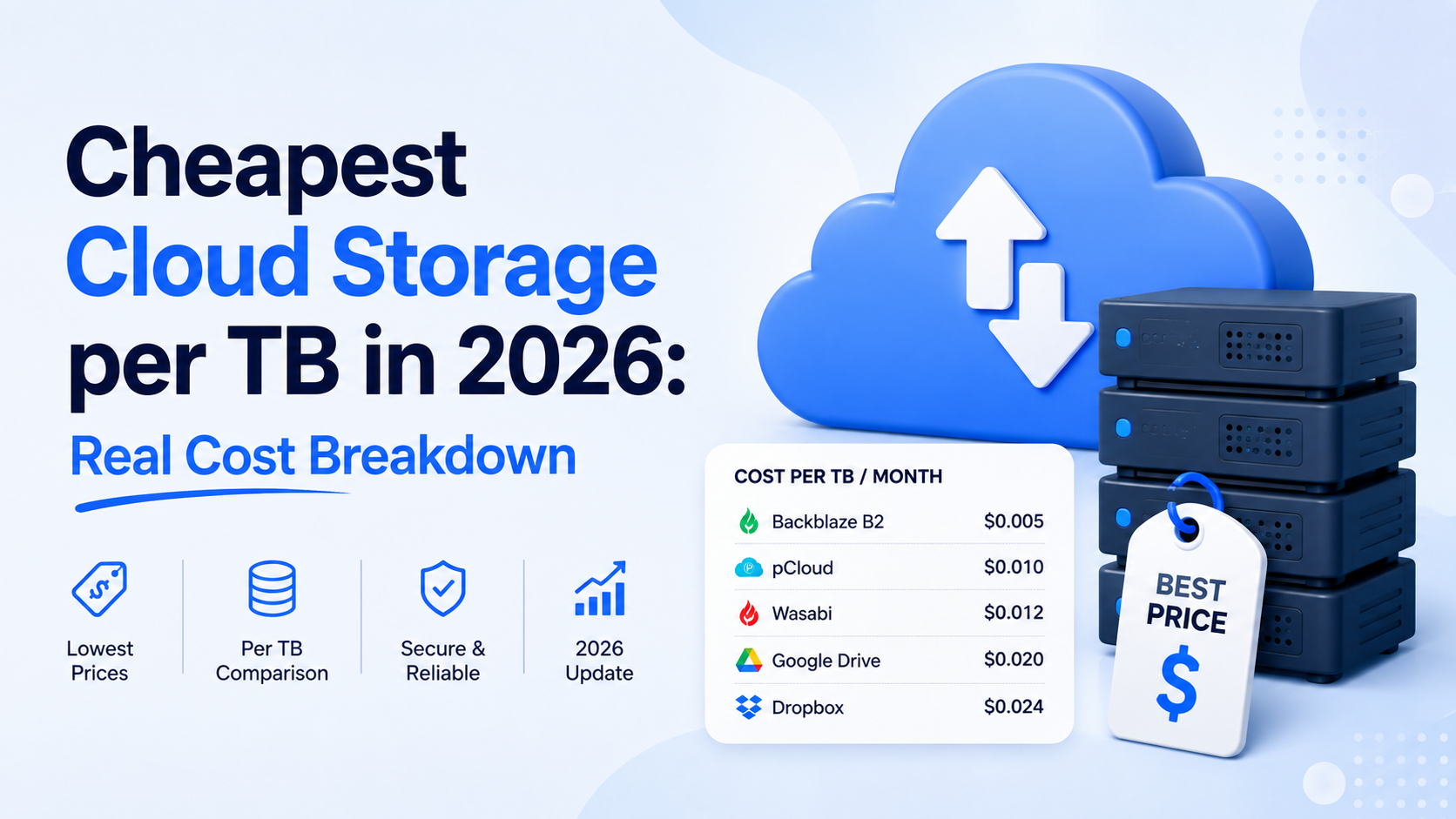
Cheapest cloud storage per TB is a calculation that must include operational costs like egress fees and API calls, not just headline storage rates. For example, Backblaze B2 often wins on total cost for high-egress workloads, Wasabi offers predictable pricing with no egress fees, while AWS S3 Glacier Deep Archive and G
Why Advertised Prices Hide the Real Cost
Searching for the cheapest cloud storage per TB can feel like a straightforward hunt. You see a headline rate of $4.99/TB/month and think the math is done. But in the world of cloud infrastructure, the advertised price is merely the entry ticket. The real cost is determined by how you use the service, not just how much you store. Ignoring this is how budgets silently bleed.
The Illusion of Simple Math
Consider two providers. Provider A advertises $5.00 per TB per month. Provider B offers $6.50. On a pure storage basis for 10TB, Provider A wins: $50/month vs $65. This is the siren song of the headline rate. But what if Provider A charges $0.12 per GB to download (egress) your data, while Provider B charges $0.05? If you need to retrieve just 500GB of that stored data in a month, the equation flips. Provider A adds a $60 egress fee, skyrocketing your total to $110. Provider B adds only $25, for a total of $90. Suddenly, the "cheaper" option is 22% more expensive.
The Operational Cost Iceberg
Storage is static. Your data, however, is not. Every interaction has a potential price tag, creating an operational cost iceberg lurking beneath the simple storage surface.
- Egress/Download Fees: The cost to retrieve your data. Critical for backups, sharing, or migrating.
- API Request Costs: Every list, read, or write command can cost fractions of a cent. At high scale, this sums to thousands.
- Minimum Retention Periods: Some deep archive tiers lock data for 90+ days. Delete early and face penalties.
- Minimum Capacity Charges: "Pay-as-you-go" may require a 1TB minimum, making 100GB projects uneconomical.
- Early Deletion Fees: Deleting data before a billing cycle ends can still incur a full month's charge.
A Tale of Two Tiers: Hot vs. Glacier
The most dramatic price illusion lies in storage tiers. Vendors prominently feature "archive" or "cold" storage prices—often astonishingly low, like $0.99/TB/month. But this price assumes your data is in a deep freeze, accessed maybe once a decade. The moment you need it, you face retrieval fees and wait hours or days.
| Storage Tier | Advertised Price (per TB/month) | Typical Retrieval Cost (per GB) | Retrieval Time | Ideal Use Case |
|---|---|---|---|---|
| Hot/Standard | $20.00 | $0.00 - $0.05 | Milliseconds | Active apps, websites |
| Cold/Infrequent | $4.00 | $0.01 - $0.02 | Minutes to Hours | Quarterly backups, compliance |
| Archive/Glacier | $0.99 | $0.03 - $0.10+ | Hours to Days | Long-term archives, raw footage |
As the table shows, choosing the $0.99 archive tier for data you need weekly is catastrophic. A single 100GB retrieval could cost $10, instantly wiping out a year of "savings" on storage. The real cost isn't $0.99/TB; it's $0.99 plus the operational cost of your access pattern.
The True Metric: Total Cost of Ownership (TCO)
Therefore, the quest for the cheapest cloud storage per TB must evolve. You are not shopping for a static warehouse shelf. You are shopping for a dynamic, intelligent logistics system. The true metric is Total Cost of Ownership (TCO) for your specific workload: the sum of storage costs, operational fees, and the labor cost of managing complexity. A platform with a slightly higher storage price but predictable, low operational fees often wins on TCO. It provides not just cheap space, but trustworthy, cinematically reliable infrastructure where costs don't appear as jump-scares on your monthly invoice.
The cheapest storage is the one that aligns perfectly with your data's rhythm of life and death. Misalignment is where hidden fees thrive.
Cost per Terabyte Compared Across Providers
At first glance, comparing cloud storage costs seems simple: divide the monthly price by the terabytes. But the landscape in 2026 is a tiered battlefield, where the base advertised rate is just the entry ticket. To find the cheapest cloud storage per TB, you must look at the raw, scalable pricing for the bulk storage tiers where providers compete on pennies.
The Baseline: Hot, Cool, and Cold Storage Tiers
Most major providers structure pricing around data access speed. Hot storage is for active data, priced highest for instant retrieval. Cool or infrequent access storage offers a discount for data accessed less than once a month. Cold/archive storage is the deepest vault, with the lowest storage cost but high retrieval fees and latency. For pure bulk storage where cost is king, the cold/archive tiers are where the real competition happens.
2026 Per-TB Price Showdown (Monthly Storage Fee)
The following table compares the advertised storage-only cost for one terabyte (TB) per month, for comparable cold/archive tiers, based on publicly listed pay-as-you-go rates. These are the starting numbers before any commitments, transfers, or operations.
| Provider & Tier | Cost per TB / Month | Notes on Access |
|---|---|---|
| Backblaze B2 Cloud Storage | $5.00 | No retrieval fees for first 3x storage amount; low-latency access. |
| Amazon S3 Glacier Instant Retrieval | $4.50 | Millisecond retrieval, but higher per-GB retrieval cost. |
| Google Cloud Storage Archive | $2.00 | 90-day minimum storage duration; retrieval takes time & costs extra. |
| Azure Archive Storage | $1.80 | 180-day minimum storage duration; retrieval can take up to 15 hours. |
| fii.one Cold Vault | $3.99 | No minimum retention; predictable, flat retrieval fee structure. |
| Wasabi Hot Storage | $5.99 | No egress fees, but 90-day minimum storage charge. |
As the numbers show, the range is dramatic—from under Google to nearly $6 per TB per month. Google and Azure lead on pure storage price, but their archive tiers come with significant access restrictions and mandatory retention periods, locking your data in for months. Backblaze B2 and fii.one offer a compelling middle ground with more flexible access and no minimum retention, making them viable for more dynamic cold data.
The Commitment Discount: How Reserved Capacity Changes the Math
The advertised pay-as-you-go price is rarely the final cost for serious storage. All providers offer steep discounts for committing to capacity upfront for 1-3 years. For example:
- Amazon S3 Glacier Deep Archive can drop to as low as $0.99 per TB/month with a 3-year commitment.
- Google Cloud Archive offers similar committed-use discounts, potentially halving the listed price.
- fii.one and others provide "reserved capacity" plans that guarantee a lower rate without altering the flexible access model.
This is where the calculus shifts. If your data footprint is predictable and long-term, the cheapest cloud storage per TB likely comes from a committed archive plan, pushing the real cost toward—or even below—$1/TB/month. However, this locks you into a provider and capacity, turning storage into a capital expense. The flexibility of pay-as-you-go has its own cost, which is the premium shown in the table above.
Hidden Fees: Egress, API Calls and Minimum Retention
The advertised price per terabyte is the headline act, but the real performance happens backstage with a cast of ancillary charges. These hidden fees can quietly double or triple your monthly bill, turning a seemingly cheap cloud storage solution into a costly liability. Understanding egress, API call costs, and minimum retention policies is non-negotiable for an accurate cost forecast.
The Silent Budget Killer: Data Egress Fees
Egress fees are charges for downloading or transferring your data out of a provider's cloud. Think of it as a toll for retrieving your own belongings. While many personal plans offer free or minimal egress, business and object storage tiers levy significant fees. For example, a major provider might charge $0.09 per GB for egress to the internet. Retrieving just 1 TB of data in a month would incur a staggering $92.16 in egress fees alone, potentially eclipsing the entire storage cost. Some providers offer free egress up to a certain percentage of your stored data or provide "egress credits," but these are often tied to higher-priced tiers.
Micro-Transactions: The Cost of API Operations
Every interaction with your cloud storage—uploading a file, listing contents, changing permissions—is an API call. For personal use, these are typically free. For high-volume business applications, they are metered and billed. Object storage providers often charge per 1,000 requests.
| Operation Type | Typical Cost (per 1,000 requests) | Monthly Cost for 10M Operations |
|---|---|---|
| Class A (Write, List) | $0.05 | $500 |
| Class B (Read, Get) | $0.004 | $40 |
An application that constantly lists or modifies files can generate millions of these requests, adding hundreds of dollars to your bill with no increase in actual storage used. Monitoring and optimizing API call patterns is essential for cost control.
Minimum Storage Duration & Early Deletion Fees
Some of the cheapest per-TB object storage prices come with a critical catch: minimum retention periods. To offer ultra-low prices, providers assume your data will sit undisturbed for months. If you delete or overwrite data before the minimum period—often 90 or 180 days—you are hit with an early deletion fee. You are billed as if the data were stored for the full minimum duration. This model is disastrous for dynamic, temporary, or rapidly changing data. For archival data you never touch, it's perfect. For active projects, it's a trap.
Example: You upload 10 TB for a project, then delete it after 30 days on a plan with a 90-day minimum. You will be billed for 10 TB for 90 days, not 30, negating any short-term savings.
To navigate this, you must audit your data's lifecycle. Ask: How often is this data accessed? When will it be deleted or archived? The answers will determine if a cheap plan with retention minimums is a prudent choice or a future invoice shock.
Personal vs Business vs Object Storage Pricing
Choosing cloud storage based solely on a price-per-TB figure is like buying a vehicle based only on its fuel efficiency—it ignores whether you need a bicycle, a sedan, or a freight truck. The fundamental architectures of Personal, Business, and Object storage serve vastly different purposes, and their pricing models reflect this. Understanding which "vehicle" you need is the first step to avoiding costly misfires.
Personal & Consumer Plans: The Sedan
Services like Google One, iCloud+, and Dropbox Personal are designed for simplicity. You pay a flat monthly or annual fee for a bundled storage amount, often including device sync, simple sharing, and sometimes family member slots. The cost is predictable, but the storage model is monolithic—you cannot pay for just 1 TB if you need 2 TB; you must jump to the next, often more expensive, tier. In 2026, the advertised price for 1 TB from major consumer services hovers between $8-
2 per month. However, this "all-in" cost includes the vendor's profit margin and the expense of user-friendly interfaces, making the raw storage cost significantly higher than infrastructure-focused options.
Business Suites: The Fleet Van
Platforms like Microsoft 365 Business Premium or Google Workspace Enterprise add critical layers on top of storage: advanced admin controls, compliance tools, desktop software, and enterprise email. Here, storage is often a pooled resource or an add-on. Pricing is per user, per month, with storage limits that can be increased for an additional fee. For example, a business plan at $22/user/month might include 1 TB of storage per user. This seems expensive for raw storage, but the value is in the integrated productivity suite and security. For a team solely needing massive, cheap storage for files, this model becomes prohibitively expensive.
Object Storage: The Freight Container
This is the raw infrastructure—services like Amazon S3, Backblaze B2, or fii.one's Object Storage. Designed for programmatic access, they store vast amounts of unstructured data (images, videos, backups) with extreme durability. Pricing is granular and pay-as-you-go, typically broken down into storage cost, egress (download) cost, and operation costs (API calls). This is where you find the headline-grabbing "cheapest cloud storage per TB" figures, often below $5/TB/month for storage alone. But this model requires technical know-how; there are no built-in sync clients or office apps.
| Storage Type | Typical Use Case | Pricing Model | Effective Cost for 5 TB (Storage Focused) | Key Consideration |
|---|---|---|---|---|
| Personal | Family photos, document sync, simple sharing | Tiered subscription | $50-60/month (for 2-5 TB tier) | Cost includes convenience & apps; limited admin tools. |
| Business Suite | Company file servers with collaboration & email | Per-user subscription + storage add-ons | $110+/month (for 5 users x 1 TB each) | Value is in the suite, not pure storage. User minimums apply. |
| Object Storage | App data, media libraries, backups, archives | Pay-as-you-go per GB stored & transferred | $25/month* + egress & request fees | Raw storage is cheap, but operational costs add up. Requires technical integration. |
*Assumes a rate of $5/TB/month. Actual cost varies by provider and region.
The Crossroads: Matching Need to Model
A photographer might use Personal storage for active client galleries (for easy sharing), a Business plan for invoicing and team communication, and Object Storage like fii.one for the long-term, cold archive of every raw file. The cheapest overall solution is a hybrid approach. For pure, bulk data storage where automated tools can handle management, Object Storage is unbeatable on cost-per-TB. But the moment you require seamless sync across employee devices or built-in document editing, the "expensive" Business suite becomes cost-effective. The critical mistake is paying for a Business suite when you only need a bulk data dump, or trying to force a Personal plan to handle enterprise-scale data logistics.
When Cheap Storage Becomes Expensive
The allure of a low monthly rate per terabyte is powerful, but it's a siren song that can lead your budget onto the rocks. The true cost of cloud storage isn't a static number on a pricing page; it's a dynamic equation shaped by your behavior. What begins as a bargain can, through normal use, quietly transform into a significant expense. This shift often happens not through one catastrophic fee, but through the steady drip-drip of operational costs you didn't anticipate.
The Egress Tax: Retrieving Your Own Data
This is the most common pitfall. Many low-cost providers, especially those specializing in object or archival storage, offset their cheap storage fees with high egress fees—the cost to download your data. Imagine you're storing 10TB of video archives for $4 per TB per month ($40 total). A cheap storage win. But if you need to restore 2TB of that footage for a project, a provider charging $0.09 per GB for egress would add a staggering $180 retrieval bill to that month's invoice. Your effective cost for that month wasn't $40; it was $220. If this happens regularly, your "cheapest" option becomes the most expensive.
API Call Avalanches
Modern applications don't just store and retrieve whole files; they constantly interact with storage through API calls (PUT, GET, LIST, etc.). These are often priced per 1,000 requests. A cost of $0.005 per 10,000 GET requests seems negligible. But consider an application that lists the contents of a bucket containing millions of objects or serves small assets to thousands of users. The volume scales exponentially.
Example: A media app serving thumbnail images from cloud storage. 100,000 daily users generating 10 thumbnail requests each equals 1 million GET calls daily. At $0.40 per million requests, that's $12 per month in API fees. Over a year, that's $144 added to your storage bill—effectively raising your per-TB cost.
For static, cold storage, this is minor. For active, transactional data, it can dominate your bill.
The Minimum Duration and Early Deletion Traps
Deep archival tiers are famously cheap—sometimes under $1 per TB per month. But they come with rigid conditions. A common requirement is a minimum storage duration (e.g., 90, 180, or 365 days). If you delete or overwrite a file before that period elapses, you are charged an early deletion fee equal to the remaining days. This isn't just for mistakes; it's a critical consideration for any data with a lifecycle. If you're cyclically updating log files or overwriting temporary backups every 30 days on a 180-day minimum plan, you will be penalized for 150 days of "unused" storage for every file, turning that $1/TB into a much higher effective rate.
| Scenario | Advertised Storage Rate | Action | Incurred Fee | Effective Cost Impact |
|---|---|---|---|---|
| Store 1TB Archive | $1.50/TB/month | Download 500GB ($0.08/GB Egress) | $40 | Monthly bill jumps from $1.50 to $41.50 |
| 1TB of App Data | $5/TB/month | 100M GET API Requests ($0.40/M) | $40 | API fees double the core storage cost |
| 1TB Backup, 180-day min. | $0.90/TB/month | Delete file after 30 days | 150-day early deletion fee (~$4.50) | You pay ~$5.40 for one month, not $0.90 |
Performance Costs: Time is Money
Finally, the cost of slowness. The cheapest storage tiers often have the highest retrieval latencies. An archival tier might take 3-12 hours to "rehydrate" data before it can be downloaded. In a business continuity scenario, this delay isn't just an inconvenience; it's downtime, lost productivity, and potential revenue loss. The financial impact of that recovery time objective (RTO) can utterly eclipse any savings from the low storage rate. What you saved monthly on storage, you pay in a single hour of business interruption.
The lesson is clear: the cheapest cloud storage per TB remains cheap only under a very specific, often passive, set of conditions. The moment your data needs to move, change, or be actively used, the ancillary fees activate. Your total cost of ownership is defined not by the rent you pay for the digital space, but by the tolls on all the roads leading in and out.
Picking the Right Tier for Your Workload
Choosing the cheapest cloud storage per TB isn't just about finding the lowest number on a pricing page. It's a strategic match between your data's lifecycle and the provider's tiered offerings. A misalignment here can erase any potential savings, turning a budget-friendly plan into an operational bottleneck. The key is to classify your data by its access temperature: hot, cool, cold, or archival.
Hot Data: The Active Workspace
This is your frequently accessed, mission-critical data—active project files, databases, or application assets that require millisecond latency. For this workload, the cheapest per-TB option is often not the right one. You're paying for performance and instant availability. Services like fii.one's Standard Tier or comparable hot storage from major providers typically cost between Services0-Services5 per TB per month. The value isn't in the raw storage cost, but in the savings from unimpeded workflow. Storing 5 TB of active video editing assets here might cost ~
This is your frequently accessed, mission-critical data—active project files, databases, or application assets that require millisecond latency. For this workload, the cheapest per-TB option is often not the right one. You're paying for performance and instant availability. 25 monthly, but attempting to save by using a cooler tier could add hours of retrieval delays, crippling productivity.
Cool and Cold Data: The Strategic Reserve
This tier is the sweet spot for achieving the cheapest practical storage for backups, compliance documents, or older projects you might need quarterly. Access is slower (minutes to hours) and retrieval fees apply, but monthly storage costs plummet. For example, a cold storage tier might cost just $4 per TB per month. Consider a legal firm with 20 TB of case archives accessed rarely for discovery. Storing it on hot storage would cost ~$500/month. Moving it to cold storage slashes that to ~$80/month. The trade-off is a retrieval fee, say $20 per TB retrieved. As long as retrievals are under 21 TB per month, they save money. A simple comparison clarifies the breakpoint:
| Metric | Hot Storage Tier | Cold Storage Tier |
|---|---|---|
| Storage Cost (20 TB) | $500 / month | $80 / month |
| Retrieval Cost (per TB) | $0 | $20 |
| Break-even Retrieval Volume | N/A | 21 TB per month |
If you retrieve less than the break-even volume, the cold tier delivers significant savings. This is where meticulous workload analysis pays off.
Archival Data: The Deep Freeze
For data you must keep forever but almost never access—raw footage, scientific datasets, regulatory archives—archival tiers offer the absolute cheapest cloud storage per TB, sometimes below $1 per TB per month. The catch? Retrieval can take hours or days and incur fees of $100+ per TB. This is a pure cost-optimization play. For instance, a media company with 500 TB of raw film masters for potential remastering in a decade would face exorbitant costs on any other tier. At $0.80/TB/month, archival storage costs just $400/month. Retrieving 50 TB for a project would incur a $5,000 fee, but if this happens only once every few years, the decades of low monthly storage savings are monumental.
Implementing a Tiered Strategy
The most cost-effective approach is rarely a single tier. Modern platforms like fii.one use automated lifecycle policies to move data seamlessly. A practical workflow might look like this:
- Year 1: All project data lives on Hot Storage for active collaboration.
- Year 2-3: After project closure, an automated policy moves data to Cold Storage, cutting the storage bill by 80%.
- Year 4+: Data is automatically transitioned to Archival Storage, minimizing holding costs until the unlikely need for retrieval.
By mapping your data's expected access patterns against this tiered model, you architect not just for cost, but for intelligent, sustainable data management. The cheapest per-TB price is the one that aligns perfectly with your data's real-world rhythm.
Cheapest Cloud Storage Services Compared
Object Storage for Businesses & Developers
- Backblaze B2 Cloud Storage — Best for low-cost, high-egress workloads like media delivery.
- Wasabi Hot Cloud Storage — Best for predictable pricing with no egress fees for active archives.
- fii.one — Best for comparing true costs across multiple cloud storage providers.
- Cloudflare R2 Storage — Best for zero egress fees within a global CDN network.
Archive & Cold Storage Tiers
- AWS S3 Glacier Deep Archive — Best for data archived for 7+ years with rare retrieval.
- Google Cloud Storage Archive — Best for deeply cold data within the Google ecosystem.
- Azure Archive Storage — Best for long-term compliance and cold data on Azure.
Frequently Asked Questions
Is the cheapest storage per TB always the best value?
Not necessarily. The lowest advertised price often comes with significant trade-offs in performance, data retrieval (egress) fees, or durability. For active projects requiring frequent access, higher egress costs can quickly eclipse storage savings. The best value balances the storage price with the operational costs of your specific use case—archival, active collaboration, or application hosting.
How do egress fees impact my total cost?
Egress fees are charges for downloading your data. They can dramatically increase costs if you frequently access stored files. For example, a provider with cheap storage but high egress fees becomes expensive for active workloads. Always model your expected download volume. For archival data rarely accessed, low storage cost is paramount; for active data, prioritize providers with low or predictable egress pricing.
What’s the difference between hot, cool, and archive storage tiers?
These tiers represent a cost-versus-accessibility trade-off. Hot storage offers instant access but highest cost. Cool storage has lower storage costs but fees for access and early deletion. Archive storage is the cheapest per TB but has retrieval delays of hours and high costs for early retrieval. Matching your access patterns to the correct tier is essential for cost control.
Are there hidden costs beyond storage and bandwidth?
Yes. Common hidden costs include API operation charges (for listing, writing files), minimum storage duration fees (especially in cool/archive tiers), and costs for data deletion within a minimum period. Some providers also charge for encryption key management or advanced security features. Always scrutinize the pricing fine print for operations related to your intended use.
Can I trust very cheap or “unlimited” storage plans?
Extreme caution is advised. Extremely cheap or “unlimited” plans often have strict, enforced fair-use policies that can lead to throttling, data caps, or sudden service termination. They may lack robust data durability guarantees or professional support. For valuable data, prioritize providers with transparent, sustainable pricing and clear Service Level Agreements (SLAs) on durability and uptime.
Last reviewed: 2026-08-12 — fact-checked against vendor documentation and public pricing pages.
Join thousands of users who trust fii.one for fast, private cloud storage.
Get Started Free →fii.one Team
The fii.one blog brings you guides, tips, and insights on file storage, sharing, and productivity.