Zero-Knowledge Cloud Storage: What It Protects & What It Doesn't
What Zero-Knowledge Encryption Really Means
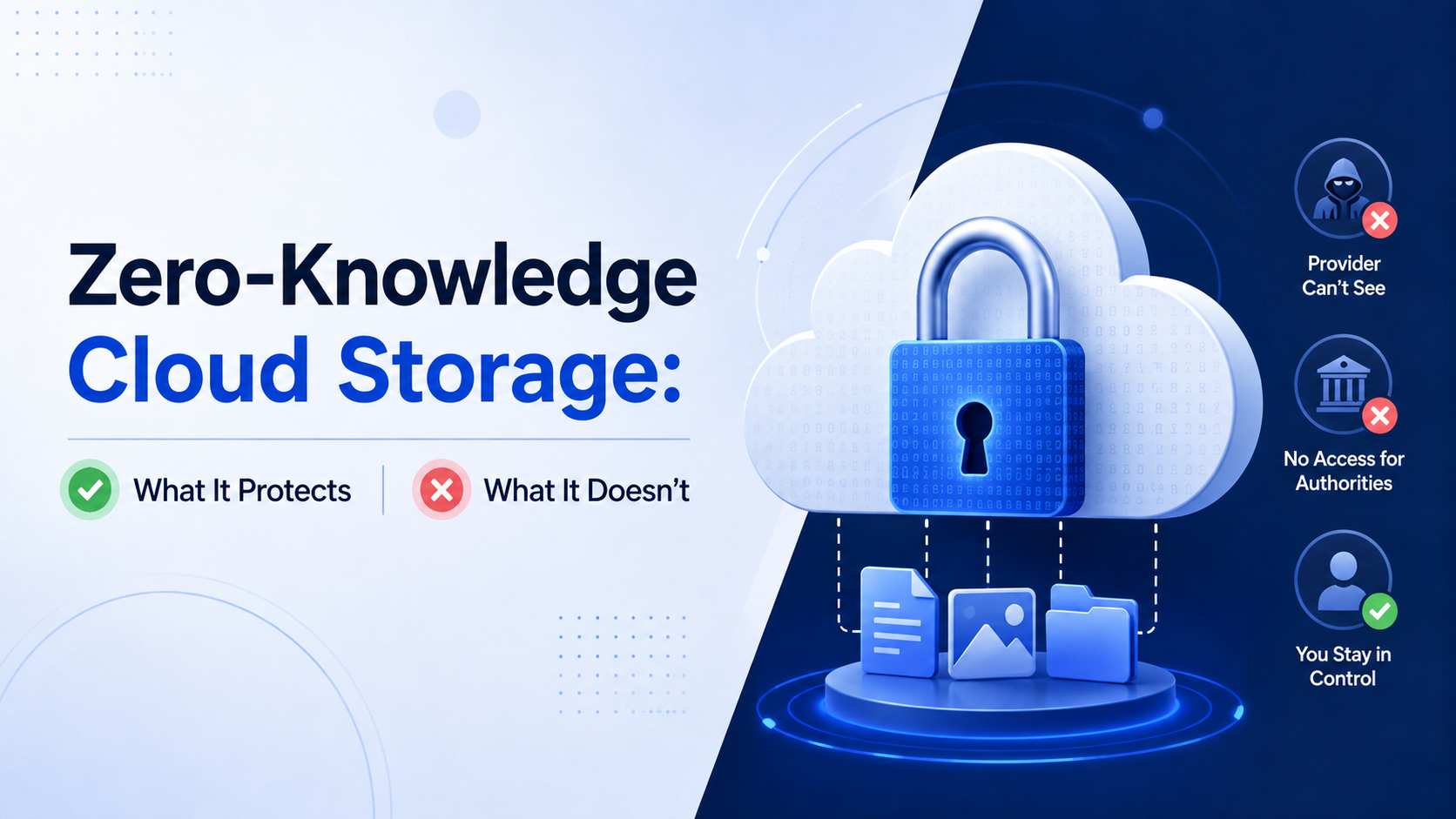
Imagine handing a locked safe to a storage company. You keep the only key. They can guard the safe, move it, and tell you it's still there, but they can never see what's inside. This is the core principle of zero-knowledge cloud storage. It is a specific security architecture where your data is encrypted and decrypted only on your device before it ever touches a server. The service provider, like fii.one, has "zero knowledge" of your encryption keys or your unencrypted data.
The Technical Heart: Key Custody
The entire system hinges on one critical element: who holds the encryption key. In a traditional cloud service, you upload your files, and the provider encrypts them on their servers, holding the master keys. In a zero-knowledge model, the encryption key is generated on your computer or phone when you create your account. This key never leaves your device in an unencrypted form. When you upload a file, your device uses this key to encrypt it into unreadable ciphertext. Only this scrambled data is sent to the cloud. For you to read it again, the ciphertext is downloaded back to your device and decrypted locally with your key.
In zero-knowledge architecture, the cloud server is not a librarian who can read your books; it is a blind librarian who can only store and retrieve sealed, unmarked boxes.
Beyond Marketing: The "Zero" in Zero-Knowledge
The term "zero-knowledge" is not just a catchy phrase; it's a precise description of the provider's state. They cannot access your data under any normal operational circumstances. To illustrate what the provider truly cannot see, consider this comparison:
| What the Provider CAN See (Metadata) | What the Provider CANNOT See (Your Data) |
|---|---|
| Account creation date and email | Your password or recovery phrase |
| File upload/download timestamps | File names and folder structures |
| Total storage used (e.g., 154.8 GB) | File contents (documents, photos, videos) |
| IP addresses for login attempts | Contacts in your synced address book |
| Payment information | Calendar events or task lists |
A Concrete Example: The Photo Upload
Let's trace the journey of a 10MB vacation photo. In a standard cloud service, you select the file, and it is uploaded. The provider's server receives the photo data, may compress it, and then encrypts it for storage. Their systems have processed the image data. In a zero-knowledge system like fii.one, the process is fundamentally different:
- You select the 10MB photo on your laptop.
- Your fii.one client software immediately encrypts it using your private key, turning it into ~10MB of random-looking data.
- Only this encrypted data is transmitted over the internet to fii.one's servers.
- The servers store the encrypted blob. They cannot determine it's a photo, let alone recognize faces or landmarks within it.
- When you later access it from your phone, the encrypted blob is downloaded and only decrypted locally on your device for viewing.
This local-first encryption is non-negotiable. It means that even if a malicious actor or a government subpoena were to gain physical access to the storage servers, they would find only cryptographically secure gibberish. Without the key from your specific device, the data is functionally lost forever—a crucial point for both security and personal privacy.
Client-Side vs Server-Side Encryption Compared
To understand the power of zero-knowledge cloud storage, you must first grasp the fundamental architectural choice at its heart: where the encryption key is held. This single decision creates a vast chasm in security, privacy, and functionality between client-side and server-side encryption models.
The Core Distinction: Who Holds the Keys?
Imagine your data is a priceless treasure locked in a vault. In server-side encryption, you give your treasure and the master key to the storage company. They lock the vault for you, but they retain a copy of the key. They can access your data if needed—or compelled. In client-side encryption, you alone hold the key. You lock the vault before it leaves your device. The storage provider only ever receives and stores the locked box; they have no means to open it.
| Aspect | Client-Side Encryption (Zero-Knowledge) | Server-Side Encryption |
|---|---|---|
| Key Location | Generated & stored solely on your device. | Generated & stored by the service provider. |
| Provider Access | Technically impossible to decrypt your files. | Full technical ability to decrypt your data. |
| Primary Security Benefit | Protection from insider threats, server breaches, and government subpoenas to the provider. | Protection only from external attacks on physical storage drives. |
| Data Processing | Limited. Features like server-side search and previews are impossible. | Full. Enables rich features like content search, virus scanning, and media transcoding. |
| User Responsibility | Absolute. Lose your key, lose your data forever. | Minimal. Provider handles recovery via passwords or support. |
A Concrete Example: The Data Breach Scenario
Consider a breach where attackers infiltrate a cloud provider's servers and exfiltrate 10 terabytes of customer data. With server-side encryption, the attackers now have both the encrypted data and, in many architectures, the encryption keys stored nearby. Decryption is often trivial, making the breach a catastrophic data leak. With true client-side encryption, the attackers only get encrypted blobs. Without the unique keys held on each user's individual device, that 10TB of stolen data is nothing but useless digital noise. The 2023 breach of a major storage provider, which exposed millions of files, would have been rendered inert if client-side encryption had been universally deployed.
The Performance and Feature Trade-Off
This security model imposes real-world constraints. Client-side encryption means all cryptographic work—encrypting a 5GB video file before upload, or decrypting it for viewing—happens on your hardware. This uses your device's CPU and can add seconds to minutes of processing time. More significantly, it limits cloud functionality. Because the provider cannot see your file contents:
- You cannot search for a text phrase inside your documents from the web app.
- The service cannot generate thumbnail previews for your images automatically.
- Streaming a video requires the full file to be downloaded and decrypted locally first.
Server-side encryption has no such limits. Your provider can index every word, scan every file for malware on upload, and offer instant, bandwidth-efficient streaming. The convenience is superior, but the privacy cost is total visibility.
The choice is not about which encryption is stronger, but about who you must trust. Server-side encryption requires you to trust the provider's integrity, security, and legal resilience. Client-side encryption removes that requirement entirely.
In essence, server-side encryption secures data at rest on a disk. Client-side encryption secures data in transit, at rest, and from the rest of the world, including the very entity storing it. This is the zero-knowledge promise: not just encrypted storage, but private storage where you are the sole sovereign of your digital domain.
Threat Model: What Zero-Knowledge Stops
Understanding a security system requires knowing what it is designed to defend against. Zero-knowledge cloud storage creates a formidable barrier against a specific set of modern threats, fundamentally shifting the balance of power away from attackers and even the service provider itself. Its primary function is to render your encrypted data useless to anyone without your unique decryption key.
Defending Against External Data Breaches
When a major cloud service suffers a breach, headlines scream about millions of user records being exposed. With traditional server-side encryption, those stolen files are often just a master key or a set of compromised credentials away from being fully decrypted by attackers. Zero-knowledge architecture changes the game entirely. Even if an attacker successfully exfiltrates petabytes of data from fii.one's servers, the breach is rendered largely inert. Your files remain secure, encrypted by a key the attacker has never seen and cannot access. For perspective, a 2023 IBM report put the average cost of a data breach at $4.45 million. Zero-knowledge encryption turns a catastrophic data theft into a mere incident of stolen, unusable ciphertext.
Neutralizing Insider Threats and Compelled Access
A less discussed but critical threat vector is the "insider"—whether a rogue employee at the cloud provider or a legal demand from a government agency. In a standard model, a provider can be compelled to hand over your data, and they possess the technical means to decrypt it. Under a zero-knowledge model like fii.one's, the provider has no decryption key to surrender. They can hand over encrypted data blobs, but without your personal key, which never leaves your device, that data is computationally impossible to decipher. This protects you from unauthorized internal snooping and provides a powerful shield against overbroad surveillance requests.
Preventing Server-Side Exploits and Malware
Cloud infrastructure is complex, and server-side applications can contain vulnerabilities. An exploit that allows an attacker to execute code on the storage server is devastating if that server also handles decryption. With zero-knowledge, the server only ever processes encrypted data. Even if an attacker gains control of the server, they cannot pivot to decrypt user files because the decryption process and keys exist solely on the client side. The attack surface is dramatically reduced.
| Threat Scenario | Standard Cloud Storage Vulnerability | Zero-Knowledge Protection |
|---|---|---|
| Data Center Breach | Stolen data files may be decrypted using compromised master keys or via attacked server processes. | Stolen data remains encrypted with individual user keys; data is useless to attackers. |
| Malicious Insider at Provider | Employee with system access can potentially browse or copy user data. | Employee can only access encrypted blobs; no ability to decrypt or view actual file contents. |
| Government/ Legal Data Request | Provider can be compelled to provide readable user data. | Provider can only supply encrypted data, lacking the technical means to decrypt it. |
| Server-Side Application Hack | Exploit could lead to data exfiltration and decryption on the server. | Exploit yields only encrypted data; decryption logic and keys are absent from the server. |
The Limits of This Digital Fortress
It is crucial to recognize that zero-knowledge encryption is not a magical security panacea. It specifically protects data at rest and in transit on the provider's side. It does not protect against threats that originate on your own device. If your personal device is compromised with keylogging malware that steals your password and thus your encryption key, the zero-knowledge model is bypassed. Similarly, it does not guard against someone physically accessing your unlocked laptop. Your security in a zero-knowledge system is ultimately anchored to the strength of your master password and the security of the device where decryption occurs.
In essence, zero-knowledge storage expertly fortifies one critical segment of your digital life: the gap between your device and the cloud provider's servers. It ensures that within that vast space, your data travels and rests as an impenetrable secret, visible only to you.
The Trade-Offs: Recovery, Search and Sharing
The security model of zero-knowledge cloud storage is not without its practical concessions. By design, the service provider is kept in the dark, which creates a unique set of user responsibilities and functional limitations. Understanding these trade-offs is crucial for setting realistic expectations and preparing for a secure workflow.
The Burden and Risk of Key Management
In a zero-knowledge system, you are the sole custodian of your encryption key. This is the ultimate security feature, but it also means the service cannot help you if you lose it. There is no "Forgot Password" reset that grants access to your encrypted data. If your key is gone, your data is permanently inaccessible—it becomes cryptographic noise. For example, a provider like fii.one might offer a recovery code during setup, a one-time-use cryptographic lifeline you must store offline. Losing both your password (which often derives the key) and this recovery code typically results in total, irreversible data loss. This shifts the paradigm from convenience to absolute personal responsibility.
Searching in the Dark
Search functionality is fundamentally different. A conventional cloud service can index the full text of your documents for instant, Google-like searching. A zero-knowledge provider cannot see your file contents, so full-text search within documents is impossible on the server side. Your options are limited to:
- Filename and Metadata Search: You can search for files by their name, date, or size—data the service can see.
- Client-Side Indexing: Some applications, like fii.one's desktop client, can build a secure, encrypted index on your device. This allows for rich, private searches, but only from the specific device where the index resides.
- Manual Organization: This necessitates a more disciplined folder structure and naming convention, as you cannot rely on dredging up a forgotten document by a phrase inside it from a web interface.
The Intricacies of Secure Sharing
Sharing files securely within a zero-knowledge framework is more complex. You cannot simply generate a public link; you must first decrypt the file to share it, which risks exposing it. True zero-knowledge sharing requires the recipient to also be part of the encryption system. Here’s how secure sharing typically works:
- You select a file or folder to share with a specific user.
- Your client software encrypts a copy of the file's decryption key with the recipient's public key.
- This encrypted key is stored on the server alongside the encrypted file.
- The recipient's client software uses their private key to unlock the file key and then decrypt the file.
This process means you cannot share with someone who isn't a user of the platform, and real-time collaboration on a single encrypted document is a significant cryptographic challenge. Most providers offer view-only or time-limited links as a workaround, but these often involve creating a temporarily decrypted copy, a process that briefly steps outside the pure zero-knowledge model.
| Feature | Traditional Cloud Storage | Zero-Knowledge Cloud Storage |
|---|---|---|
| Account Recovery | Service provider can reset password and restore access. | User holds sole responsibility; lost key = permanent data loss. |
| Full-Text Search | Fast, server-side search across all document contents. | Limited to filenames; client-side indexing required for content search. |
| Sharing Ease | Effortless public link generation for anyone. | More steps, often requires recipient to have an account on the same platform. |
| Collaboration | Real-time co-editing on documents is standard. | Complex to implement; often limited to file-level sharing, not live document editing. |
These trade-offs are not flaws but direct consequences of the architecture. They represent a conscious choice: exchanging some convenience for a higher tier of privacy and security. A service like fii.one navigates these by building robust client applications that manage keys and indexes locally, striving to restore usability without compromising the core zero-knowledge principle.
Choosing a Zero-Knowledge Provider: Checklist
Selecting a zero-knowledge cloud storage provider is more than just comparing price per terabyte. You are entrusting them with the guardianship of your encrypted data, not the data itself. This checklist focuses on the practical, often overlooked details that separate a truly trustworthy service from one that merely uses the term.
1. Verify the Zero-Knowledge Architecture
First, confirm the provider’s claims. A genuine zero-knowledge service will never ask for or have access to your encryption password. Your password should only ever be entered into the client application (web, desktop, or mobile). If a provider can offer a "password reset" for your encrypted files, they are not zero-knowledge; they hold the keys. Look for explicit, technically detailed explanations of their key management, ideally audited by a third party.
2. Assess the On-Ramp: Initial Upload Security
Your data is most vulnerable before it's encrypted. A robust client encrypts your files locally before a single byte leaves your device. Ensure the provider offers downloadable, verifiable desktop or mobile apps for this purpose, not just a web interface where JavaScript in the browser handles encryption. While web-based encryption can be secure, a dedicated app is less susceptible to browser-based vulnerabilities and can handle larger, more secure initial syncs.
3. Scrutinize Sharing and Collaboration Features
Zero-knowledge encryption complicates sharing. How does the provider handle it? Secure sharing should allow you to grant access to a file or folder without revealing your master key. Look for features like:
- View-only vs. edit permissions for shared files.
- The ability to set expiration dates and password protection on shared links.
- Whether you can share with non-users securely (they should receive a uniquely encrypted link, not the raw file).
4. Evaluate the Recovery Paradox
With great security comes great responsibility. You lose your password, you lose your data—forever. Providers offer different solutions, each with trade-offs:
| Recovery Method | Security Implication | Example |
|---|---|---|
| Written Recovery Key | High security if stored physically offline. User-managed risk. | You download a 256-bit key file to store on a USB drive in a safe. |
| Trusted Contact Designation | Social recovery; splits key among friends. No provider access. | You nominate 3 friends; 2 must approve a recovery request. |
| Provider-Held "Emergency Kit" | Lower security, higher convenience. Often uses a separate passphrase. | You set a 10-word recovery phrase the provider stores, delaying access by 48 hours. |
Choose a provider whose recovery model matches your risk tolerance and technical capability.
5. Performance and Usability Realities
Client-side encryption adds overhead. Uploads and downloads are generally fast, but tasks like photo thumbnail generation, full-text search within documents, or rapid file preview require the client app to decrypt and process data locally. Check if the provider’s apps offer:
- Local, encrypted search indices so you can search your filenames and content without uploading plaintext.
- Efficient delta sync (uploading only changed parts of a file) even after encryption.
- Clear information on client-side system requirements (CPU/RAM usage during large syncs).
6. Transparency and Track Record
Finally, look for a history of transparency. Have they undergone independent security audits? Are their protocols open-source or publicly documented? How do they communicate during a security incident? A provider that has been operating a verifiable zero-knowledge model for years, with a clear and consistent privacy policy, is a safer bet than a new entrant with opaque technology.
Your choice ultimately balances the ironclad security of zero-knowledge against the convenience you are willing to forgo. This checklist ensures you make that decision with your eyes wide open.
How fii.one Handles Encryption and Key Management
For a zero-knowledge cloud storage system to be trustworthy, its technical architecture must be both robust and transparent. At fii.one, this principle is engineered into every layer of our service, ensuring your data's privacy is absolute and mathematically verifiable. Our approach is a multi-stage cryptographic journey that begins on your device and ends with encrypted fragments scattered across our infrastructure.
The Client-Side Encryption Pipeline
Before a single byte of your data leaves your computer, phone, or tablet, it undergoes a rigorous transformation. When you upload a file to fii.one, our client application (be it the web app, desktop, or mobile client) immediately processes it. First, the file is split into manageable blocks. Each block is then encrypted using the industry-standard AES-256-GCM algorithm, which provides both confidentiality and integrity protection. Crucially, the encryption keys used are generated randomly and uniquely for your session on your device. The encrypted blocks are then erasure-coded—a process that breaks the data into redundant fragments—so that even if several storage nodes fail, your complete file can be reconstructed from the remaining pieces. Only these encrypted, scattered fragments are transmitted to our servers.
Master Key and User Vault: The Heart of Access
All those unique file encryption keys need to be protected and managed. This is where your Master Key comes in. This key is the literal key to your kingdom:
- It is generated on your device during account creation.
- It is never transmitted to or stored on fii.one's servers.
- It is used to encrypt a secure, local database called your User Vault, which stores all the other keys needed to decrypt your files.
Your access to the service is gated by your password, which is used to derive a key that encrypts your Master Key locally. We employ a deliberately slow key derivation function (Argon2id) with high computational cost to make brute-force attacks impractical. For example, on a standard modern CPU, a single password guess could take over 500 milliseconds, rendering automated attacks futile.
Key Recovery: The Secure Delegation Model
We recognize that losing your sole password means losing access to your data—this is the inherent trade-off of true zero-knowledge architecture. fii.one offers a secure, opt-in recovery method that does not compromise the model. You can designate trusted "recovery delegates" (like a family member or another device) who hold an encrypted shard of your recovery key. A pre-set threshold of these delegates (e.g., 2 out of 3) must collaborate to help you regain access. Crucially, this process happens peer-to-peer; fii.one servers never see the reassembled key.
fii.one vs. Traditional Cloud: A Key Management Comparison
| Aspect | Traditional Cloud Storage | fii.one (Zero-Knowledge) |
|---|---|---|
| Key Generation | Often server-side, or client-side with key sent to server. | Exclusively on your client device. |
| Key Storage | Master keys held by the provider. | Master key encrypted with your password; only you hold it. |
| Provider Access | Full technical ability to decrypt user data. | Mathematically impossible to decrypt user data. |
| Data Recovery | Standard password reset via email. | User-controlled cryptographic sharding or permanent data loss. |
| Internal Threat | Malicious admin or breach can expose data. | Insiders or hackers see only encrypted fragments. |
Continuous Verification and Open Audits
Trust must be earned continuously. fii.one undergoes regular third-party security audits, and we publish the cryptographic specifications of our protocol. Furthermore, our client software includes mechanisms for "proofs of storage," allowing you to cryptographically verify that your data fragments are intact and available on our servers without us ever needing to decrypt them. This end-to-end verifiability closes the loop, ensuring that our zero-knowledge promise is not just a claim but a continuously provable state.
Frequently Asked Questions
Can a zero-knowledge provider reset my password if I lose it?
No. Since your password decrypts your master encryption key, the provider has no way to recover it. Losing your password typically means permanent data loss. This is the core security trade-off. Reputable providers offer a downloadable recovery key during setup—a critical file you must store securely offline. Without it, not even customer support can restore your access.
Does zero-knowledge encryption protect my data from all threats?
No. It specifically protects data from insider threats and server breaches by keeping it encrypted at rest. It does not protect against malware on your own device, a stolen device with an unlocked session, or phishing attacks that steal your login credentials. Your security is only as strong as the endpoint device and user practices guarding the decryption keys.
How does file sharing work if the provider cannot see my data?
Sharing is enabled through a clever cryptographic process. To share a file, your client creates a separate, unique access key for that specific item. This key is then passed to the recipient, often via a secure link. The provider facilitates the transfer of the encrypted data and this new key without ever being able to decrypt the content itself, maintaining the zero-knowledge model.
Is my metadata also encrypted in a zero-knowledge system?
This varies by provider. While file contents and names are typically encrypted, some operational metadata—like file sizes, timestamps, and sometimes folder structure—may remain visible to the provider to enable basic service functionality. The highest-security providers aim to minimize this metadata exposure. Always check a provider's documentation to understand exactly what information they can see.
Why would I choose a non-zero-knowledge storage service?
You might prioritize convenience and advanced features. Standard cloud services offer powerful, server-side search, easier password recovery, and seamless collaboration tools. If your primary threat model is external hackers and you trust the service provider's internal controls, the trade-offs of zero-knowledge may outweigh the benefits for your specific use case, such as large team projects.
Join thousands of users who trust fii.one for fast, private cloud storage.
Get Started Free →fii.one Team
The fii.one blog brings you guides, tips, and insights on file storage, sharing, and productivity.