Cloud File Search Engines Explained: Beyond Basic Find
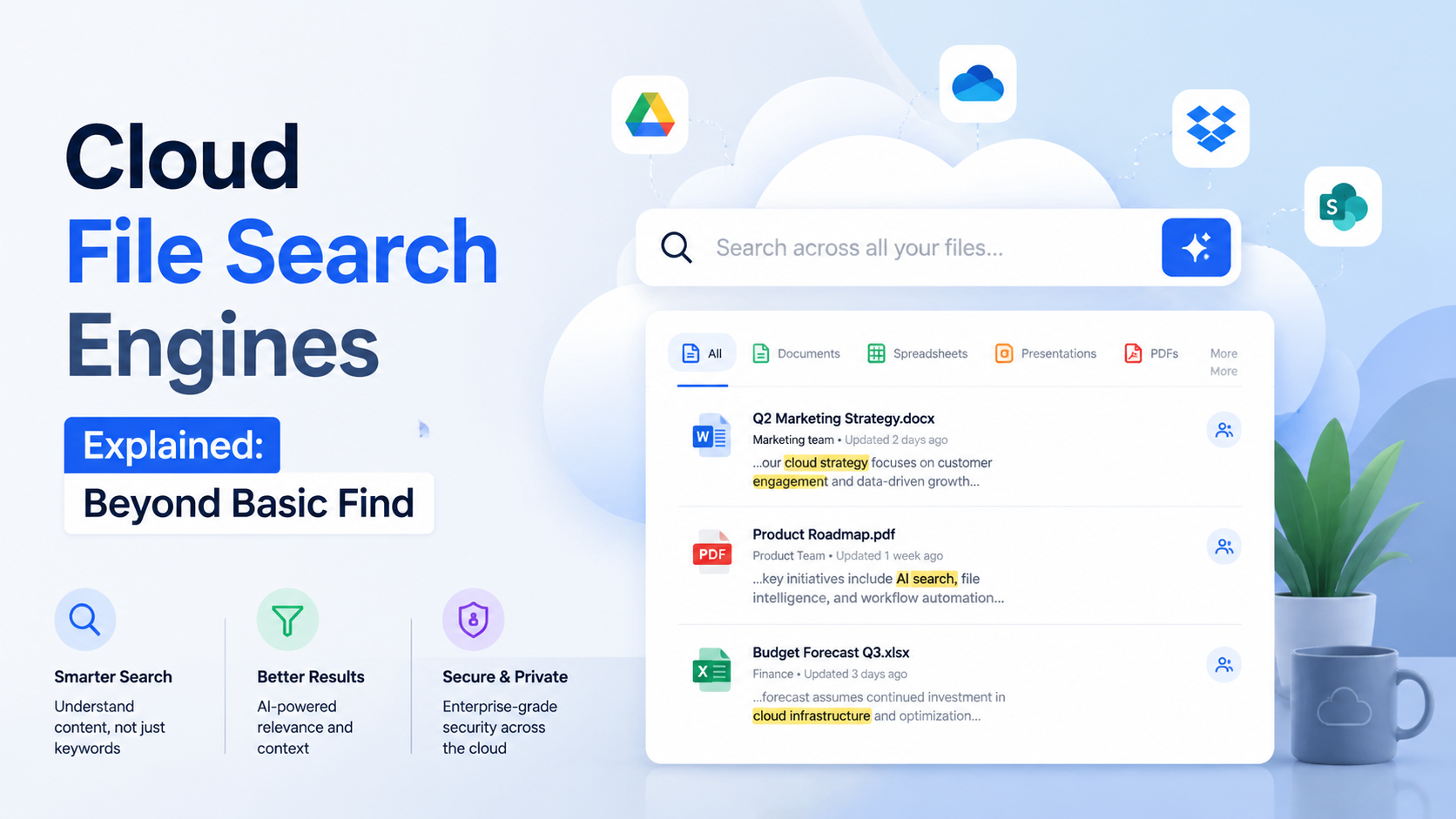
Definition: Beyond Basic Cloud Storage Search
Imagine you're a video editor with 12 terabytes of footage in your cloud drive. You need a specific 30-second clip: a sunset shot over a mountain lake, with a bird flying from left to right, from a project last summer. You type "sunset lake" into your standard cloud storage search bar. The result? A chaotic list of files named "sunset_lake_final_v3.mov," "lakesunset.jpg," and a client brief PDF containing those words. The actual clip, buried in a raw footage folder named "DRV_0453," remains hidden. This is the fundamental limitation that a cloud file search engine is built to solve.
From Filename Matching to Content Intelligence
A basic cloud storage search is, at its core, a filename and metadata indexer. It answers the question: "Where is the file I named 'Q4_Report.pdf'?" It operates on a simple, one-dimensional logic. In contrast, a cloud file search engine is a sophisticated, multi-layered intelligence layer that sits atop your storage. It answers the far more powerful question: "What information do I have, regardless of what I called the file or where I put it?" This shift transforms your storage from a passive digital warehouse into an active, queryable knowledge base.
Consider the scale: The average knowledge worker interacts with over 10,000 files and documents annually. A basic search might index only the 20% of those files with descriptive names. A true search engine, however, delves into the 100%—indexing every word on every page, every spoken word in an audio file, and every object in an image. For a platform like fii.one, this means treating every uploaded asset, from a scanned invoice to a 4K video, as a mineable data source.
The Core Differentiator: Indexing Depth
The distinction becomes clear when we examine what each system actually "sees" and indexes. The following comparison highlights the leap in capability:
| Search Aspect | Basic Cloud Storage Search | Cloud File Search Engine |
|---|---|---|
| Primary Scope | Filenames, folder paths, basic tags. | Full file content, metadata, and contextual data. |
| Document Content | No (or very limited text). | Yes. Every word in PDFs, Word docs, slides, and spreadsheets. |
| Media "Content" | No. | Yes. Via OCR for images/PDFs, speech-to-text for audio/video, object recognition. |
| Example Query: "Q3 budget pivot table" | Finds files with those words in the title. | Finds the specific Excel sheet inside "Financial_Data_FY23.xlsx" that contains that pivot table. |
| Data Point | Indexes ~1KB of metadata per file. | Can index 10MB+ of textual/contextual data per complex file. |
More Than a Feature: A Foundational Layer
Therefore, defining a cloud file search engine as merely a "better search box" is a significant understatement. It is a foundational, intelligent processing layer. When you upload a file to a service equipped with this engine, two things happen in parallel: the file is stored securely, and it is also ingested, decoded, and analyzed. The engine extracts its semantic essence—the concepts, topics, people, places, and numbers within—and builds a rich, searchable index separate from the file storage itself. This process happens continuously and automatically, whether you have 5,000 or 5 million files.
In essence, while basic search helps you navigate your filing system, a cloud file search engine allows you to interrogate your collective digital knowledge.
This capability is what makes modern SaaS platforms like fii.one practical for business and creative professionals drowning in data. It moves the burden of organization from the human—who must remember naming conventions and folder hierarchies—to the machine, which can instantly surface connections and content the user may have forgotten existed. It is the critical technology that makes vast cloud storage not just a repository, but a genuinely usable and powerful asset.
How Cloud File Search Engines Work Technically
At first glance, a cloud file search engine seems like magic—type a phrase and instantly find a document buried in terabytes of data. But beneath the sleek interface lies a meticulously orchestrated technical process. Unlike a simple file name search in your computer's folder, a true search engine for your cloud operates on a continuous, three-stage cycle: Indexing, Processing, and Querying. It’s a system designed for scale, often handling millions of files for a single organization.
The Invisible Librarian: Crawling and Indexing
Before you can search anything, the engine must first "read" and catalog every file. This is the indexing phase. A secure, automated software component—often called a crawler or indexer—systematically accesses every file and folder in your connected cloud storage (like Google Drive, Dropbox, or fii.one's own vault). It doesn't move your files; it reads their content and metadata to build a massive, private search index. This index is a highly optimized database, separate from your storage, that acts as a map to your content. For a team with 500,000 files, the index might contain over 2 billion searchable data points, from words in a PDF to the timestamp on an image.
From Raw Data to Searchable Intelligence: Processing and Enrichment
Reading the files is only the first step. The raw data is then processed and enriched to make it truly discoverable. This is where the engine transcends basic storage. Key technical processes include:
- Optical Character Recognition (OCR): The engine extracts text from images (JPEGs, PNGs) and scanned PDFs. A photo of a whiteboard brainstorm from last quarter becomes searchable for terms like "Q3 pipeline" or "feature roadmap."
- Metadata Extraction: Technical data is pulled from files: author, creation date, file type, geotags from photos, camera model, and even speaker identifiers from audio transcripts.
- Content Parsing: The engine decodes the internal structure of documents (Word, Excel, PowerPoint, PDFs) to index text from headers, footnotes, slide notes, and spreadsheet cells.
- Natural Language Processing (NLP): Advanced engines use NLP to understand context. It can recognize that "Q4 report," "fourth quarter financials," and "end-of-year summary" may refer to the same conceptual document.
Instant Retrieval: The Query Engine at Work
When you type a query like "budget spreadsheet from Sarah 2023," the query engine takes over. It doesn't scan your files live—that would be far too slow. Instead, it consults the pre-built index. The query is broken down, analyzed, and matched against the enriched index data. The engine ranks results using complex algorithms that consider factors like:
| Ranking Factor | Technical Example | Impact on Result |
|---|---|---|
| Term Frequency & Relevance | The word "budget" appears 15 times in Document A, twice in Document B. | Document A is ranked higher for the query "budget." |
| Recency | File modified on 2023-11-15 vs. 2021-08-03. | The newer file is promoted for time-sensitive queries. |
| File Type & Source | Query includes "spreadsheet," so .XLSX files are prioritized over .PDFs. | Results are filtered by intent, not just content. |
| User & Access Patterns | The searcher frequently collaborates with "Sarah." | Files owned by or shared with Sarah may receive a relevance boost. |
This entire process, from keystroke to ranked results, typically happens in under 500 milliseconds. The system is constantly updating its index in the background, often within minutes of a new file being uploaded or an old one being edited, ensuring the map is never out of date. This technical backbone transforms your cloud storage from a static archive into a dynamic, intelligent repository where any piece of information is only a search away.
Key Benefits Over Traditional Folder Navigation
For decades, the digital folder—a direct descendant of the physical filing cabinet—has been our primary tool for organizing files. We create nested hierarchies, devise naming conventions, and spend precious mental energy remembering where we put things. A cloud file search engine dismantles this paradigm, shifting the burden from human memory to machine intelligence. The benefits are not merely incremental; they represent a fundamental leap in productivity and cognitive relief.
From Recall to Discovery
Traditional navigation relies on recall-based access. You must remember the exact folder path: "Project X > Client Docs > Q3 Reports > Final." If the file was saved elsewhere or you forget the structure, you're lost. A cloud file search engine enables discovery-based access. You search for what you know about the file—a phrase from its content, the approximate date, the client's name, or the project type. This transforms a frustrating scavenger hunt into an instant result. For instance, searching "Q3 budget forecast fii.one" can surface the relevant spreadsheet, PDF, and presentation slides in milliseconds, regardless of which specific project folder they live in.
Quantifiable Time Savings
The time cost of manual navigation is staggering. Studies suggest knowledge workers spend up to 1.5 hours per day searching for information. If a team of 50 uses a basic cloud storage system, that's nearly 400 lost hours weekly. A powerful search engine slashes this time. Consider this comparison for a common task—finding a specific contract amendment:
| Step | Traditional Folder Navigation | Cloud File Search Engine |
|---|---|---|
| 1. Initial Locate | Navigate: Clients > "Acme Corp" > Legal > 2023 > Contracts. (45 seconds) | Search: "Acme Corp indemnity clause amendment 2023". (3 seconds) |
| 2. Verify Correct File | Open several PDFs to check content. (60 seconds) | Search result preview shows the exact clause. (2 seconds) |
| 3. Find Related Files | Manually search other folders for related emails or drafts. (120+ seconds) | Use filters (e.g., file type: email, date: Oct 2023) or see "related files" suggestions. (10 seconds) |
| Total Estimated Time | ~225 seconds | ~15 seconds |
This 15x speed improvement, multiplied across countless daily searches, reclaims weeks of productive time annually.
Shattering Silos and Surfacing Connections
Folder structures inherently create information silos. A marketing asset, its design brief, and its performance analytics are often buried in separate department folders, obscuring their relationship. A cloud file search engine indexed across your entire organization's storage—like on fii.one—breaks down these walls. Searching for a product launch name can simultaneously return the press release (from "Comms"), the graphics (from "Design"), the sales deck (from "Sales"), and the raw data (from "Analytics"). This cross-referential power uncovers hidden connections and provides context that folder navigation actively hides.
Reducing Organizational Overhead and Human Error
A significant hidden cost of folders is the ongoing labor required to maintain them. Teams debate naming conventions, someone must correctly file every incoming document, and mis-filed items become effectively lost. A robust search engine reduces this overhead. While good organization is still valuable, the pressure for perfection vanishes. Files can be added to broad, logical storage areas (like a team's main cloud drive), and the search engine's filters and AI do the rest. This also mitigates human error; a file saved in the "wrong" place is still fully findable by its content.
The true benefit isn't just speed—it's the liberation from a system that demands you organize your world perfectly in order to find anything in it later.
Ultimately, moving from folder navigation to a cloud file search engine is like upgrading from a paper map to a real-time GPS. One requires you to pre-plot your course and remember every turn; the other allows you to simply state your destination and receive the fastest, most intelligent route, even if the roads have changed since you last looked.
Common Features: OCR, Filters, and AI
Moving beyond simple filename queries, modern cloud file search engines are powered by a suite of advanced technologies that transform how we discover content. These features don't just search; they understand, categorize, and surface information with remarkable precision. The core trio of Optical Character Recognition (OCR), dynamic filtering, and Artificial Intelligence (AI) forms the backbone of this intelligent discovery.
Optical Character Recognition (OCR): Unlocking Scanned Content
OCR is the technology that converts images of text into machine-readable data. In a cloud file search engine, this means every scanned document, PDF, or even a photograph of a whiteboard becomes instantly searchable. For instance, a service like fii.one can index the contents of a 10-page scanned contract, allowing you to find it by searching for a specific clause like "termination for cause" buried on page 7. This feature is indispensable for digitizing legacy paper archives or managing loads of incoming scanned invoices. Without OCR, these files remain digital "dark matter"—visible in your storage but completely opaque to search.
Granular Filtering: The Power of Precision
Finding a file is one thing; finding the right file among hundreds of similar results is another. Advanced filtering provides the necessary precision. These are not just basic filters for date and file type; they are dynamic, context-aware tools that slice through data. After a broad search, you can instantly narrow results by:
- File Properties: Exact document size (e.g., files larger than 50MB), creator, or last modified date range.
- Content Type: Specifics like "presentation slides containing videos" or "spreadsheets with pivot tables."
- Custom Metadata: Tags like "Q4-Report," "Client-Acme," or "Final-Approved," applied automatically or by users.
This layered approach turns a potentially overwhelming list into a targeted set of results in seconds.
Artificial Intelligence: The Contextual Brain
AI is the feature that elevates search from a reactive tool to a proactive assistant. It adds a layer of semantic understanding and pattern recognition. Instead of just matching keywords, AI analyzes the context and intent behind your search. For example, searching for "budget" might intelligently prioritize the latest financial forecast spreadsheet over an old email thread merely mentioning the word. More concretely, AI powers features like:
- Automatic Tagging & Categorization: The system can analyze a project brief and automatically tag it with relevant client and project codes.
- Natural Language Queries: You can search using phrases like "find the slides from Sarah about the Berlin product launch last spring."
- Content Summarization: For long documents or video/audio files, AI can generate concise summaries, letting you gauge relevance without opening the file.
| Feature | Traditional Search | Modern Cloud File Search Engine |
|---|---|---|
| Search Scope | Filenames and basic metadata only. | Full text, image text (via OCR), audio transcripts, and file metadata. |
| Query Understanding | Literal keyword matching. | Semantic & natural language understanding powered by AI. |
| Result Refinement | Manual folder navigation after search. | Real-time, multi-dimensional filtering (date, type, custom tags, content features). |
| Proactive Assistance | None. Purely user-initiated. | Automated organization, related file suggestions, and content summaries. |
Together, OCR, filters, and AI create a synergistic system. OCR expands the universe of searchable content, filters provide the surgical tools to navigate it, and AI supplies the contextual intelligence to interpret what you truly need. This combination ensures that your search engine is not just finding files, but delivering the precise information required to make decisions and move work forward.
Privacy and Security Considerations
When you empower a search engine to index the intimate contents of your cloud storage—from financial spreadsheets to family photos—its power is directly proportional to the sensitivity of the data it processes. A robust cloud file search engine is not just a tool for discovery; it is a critical gatekeeper of your digital privacy. The architecture and policies governing this technology must be designed with a zero-trust principle, ensuring that convenience never compromises confidentiality.
Data Sovereignty and Encryption States
The fundamental question is: who can see your files during the search process? A trustworthy system ensures that your data remains encrypted not just "at rest" in storage, but also "in transit" and, crucially, "in use" during indexing and querying. For instance, fii.one employs end-to-end encryption (E2EE) for sensitive workspaces, meaning search indexes are built from encrypted data. The search engine processes cryptographic tokens, not plain text, so even the cloud provider's administrators cannot view your file contents. This is a stark contrast to services where files are decrypted on the server side for indexing, creating a potential attack vector. Always verify the encryption state during search operations; it's the difference between a sealed envelope being sorted by its external markings versus being opened and read by the postal service.
Access Controls and the Principle of Least Privilege
A powerful search function must be perfectly aligned with your organization's permission structure. If a user cannot open a file via direct folder navigation, they must also be unable to find it through a global search. Modern search engines integrate directly with role-based access control (RBAC) systems, filtering results in real-time. For example, a search for "Q4 financial forecast" should return dramatically different results for a junior accountant, a department head, and the CFO. This is enforced through metadata tagging and continuous permission validation at the query layer, preventing accidental data leakage.
| Security Aspect | Basic Cloud Storage Search | Advanced Cloud File Search Engine |
|---|---|---|
| Indexing Data | Often uses plaintext or server-side decrypted content. | Can index cryptographically hashed tokens or E2EE data. |
| Result Filtering | May show all files matching terms, relying on storage-layer access denial. | Pre-filters results at the query level using RBAC, showing only what the user is permitted to see. |
| Audit Trail | Logs may only show file access. | Comprehensive logs of search queries, results returned, and user context for compliance. |
| Data Residency | Index servers may be in global, unspecified locations. | Configurable to keep search indexes within specific geographic/legal jurisdictions (e.g., EU-only). |
Audit Logging and Compliance
Knowing what was found is as important as knowing who searched for it and when. Enterprise-grade search engines provide immutable audit logs that capture the full context of every query. This is non-negotiable for industries like healthcare (HIPAA) or finance (SOX, GDPR). For instance, if an employee searches for a broad term like "patient" or "SSN," the audit log would record the timestamp, user identity, IP address, and the exact set of files returned in the results. This deters misuse and provides a forensic trail in the event of an incident, turning the search engine into a compliance asset rather than a risk.
Third-Party Integrations and AI Processing
Many advanced features, like AI-powered summarization or optical character recognition (OCR), may rely on external APIs. It is vital to understand the data flow. Does a PDF sent for OCR to a third-party service have its content stored by that provider? Reputable services like fii.one use proprietary, in-house AI models or have strict contractual agreements that define data processing as a transient, non-retentive action. Always ask: Is my data being used to train external AI models? The answer should be a clear and configurable "no" for sensitive information. Your search convenience should not come at the cost of surrendering your intellectual property or private data to an opaque third party.
In the realm of cloud file search, the most intelligent feature is one that understands the profound responsibility of handling your data. True power lies in finding anything you're allowed to see, while ensuring everything else remains invisible.
The Future of Intelligent File Discovery
The cloud file search engine of today, powerful as it is, represents merely the first chapter. The trajectory points toward a future where search ceases to be a reactive tool and becomes a proactive, contextual, and predictive partner in knowledge work. We are moving from simple file retrieval to intelligent file discovery.
From Search Bars to Ambient Intelligence
The most significant shift will be the disappearance of the search bar as the primary interface. Discovery will become ambient, integrated directly into workflows. Imagine drafting a project proposal in your word processor and having your cloud search engine automatically surface the latest budget spreadsheet, relevant client emails, and supporting research PDFs in a sidebar, all without a manual query. This context-aware assistance, powered by deep understanding of your current task, project history, and team interactions, could save knowledge workers an estimated 30-60 minutes per day currently lost to manual hunting and tab-switching.
The Rise of Predictive and Generative Curation
Future systems will not only find what you ask for but predict what you need and generate new insights. Leveraging patterns across an organization's entire digital corpus, these engines will perform predictive curation. For instance, on Monday morning, a system like fii.one could automatically assemble a "Weekly Briefing" file bundle containing the five most relevant documents for your upcoming meetings, the three charts your team discussed most last week, and a summary of changes to shared project folders. Furthermore, generative AI will synthesize information across files. A query like "prepare me for the Q3 product launch" could generate a concise memo that extracts key points from the marketing plan, engineering timelines, and past launch post-mortems, complete with citations to the original source files.
Interconnected Knowledge Graphs Over Isolated Silos
Today's search often operates within a single platform's silo. The future is a federated search across every sanctioned SaaS tool—from your cloud storage (like fii.one) and CRM (like Salesforce) to your communication hubs (like Slack) and project management software (like Asana). The engine will build a dynamic, organizational knowledge graph that maps relationships between people, projects, files, and data points. Searching for a client name would return not just their contract (a PDF), but also the latest support ticket status, the slide deck they were tagged in, and the analytics report they were mentioned in during a video call transcript.
| Today's Search | Future Intelligent Discovery |
|---|---|
| Reactive: You must know what to ask. | Proactive: Surfaces relevant files before you ask. |
| Keyword-dependent ("Q3_report.pdf"). | Concept-aware ("find analysis of our regional expansion"). |
| Returns a list of files. | Returns synthesized answers, summaries, and curated bundles. |
| Operates within storage silos. | Federates across all enterprise apps and data sources. |
| Static indexing, updated periodically. | Live, real-time indexing of changes and collaborations. |
Quantifiable Impact and the "Findability Metric"
As these systems mature, their value will be measured not just in user satisfaction but in hard metrics. Organizations will track the "Time to Insight"—the duration from a question forming to accessing the corroborating information. A 2022 McKinsey report suggested that employees spend 1.8 hours every day searching for information. Next-generation discovery aims to slash this by over 70%. We will see the emergence of a "Findability Score" for teams, auditing the health of their information architecture and highlighting bottlenecks where data is consistently obscured or duplicated.
The ultimate goal is not a faster search box, but an organizational memory so intuitive and accessible that it feels like an extension of one's own cognition.
For platforms like fii.one, this future is a strategic imperative. It means evolving from a place where files are stored to the central nervous system of an organization's digital knowledge, where every piece of data is connected, contextual, and instantly actionable. The cloud file search engine, therefore, becomes the invisible engine of productivity, powering a seamless flow of information that drives innovation and decision-making at the speed of thought.
Frequently Asked Questions
What is a cloud file search engine, and how is it different from my cloud storage's built-in search?
A cloud file search engine, like the one powering fii.one, is a sophisticated system that indexes the full content and metadata of your files. Unlike basic storage search—which often only looks at filenames—it delves into text within documents, image text via OCR, and even conceptual meaning. It transforms your storage from a passive archive into an intelligent, queryable knowledge base.
Is my data kept private when using an intelligent search engine?
Absolutely. In a trustworthy service, your data's privacy is paramount. The search engine indexes your files within your secure, encrypted storage environment. The AI processing and analysis occur without human review, and no data is used to train public models without your explicit consent. You retain complete ownership and control, with search acting as a powerful, private lens on your own information.
Can it find text inside scanned PDFs or images?
Yes, this is a core feature. Modern search engines employ Optical Character Recognition (OCR) to extract text from scanned documents, photographs of whiteboards, or screenshots. Once indexed, this "invisible" text becomes fully searchable, allowing you to find a contract clause in a scanned PDF or a recipe from a photo of a handwritten note as easily as searching a text document.
How does AI enhance file search beyond simple keywords?
AI introduces semantic understanding. Instead of just matching keywords, it grasps context and intent. Searching for "Q4 financial projections" can find budget spreadsheets, relevant presentation notes, and emailed summaries. AI can also auto-tag files by content, suggest related documents, and summarize long files directly in search results, dramatically accelerating discovery and insight.
Will this replace the need for organizing files into folders?
Not entirely, but it fundamentally changes its purpose. Folders remain useful for high-level project organization and access permissions. However, the relentless need for deeply nested, perfect folder structures vanishes. The search engine handles the heavy lifting of recall, freeing you to organize more intuitively and spend less time meticulously filing and more time finding and using your information instantly.
Join thousands of users who trust fii.one for fast, private cloud storage.
Get Started Free →fii.one Team
The fii.one blog brings you guides, tips, and insights on file storage, sharing, and productivity.