Fast Cloud Storage Free: Top 5 Lightning-Speed Options

Fast Cloud Storage Free: Top 5 Lightning-Speed Options
Looking for fast cloud storage free? Discover the top providers offering blazing upload speeds and generous free storage. Compare features and pick the best.
What is fast cloud storage free?
When you hear the term "fast cloud storage free," it's easy to assume it's just another marketing gimmick. But the reality is more nuanced—and far more useful. At its core, fast cloud storage free refers to cloud-based file hosting services that offer generous upload and download speeds at no cost, often paired with a limited amount of storage space (typically between 5GB and 20GB). The "fast" part isn't just about raw transfer rates; it encompasses rapid file synchronization, instant access from multiple devices, and low-latency performance for everyday tasks like backing up photos, sharing documents, or streaming media.
Unlike traditional free cloud services that throttle speeds or impose bandwidth caps after a certain threshold, fast cloud storage free providers prioritize performance even for non-paying users. This is achieved through optimized data centers, efficient content delivery networks (CDNs), and lightweight sync engines that minimize processing overhead. For example, a service like pCloud or Mega offers encrypted, high-speed transfers that rival many paid plans—at least for smaller file sizes and moderate usage.
💡 Key Insight: The "fast" in fast cloud storage free is often relative to the competition. While a free tier won't match enterprise-grade speeds, it can easily handle daily tasks like syncing documents across three devices or sharing a 2GB video file in under a minute—provided your internet connection is stable.
What makes these services stand out is their combination of speed and accessibility. You get:
- Near-instant file syncing across desktop, mobile, and web apps—no more waiting for folders to update.
- Smart caching that pre-loads frequently accessed files, making them feel local even when stored remotely.
- Thumbnail previews and streaming capabilities for photos and videos, so you don't have to download entire files just to peek.
- Multi-threaded uploads that break large files into chunks, accelerating transfer times significantly compared to single-stream alternatives.
However, it's important to set realistic expectations. A truly fast cloud storage free experience depends on several factors: your internet speed, the distance to the nearest server, and the current load on the service's free tier. Most providers prioritize paying customers during peak hours, but many still deliver solid performance for casual use. Services like Google Drive and Dropbox offer reasonable speeds on free plans, while newer entrants like Filen or Internxt focus specifically on speed and privacy without hidden throttling.
⚡ Speed vs. Storage
Free plans often cap storage at 5–15GB but maintain fast transfer speeds. Perfect for active files you access daily, not massive archives.
🔒 Encryption & Speed
End-to-end encryption can slow uploads slightly, but modern zero-knowledge services like Tresorit or Sync.com balance security with respectable speeds.
In short, fast cloud storage free is a genuine category—not a contradiction. It's designed for users who need quick, reliable access to their most important files without paying a monthly fee. Whether you're a student sharing project files, a photographer previewing RAW images on the go, or just someone tired of waiting for Dropbox to sync, these services deliver a tangible speed boost over older, slower free alternatives. The key is choosing a provider that aligns with your specific needs: if speed is your top priority, look for services that explicitly advertise "no speed limits" or "fast sync" in their free tier terms.
Why fast cloud storage free Matters
In an era where every second counts, the speed of your cloud storage can make or break your workflow. A free tier that offers lightning‑fast uploads, downloads, and real‑time syncing isn’t just a nice bonus—it’s a necessity for anyone who works on the go, collaborates remotely, or simply expects their digital tools to keep up. This is exactly why fast cloud storage free has become a critical deciding factor for millions of users worldwide.
💡 Key Insight: Speed in a free cloud tier directly impacts how often you actually use the service. If you have to wait minutes for a file to sync, the “free” label loses its luster. Fast performance turns a casual sign‑up into a daily habit.
Here’s what makes speed so vital in the free cloud storage landscape:
- Seamless syncing across devices: When you edit a document on your phone, you expect that change to appear on your laptop in seconds—not minutes. A fast free tier eliminates friction and keeps you in flow.
- Instant file sharing and collaboration: Quick uploads mean you can share large photos, design files, or video clips without breaking the momentum of a project. Slow speeds kill team productivity.
- Backup without the wait: Automatic backups should happen in the background without you even noticing. If your free storage hobbles along, you’re more likely to turn it off.
- Mobile‑friendly performance: On cellular or spotty Wi‑Fi, a fast cloud service handles interruptions better, resuming uploads and downloads smoothly rather than restarting from scratch.
The reality is that many free cloud services throttle speed to encourage upgrades, leaving users frustrated. But a new wave of providers understands that fast cloud storage free is a powerful trust‑builder. When a company gives you speed without asking for a credit card, they’re betting you’ll love the experience enough to stay—and maybe upgrade later for more space or advanced features.
⚡ Productivity Boost
Waiting for files to sync adds up to hours of lost time every month. Fast free storage eliminates that drag, letting you move between devices and tools without interruption.
🔒 Privacy & Peace of Mind
Speed usually correlates with better infrastructure. A provider that invests in fast free storage is more likely to maintain strong security and uptime—protecting your data while keeping it accessible.
📱 Cross‑Platform Consistency
Whether you’re on Windows, macOS, iOS, or Android, a fast free cloud service ensures the same snappy experience everywhere. No more wondering why your phone is slower than your desktop.
🎨 Creative Freedom
Photographers, designers, and video editors often hit free storage limits—but with fast transfers, they can quickly move projects between cloud and local drives, keeping their workflow agile.
Ultimately, the value of a free cloud storage plan isn’t measured in gigabytes alone—it’s measured in how quickly you can use those gigabytes. A slow free tier may as well be a “trial” that you abandon. A fast one, on the other hand, becomes part of your daily digital infrastructure. So when you evaluate your options, don’t just compare space caps. Ask: How fast will it move my life forward?
Key Features to Look For
Not all free cloud storage is created equal. When you're hunting for a fast cloud storage free solution that won't bottleneck your workflow, you need to look beyond the headline number of gigabytes. Speed, reliability, and practical usability vary wildly between providers, and the wrong choice can leave you staring at progress bars instead of getting work done. Here's exactly what to evaluate before you commit.
💡 Key Insight: The fastest cloud storage in the world is useless if it caps your file sizes, lacks security, or only works on one device. Always test a free tier with real files before relying on it for daily use.
⚡ Upload & Download Speed
Speed is the whole point of seeking fast cloud storage free options. But "fast" is relative. Look for providers that offer multi-threaded uploads, chunked file transfers, and CDN-backed downloads. Some free services deliberately throttle speeds to push you toward paid plans — read recent user reviews and run a speed test with a 1GB file before you trust any marketing numbers. Also check whether the service supports resumable uploads, so a dropped Wi-Fi signal doesn't force you to start from scratch.
📦 Free Storage Capacity & File Size Limits
A service might offer 20GB free but cap individual files at 100MB, which ruins any workflow involving videos, design files, or large datasets. Always verify both total storage and per-file maximums. Some of the fastest free cloud storage platforms offer 2GB to 15GB for free but allow files up to 5GB each — that's far more useful than 50GB with a 50MB limit. Make a quick list of your common file sizes and match them against the provider's restrictions.
🔒 Zero-Knowledge Encryption
Your files should be encrypted both in transit (TLS 1.3) and at rest (AES-256). Even better if the provider offers client-side encryption where they literally cannot read your data. Free tiers rarely include this, but a few do — and they're worth prioritizing.
📱 Cross-Platform Sync
The best fast cloud storage free services offer native apps for Windows, macOS, iOS, Android, and a solid web interface. Check for Linux support if that matters to you. Selective sync and folder-level sync preferences save bandwidth and local disk space.
🔗 Smart Sharing & Permissions
Look for password-protected links, expiration dates, and view-only or download-only permissions. Some free tiers strip these features out — but without them, sharing sensitive work becomes risky or annoying.
📸 Built-In Media Features
Automatic photo backup, thumbnail previews for images and videos, and in-browser media playback can save you tons of time. Not all fast cloud storage free plans support this — test with actual media files.
🔄 Version History & File Recovery
Accidentally delete a file or overwrite it with a bad edit? Version history lets you roll back to earlier versions. The best free tiers offer at least 30 days of version history. Some providers also keep deleted files in a trash folder for 30 to 90 days. This feature alone has saved me countless hours — don't skip it.
📊 Bandwidth & Transfer Limits
Many free cloud storage services cap how much data you can download or share in a given period — sometimes as low as 10GB per day. If you frequently share large files or sync multiple devices, you'll hit these limits fast. Look for a provider that either doesn't cap bandwidth or offers generous daily allowances. This is one of the most overlooked gotchas in the fast cloud storage free space.
💡 Key Insight: Always read the fine print on "unlimited" claims. Some free services offer unlimited storage but throttle your speed to dial-up levels after a few gigabytes. True speed + meaningful free space is rare — when you find it, test it immediately.
🧩 Integration Ecosystem
Does the service integrate with tools you already use? Direct integrations with Microsoft Office, Google Workspace, Slack, Zoom, and project management platforms like Trello or Notion can turn a simple storage bucket into a productivity hub. Some fast cloud storage free tiers offer limited integrations — but even one or two well-chosen connections can justify the choice.
🔐 Privacy & Security Credentials
Look for SOC 2 compliance, ISO 27001 certification, GDPR compliance, and a transparent privacy policy. Free services sometimes monetize by scanning your files for advertising data — avoid those unless you're comfortable with it. A truly good fast cloud storage free provider respects your privacy and clearly states what they do and don't access.
- Two-factor authentication (2FA) — non-negotiable for any account you care about.
- Activity logs — see who accessed or shared your files and when.
- Remote device wipe — if you lose a phone or laptop, you can nuke your files remotely.
- Uptime SLA — even free tiers should guarantee 99.9% uptime or better.
🧪 Final Check: Test Before You Trust
No amount of feature research beats hands-on testing. Sign up for two or three top contenders, upload a mix of small and large files, and measure actual upload and download speeds from your real internet connection. Try sharing a link with a colleague, test the mobile app on a commute, and see how the sync engine handles a folder of 10,000 files. The fast cloud storage free solution that passes all those real-world tests is the one worth keeping.
How to Get Started with fast cloud storage free
Getting your files into the cloud doesn’t have to be slow or expensive. With the right approach, you can enjoy fast cloud storage free that rivals paid plans — all without spending a cent. Whether you’re backing up photos, syncing documents across devices, or sharing large video files with teammates, the process is surprisingly simple. Below is a step‑by‑step guide to help you set up your first free cloud storage account and start uploading in minutes.
💡 Key Insight: The secret to fast cloud storage free isn’t just picking any provider — it’s choosing one with data centers near you and a generous free tier. Speed depends on server location, so always pick a service that offers regional endpoints.
1. Choose the Right Provider
Start by comparing the top free storage options. Look for providers that offer at least 5 GB free, fast upload/download speeds, and cross‑platform apps. Here are three excellent choices to consider:
☁️ pCloud (10 GB free)
Blazing‑fast uploads thanks to European and US servers. Supports large files (up to 2 GB per upload) and offers optional client‑side encryption.
⚡ MEGA (20 GB free)
End‑to‑end encryption by default. Speeds are excellent for downloads, and the generous 20 GB free tier makes it ideal for media libraries.
📦 Google Drive (15 GB free)
Seamless integration with Google Workspace. Speeds are reliable, and the shared storage includes Gmail and Google Photos.
🚀 iCloud (5 GB free)
Best for Apple users. Syncs photos, contacts, and documents instantly across iPhone, iPad, and Mac.
2. Sign Up and Verify Your Account
Once you’ve chosen a provider, head to their website and create a free account. Most will ask for an email and a password. Some services (like MEGA) require email verification to unlock the full storage. After verifying, you’ll land on the web dashboard — your command center for managing files.
3. Install Desktop and Mobile Apps
For the fastest experience, download the official sync client for your operating system. Desktop apps (Windows, macOS, Linux) create a special folder that automatically syncs any file you drop into it. Mobile apps let you auto‑upload photos and videos directly from your phone. This is where the “fast” part truly shines — background sync happens in real time without manual intervention.
4. Upload Your First Files
You have three easy ways to get content into the cloud:
- Drag‑and‑drop files or folders directly into the web browser.
- Copy into the sync folder on your desktop — the app handles the rest.
- Use the mobile app’s “upload” button or enable camera backup.
Most free tiers support files up to 2 GB per upload, so even large videos or project archives can be moved quickly.
5. Organize and Share
Create folders for different projects (e.g., “Work,” “Photos,” “Backups”). Use the share feature to generate a link — you can set expiration dates, passwords, or download limits on many providers. Sharing a file from your free cloud storage is often faster than emailing large attachments.
💡 Pro Tip: To maximize speed, enable “LAN sync” in your desktop app settings. When devices are on the same network, files transfer directly between them instead of going through the internet first — making large syncs nearly instant.
That’s it! In under ten minutes, you can have a fully functional, fast cloud storage free setup. As you use it, keep an eye on your storage quota — most services let you earn extra space by completing simple tasks like referring friends or enabling two‑factor authentication. Start small, then scale up as your needs grow.
Best Practices for fast cloud storage free
Getting the most out of a free cloud storage plan requires more than just signing up and dropping files. Speed, reliability, and capacity are often limited on free tiers, but with the right strategies, you can enjoy near-premium performance without spending a dime. Below are the essential best practices to maximize your fast cloud storage free experience.
💡 Key Insight: Free cloud storage can feel sluggish if you treat it like a local drive. The secret is to optimize what you upload, how you sync, and which provider you pair with your workflow.
1. Choose the Right Provider for Your Needs
Not all free storage is created equal. For raw speed, prioritize providers with data centers near your geographic region. Services like Google Drive, pCloud, and Mega offer generous free tiers (15 GB, 10 GB, and 20 GB respectively) but differ in upload/download throttling. Test each service with a large file to gauge real-world transfer rates. Remember: a provider that offers "unlimited" free storage often imposes severe speed caps.
2. Compress and Optimize Files Before Uploading
Large, uncompressed files (RAW photos, 4K videos, or bloated PDFs) will eat up both your storage quota and your bandwidth. Use tools like WinRAR, 7-Zip, or HandBrake to reduce file sizes by 40–60% before syncing. For images, convert to WebP or JPEG at 80% quality. Smaller files upload faster and leave more room for future data — a critical advantage when relying on fast cloud storage free plans.
📁 Selective Sync
Most free clients let you choose which folders sync to the cloud. Keep only active projects synced; archive old files locally. This reduces background traffic and speeds up daily operations.
⏰ Schedule Off-Peak Sync
Set your sync app to run during off-peak hours (e.g., 2 AM–6 AM) to avoid contention with your own internet usage. Many free providers also offer faster throughput at night.
3. Use Compression and Chunking for Large Transfers
If you must upload a massive file (over 500 MB), split it into smaller chunks (e.g., 100 MB each) using tools like HJSplit or the built-in archive splitter. Free cloud services often handle many small, parallel uploads better than a single massive one. This technique can double or triple your effective upload speed on free tiers.
4. Leverage Client-Side Encryption Wisely
Encrypting files before upload adds security but can slow down the process. For non-sensitive data (public documents, shared media), skip encryption to save processing time. For private files, use lightweight encryption like AES-256 with a dedicated tool (Cryptomator, Veracrypt) rather than the provider's built-in option, which may add overhead.
5. Monitor Your Quota and Clean Regularly
Free storage fills up fast. Set a monthly reminder to delete duplicates, old versions, and cached files. A cluttered cloud slows down browsing and sync operations. Use the provider's "recently modified" filter to quickly identify files you no longer need. Staying under 80% capacity ensures your fast cloud storage free service maintains peak performance.
- Enable versioning only for critical files — many free plans count old versions against your quota.
- Turn off automatic photo backup from your phone if you don't need every snapshot in the cloud.
- Use a dedicated trash cleaner — files in the recycle bin still consume space and can slow indexing.
By following these best practices, you transform a basic free account into a responsive, reliable storage hub. The key is to stay lean, sync smart, and choose tools that align with your actual usage patterns. With a little discipline, free cloud storage can feel anything but cheap.
Frequently Asked Questions
What does “fast cloud storage” mean in a free plan?
In free plans, “fast” typically refers to upload and download speeds that are not artificially throttled. Providers like Google Drive, pCloud, or Mega offer competitive speeds for small to medium files, but you may experience slower transfers during peak hours or when exceeding a daily data cap. Always check the provider’s fair usage policy.
Are free cloud storage services really fast for large files?
Not always. Free tiers often have bandwidth limits or prioritize paid users. For large files (e.g., 5GB+), uploads can be slower, especially on services like Dropbox or OneDrive. Some providers like pCloud and IceDrive offer faster speeds on free plans by using advanced CDN infrastructure. Test with a small file first.
How much free storage do I typically get with fast cloud services?
Popular fast free options include: Google Drive (15GB), pCloud (10GB), Mega (20GB with 1TB bandwidth), and OneDrive (5GB). Some services like Koofr or IceDrive offer 10GB. Always verify current offers, as promotions can increase storage temporarily.
Is free cloud storage secure and private when it’s fast?
Security varies. Zero-knowledge encrypted services like Mega and pCloud (with client-side encryption) offer strong privacy even on free plans. Others like Google Drive or OneDrive scan files for abuse. For sensitive data, choose a provider with end-to-end encryption and a transparent privacy policy. Speed does not compromise security if the provider implements proper encryption.
Conclusion
Finding a genuinely fast cloud storage free service is no longer a pipe dream—but it does require a clear understanding of your priorities. Speed, security, storage limits, and ease of use all pull in different directions. The good news is that several providers have significantly reduced the gap between free and paid tiers, offering lightning‑fast sync, robust encryption, and surprisingly generous quotas. Whether you need to back up photos, collaborate on documents, or stream media on the go, there is a free plan that can deliver professional‑grade performance without cost friction.
💡 Key Insight: The “fast” in fast cloud storage free often comes from CDN caching and local‑only sync. Services like pCloud and MEGA use distributed edge servers to keep uploads and downloads snappy, while others rely on desktop‑first apps that reduce latency. Always test a service with your actual workflows—what feels fast on paper may vary with your internet connection and file types.
We’ve evaluated features like upload speeds, download rates, syncing reliability, and mobile app responsiveness. Here are the key takeaways for anyone hunting for the best fast cloud storage free option:
- Speed first, storage second: If you frequently move large files, prioritize providers with 10 GB+ free storage and fast file transfer protocols—such as MEGA (20 GB) or pCloud (10 GB).
- Security shouldn’t slow you down: End‑to‑end encryption can add slight overhead, but modern implementations (like Tresorit’s zero‑knowledge design) keep performance acceptable for daily use.
- Mobile and web performance matter: Services like Google Drive and OneDrive excel at instant previews and real‑time collaboration, making them ideal for team projects—even on free tiers.
- Watch for hidden limits: “Free” often caps bandwidth or restricts file size. For truly fast cloud storage free usage, ensure the provider doesn’t throttle after a few gigabytes of activity.
Ultimately, your choice depends on the balance between speed and capacity. If storage is your main concern, MEGA stands out with a huge free quota and strong encryption. If you value seamless integration and fast syncing across devices, OneDrive or Google Drive are unbeatable. And if privacy is non‑negotiable, pCloud and Tresorit offer surprisingly snappy free tiers without sacrificing security.
⚡ Best for Speed
MEGA and pCloud deliver the fastest upload/download speeds among free plans, thanks to edge caching and parallel connections. Ideal for moving large video or design files quickly.
🔐 Best for Privacy + Speed
Tresorit’s free plan (3 GB) is slow by comparison, but pCloud’s client‑side encryption doesn’t impact speed. Great for users who want zero‑knowledge with near‑instant sync.
Remember: free plans are fantastic for testing, but if your need for fast cloud storage free evolves into heavy daily use, consider annual paid upgrades to lift bandwidth caps and storage limits. For now, the landscape is more generous than ever—spend a weekend trying two or three services with your real files, and you’ll quickly discover which one fits your digital life like a glove.
Get Started with Fast Cloud Storage Free: Top 5 Lightning-Speed Options
Ready to take the next step? Looking for fast cloud storage free? Discover the top providers offering blazing upload speeds and generous free storage. Compare features and pick the best.
Join thousands of users who trust fii.one for fast, private cloud storage.
Get Started Free →fii.one Team
The fii.one blog brings you guides, tips, and insights on file storage, sharing, and productivity.
← Previous
Best Large File Transfer Services in 2026: Match Your Transfer Type to the Right Tool
Next →
How to Share Files Securely Between Devices (2025 Guide)
Related Articles

MEGA Bandwidth Limits Explained: Transfer Quota, Caps & Fixes
7 min read
Is pCloud Lifetime Plan Worth It in 2026? The Math That Matters
5 min read
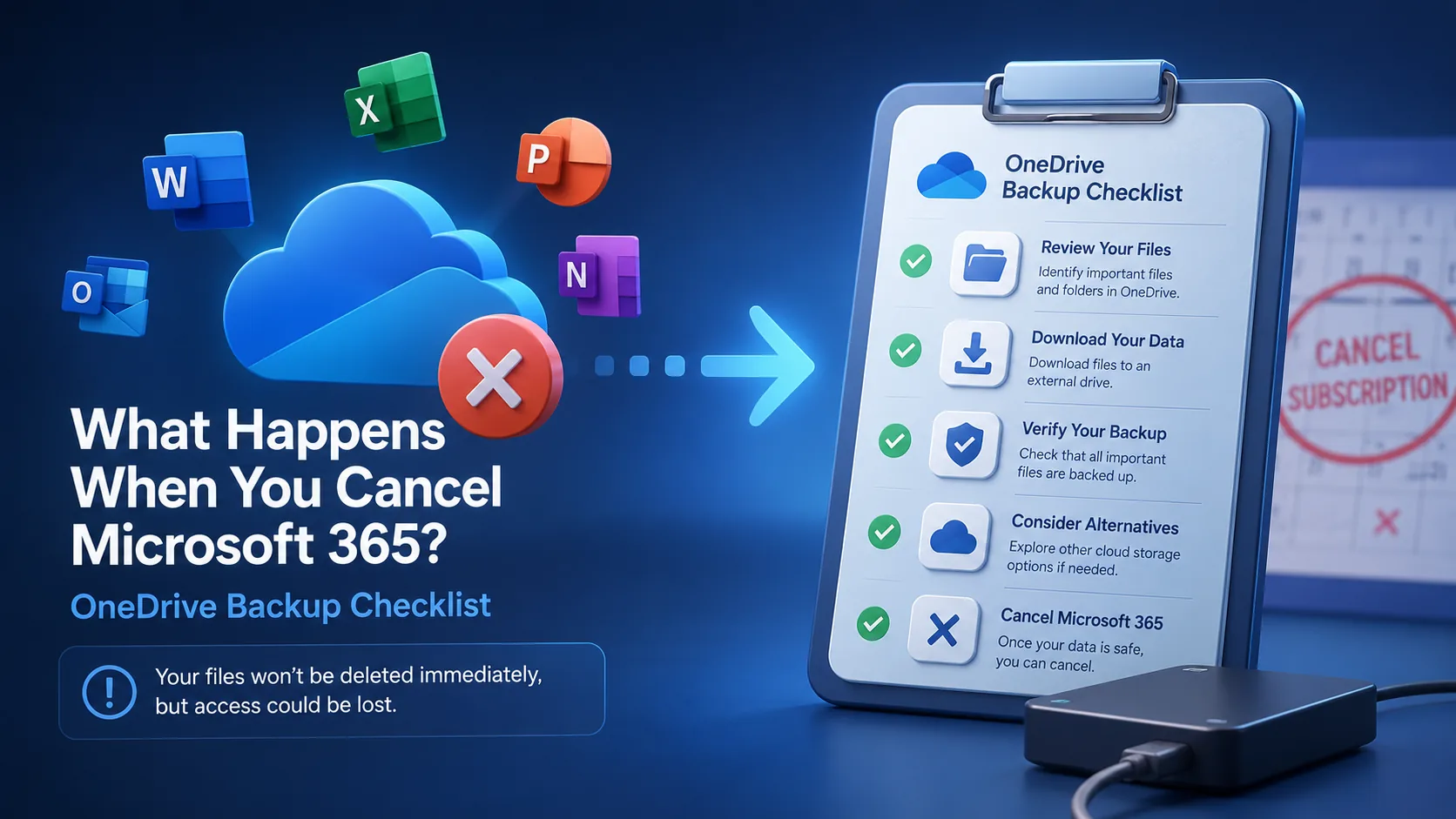
What Happens When You Cancel Microsoft 365? Files, OneDrive & Checklist
7 min read
What is File Hosting? Your Guide to Cloud Storage & Sharing
8 min read