Cloud Storage vs External Hard Drive: Which is Better?
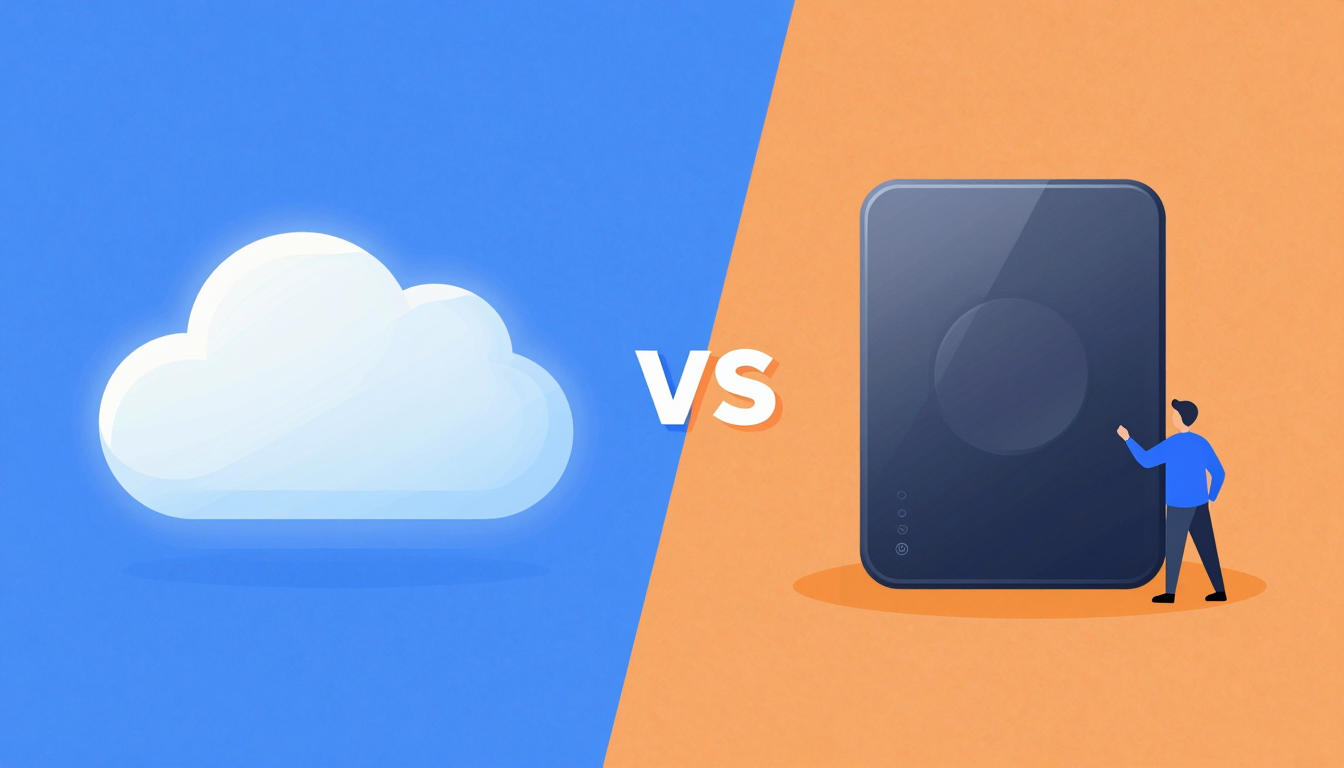
Cloud Storage vs External Hard Drive: Which is Better?
Comparing cloud storage and external hard drives to help you decide which is best for your data storage needs. Explore pros, cons, and key differences.
Quick answer: which is better, cloud storage or an external hard drive?
There is no single winner — it depends on your priority. An external hard drive is better for one-time bulk backups, offline access, and no monthly fee. Cloud storage is better for access anywhere, sharing, automatic off-site protection, and recovery if hardware is lost, stolen, or fails. Most people are safest using both: a local drive for cold backups plus cloud for live access and disaster recovery (the 3-2-1 rule).
Pick by intent:
- Want lowest long-term cost + full offline control → external hard drive (one-time buy, but no redundancy if it dies).
- Want access from any device + easy sharing + off-site safety → cloud storage such as fii.one, Google Drive, OneDrive, or Dropbox.
- Want privacy on the cloud copy → a zero-knowledge provider (fii.one, Proton Drive, Tresorit) so the host cannot read your files.
- Want to find a specific file fast across many stored files → cloud wins: fii.one adds built-in search across your library, which an external drive can only match with local desktop-search tools like Everything.
What is cloud storage vs external hard drive which is better?
When deciding between cloud storage and an external hard drive, it’s essential to understand the core differences. Cloud storage is a virtual space where your data is stored on remote servers accessed via the internet. On the other hand, an external hard drive is a physical device that connects to your computer to store files locally.
💡 Key Insight: The choice between cloud storage vs external hard drive which is better depends on your needs: accessibility, security, and cost.
Cloud storage offers unmatched convenience. You can access your files from any device with an internet connection, making it ideal for professionals on the go. However, it relies on internet speed and may incur ongoing subscription fees. External hard drives, meanwhile, provide fast, offline access and a one-time purchase cost. They’re perfect for large files or sensitive data you want to keep offline.
- Cloud Storage: Great for accessibility, collaboration, and backups.
- External Hard Drive: Ideal for offline storage, large files, and data security.
Ultimately, the decision between cloud storage vs external hard drive which is better comes down to your priorities. For flexibility and ease of use, cloud storage shines. For control and offline reliability, an external hard drive is the way to go.
Why cloud storage vs external hard drive which is better Matters
Choosing between cloud storage and an external hard drive isn’t just about where to store your files—it’s about accessibility, security, and long-term convenience. The debate of cloud storage vs external hard drive which is better impacts how you protect, share, and manage your data daily.
💡 Key Insight: Cloud storage offers remote access and collaboration, while external drives provide physical control and one-time costs. Your choice depends on priorities like budget, internet reliability, and data sensitivity.
- Accessibility: Cloud storage lets you retrieve files from any device, while external drives require physical connection.
- Security: External drives avoid online hacking risks, but clouds offer encryption and automated backups.
- Cost: Clouds often involve subscriptions, whereas external drives are a one-time purchase.
🌐 Cloud Storage
Ideal for teams, frequent travelers, or those needing automatic sync across devices.
💾 External Drive
Best for large offline files, sensitive data, or users with limited internet access.
Ultimately, the "better" option depends on your workflow. Many users combine both for a balanced approach—using clouds for collaboration and external drives for backups or large media libraries.
Key Features to Look For
When deciding between cloud storage and an external hard drive, it’s essential to evaluate key features that align with your needs. Whether you prioritize accessibility, security, or cost, understanding these factors will help you determine which solution is better for you in the "cloud storage vs external hard drive which is better" debate.
💡 Key Insight: The best choice depends on your specific use case—cloud storage excels in remote access, while external drives offer physical control.
- Accessibility: Cloud storage allows access from any device with internet, while external drives require physical connection.
- Storage Capacity: External drives offer large capacities (up to 20TB), whereas cloud storage often has tiered subscription plans.
- Security: Cloud providers use encryption, but external drives keep data offline, reducing hacking risks.
- Cost: External drives are a one-time purchase, while cloud storage involves recurring fees.
- Backup & Sync: Cloud storage automatically syncs files, while external drives require manual backups.
🔒 Privacy Focus
External hard drives give full control over your data, ideal for sensitive files.
🌐 Anywhere Access
Cloud storage lets you share and edit files on-the-go, perfect for collaboration.
Ultimately, the "cloud storage vs external hard drive which is better" question hinges on your priorities. For flexibility and teamwork, cloud storage shines. For large, secure archives, an external hard drive may be the winner.
How to Get Started with cloud storage vs external hard drive which is better
Deciding between cloud storage and an external hard drive depends on your needs, budget, and tech comfort level. Here’s how to get started with either option to determine which suits you best.
💡 Key Insight: Cloud storage offers accessibility from anywhere, while external hard drives provide physical control and one-time costs.
Steps to Choose the Right Solution
- Assess Your Needs: Do you need frequent access from multiple devices (cloud) or high-capacity local backups (external drive)?
- Compare Costs: Cloud storage requires subscriptions, while external drives are a one-time purchase.
- Test Security: Cloud services encrypt data, but external drives rely on your own precautions.
- Try Both: Use free cloud tiers (like Google Drive or Dropbox) alongside an external drive to compare.
☁️ Cloud Storage
Ideal for collaboration, automatic backups, and accessing files on-the-go.
💾 External Drive
Perfect for large files, offline access, and avoiding recurring fees.
Still unsure about cloud storage vs external hard drive which is better? Start small—backup photos to the cloud while storing videos on an external drive. Over time, you’ll find the right balance!
Best Practices for cloud storage vs external hard drive which is better
When deciding between cloud storage and external hard drives, it’s essential to consider your specific needs and use cases. Both options have their strengths, and adopting best practices can help you make the most of each.
- Backup Redundancy: Use a combination of cloud storage and external hard drives for critical data. This ensures redundancy and protects against both physical damage and cyber threats.
- Accessibility: Choose cloud storage for files you need to access remotely or share with others. External drives are better for offline access and large file storage.
- Security: Encrypt sensitive files regardless of the storage method. Cloud storage providers often offer built-in encryption, while external drives may require third-party tools.
- Cost Efficiency: Evaluate long-term costs. Cloud storage subscriptions can add up, while external drives are a one-time purchase but may need replacement over time.
💡 Key Insight: The decision between cloud storage vs external hard drive which is better depends on your priorities—convenience and accessibility favor the cloud, while control and offline access lean toward external drives.
Ultimately, the best approach is often a hybrid solution, leveraging the strengths of both cloud storage and external hard drives to meet your data storage and security needs.
Cloud storage vs external hard drive: side-by-side comparison
The right choice comes down to five practical trade-offs: cost model, access, durability, security, and how fast you can find a file later. This table sums up how the two options actually differ in day-to-day use.
| Factor | External hard drive | Cloud storage |
|---|---|---|
| Cost model | One-time purchase, no monthly fee | Ongoing subscription (or free tier) |
| Access | Offline only, must be physically plugged in | Any device with internet, anywhere |
| Durability / redundancy | Single point of failure; can be lost, stolen, or die | Redundant copies off-site; survives local disaster |
| Sharing | Hand over the drive or copy files manually | Share a link in seconds, set permissions |
| Privacy | Fully yours (encrypt the drive yourself) | Depends on provider; zero-knowledge = host can't read |
| Finding a file later | Manual folder browsing or local desktop search | Built-in search across your whole library |
When an external hard drive wins
Choose a drive for large one-time archives (photo libraries, video projects, system images), when you want zero recurring cost, or when you need files available with no internet. The catch: a single drive has no redundancy — if it fails, the data is gone unless you have a second copy. Treat any single drive as one leg of a backup, not the backup.
When cloud storage wins
Choose cloud for anything you need on multiple devices, files you share often, and data you cannot afford to lose to theft, fire, or drive failure. Cloud also wins on retrieval: instead of plugging in a drive and hunting through folders, a service like fii.one lets you search your stored files directly. For sensitive data, pick a zero-knowledge provider so the host cannot read your files.
The best answer for most people: use both
The safest setup follows the 3-2-1 rule: keep 3 copies of important data, on 2 different media types, with 1 copy off-site. In practice that means a local external drive for cold backups plus cloud storage for live access and off-site protection. You get the drive's low cost and offline control, and the cloud's anywhere-access and disaster recovery.
Frequently Asked Questions
Is cloud storage safer than an external hard drive?
For protection against loss, usually yes. An external drive is a single point of failure — one accident, theft, or hardware death and the data is gone. Cloud storage keeps redundant off-site copies, so your files survive local disasters. For privacy, a drive you encrypt yourself is fully private, while cloud privacy depends on the provider — choose a zero-knowledge service if the host must not be able to read your files.
Is it cheaper to use an external hard drive or cloud storage?
Short term, an external drive is cheaper: one purchase, no monthly fee. Long term, cloud storage costs more over the years but includes redundancy, anywhere-access, and sharing that a bare drive can't provide. If cost is the only concern and you accept the risk of no backup, a drive wins; if losing the data would hurt, the cloud subscription pays for itself the first time a drive fails.
Do I really need both cloud storage and an external hard drive?
For anything important, yes. The 3-2-1 backup rule — 3 copies, 2 media types, 1 off-site — exists because any single copy can fail. A local drive plus cloud storage covers both media types and puts one copy off-site automatically, which is why it's the recommended setup for photos, work files, and anything you can't recreate.
Is cloud storage more secure than an external hard drive?
Cloud storage offers encryption and remote backups, reducing the risk of physical damage or loss. However, it depends on the provider's security measures. External hard drives are secure if kept physically safe but lack automatic backups.
Which is more cost-effective: cloud storage or an external hard drive?
External hard drives have a one-time cost, while cloud storage requires ongoing subscriptions. For long-term use with large data, an external hard drive may be cheaper, but cloud storage offers scalability and accessibility.
Can I access my files offline with cloud storage?
Most cloud storage services allow offline access by syncing files to your device, but you need an initial internet connection. External hard drives provide instant offline access without dependency on the internet.
What happens if my external hard drive fails?
If an external hard drive fails, data recovery can be expensive or impossible without backups. Cloud storage automatically backs up files, reducing the risk of permanent data loss.
Which is better for collaboration: cloud storage or an external hard drive?
Cloud storage is ideal for collaboration, allowing real-time file sharing and editing across multiple users. External hard drives require physical transfer, making teamwork less efficient.
Conclusion
When deciding between cloud storage and external hard drives, the choice ultimately depends on your specific needs and preferences. Both options have their unique advantages and drawbacks, making them suitable for different use cases.
- Cloud storage offers flexibility, accessibility, and scalability, making it ideal for those who need to access their files from anywhere or collaborate with others.
- External hard drives provide tangible, one-time cost storage with no reliance on internet connectivity, making them a reliable choice for large files or offline backups.
💡 Key Insight: For most users, a combination of both cloud storage and external hard drives offers the best of both worlds, ensuring convenience and security.
In the debate of cloud storage vs external hard drive which is better, there’s no one-size-fits-all answer. Assess your storage needs, budget, and usage patterns to make the right decision for your digital life.
Get Started with Cloud Storage vs External Hard Drive: Which is Better?
Ready to take the next step? Comparing cloud storage and external hard drives to help you decide which is best for your data storage needs. Explore pros, cons, and key differences.
Join thousands of users who trust fii.one for fast, private cloud storage.
Get Started Free →fii.one Team
The fii.one blog brings you guides, tips, and insights on file storage, sharing, and productivity.
← Previous
How to Send Large Video Files Without Losing Quality
Next →
How to Protect Sensitive Files in the Cloud: Best Practices
Related Articles

How to Search Files Across MediaFire, Mega & Google Drive in One Place
3 min read
MEGA Bandwidth Limits Explained: Transfer Quota, Caps & Fixes
7 min read
Is pCloud Lifetime Plan Worth It in 2026? The Math That Matters
5 min read

Top Temporary File Hosting Services for Fast, Secure Sharing
4 min read